.COREFTP 文件扩展名

CoreFTP Connection Configuration

开发者 Core FTP
受欢迎程度
3.5  |  2 
 

什么是 COREFTP 文件?

A COREFTP file is a configuration file created by CoreFTP, a File Transfer Protocol (FTP) client for Windows. It contains saved connection details such as the server address, username, password (if saved), port number, and protocol type, such as FTP, SFTP, and FTPS. COREFTP files allow users to quickly connect to previously configured servers without re-entering their login information every time.

更多信息

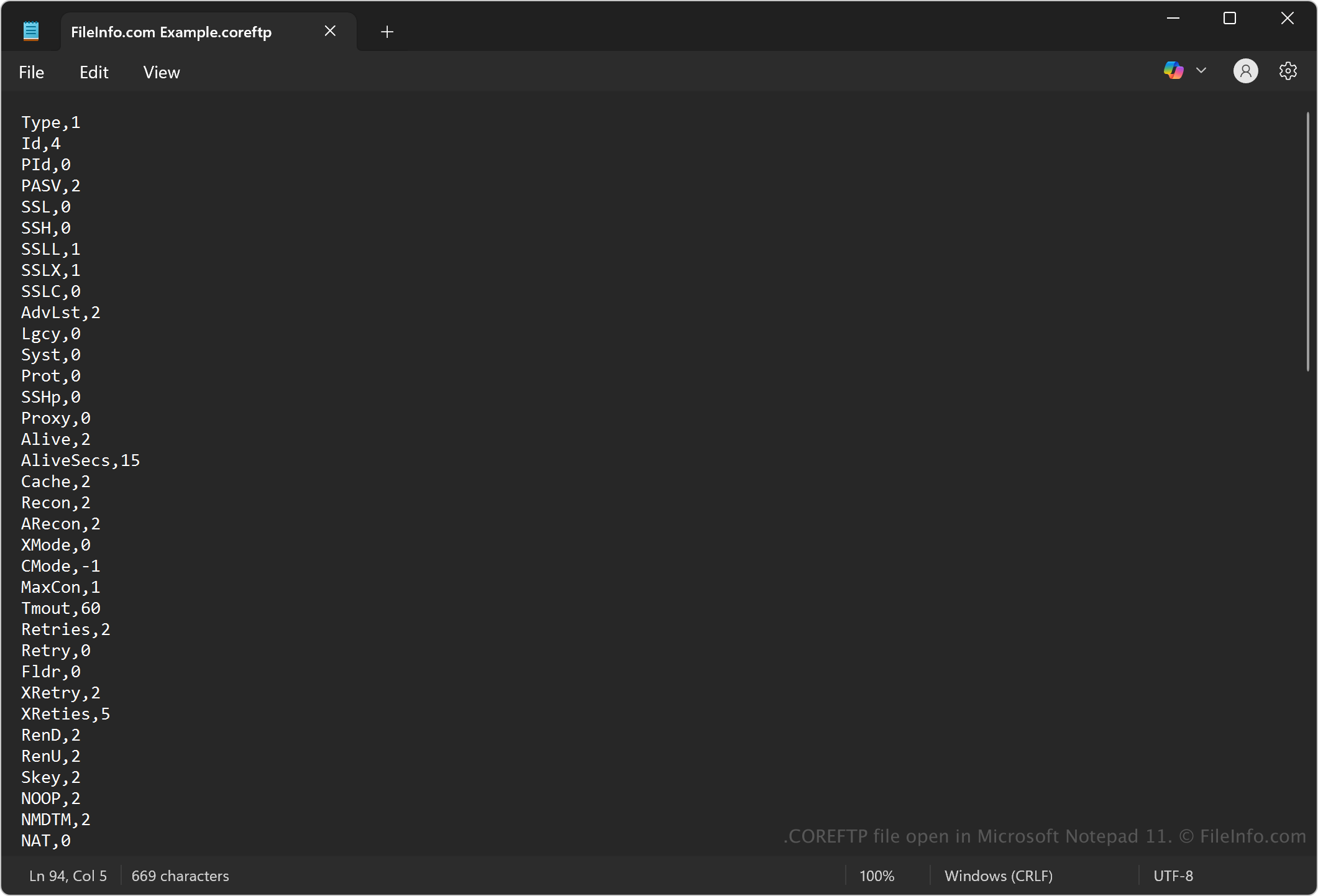
在 Microsoft Notepad 11 中打开的 .coreftp 文件截图
在 Microsoft Notepad 11 中打开的 COREFTP 文件

CoreFTP is a Windows-based FTP client developed by Core FTP, first released in the early 2000s. Web developers, system administrators, and IT professionals use the program to transfer files securely between local computers and remote servers using various protocols. The program uses COREFTP files to store settings for saved site profiles that help users quickly access their frequent connections without re-entering login information.

注: To create a COREFTP file, select Sites → Site Manager, and click New Site to add your server information. When you click Connect and choose to save the site, CoreFTP stores the settings in a COREFTP file.

如何打开 COREFTP 文件

You can open COREFTP files with CoreFTP in Windows. To open an existing COREFTP file, go to Site Manager, and the saved sites (stored as COREFTP files) will appear in the list for quick access.

Since COREFTP files store plain text, you may also view or modify them with a text editor, such as Microsoft Notepad (Windows), Apple TextEdit (macOS), or gedit (Linux). However, modifying a COREFTP file with a text editor may risk corrupting the file or exposing sensitive credentials.

使用File Viewer Plus打开 400 多种文件格式。免费下载

可打开或引用 COREFTP 文件的程序

All Platforms
Windows
免费
分类: 设置
更新时间: 2025-05-05

验证者 FileInfo.com

FileInfo.com 团队 独立研究了本页面列出的 CoreFTP Connection Configuration 文件格式和 Windows 应用。 我们的目标是达到 100% 的准确率,并且仅发布我们已验证过的文件类型信息。

如果您想为此页面提出新增或更新建议,请告诉我们