.COREFTP ファイル拡張子

CoreFTP Connection Configuration

開発元 Core FTP
人気度
3.5  |  2 
 

COREFTPファイルとは?

A COREFTP file is a configuration file created by CoreFTP, a File Transfer Protocol (FTP) client for Windows. It contains saved connection details such as the server address, username, password (if saved), port number, and protocol type, such as FTP, SFTP, and FTPS. COREFTP files allow users to quickly connect to previously configured servers without re-entering their login information every time.

詳細情報

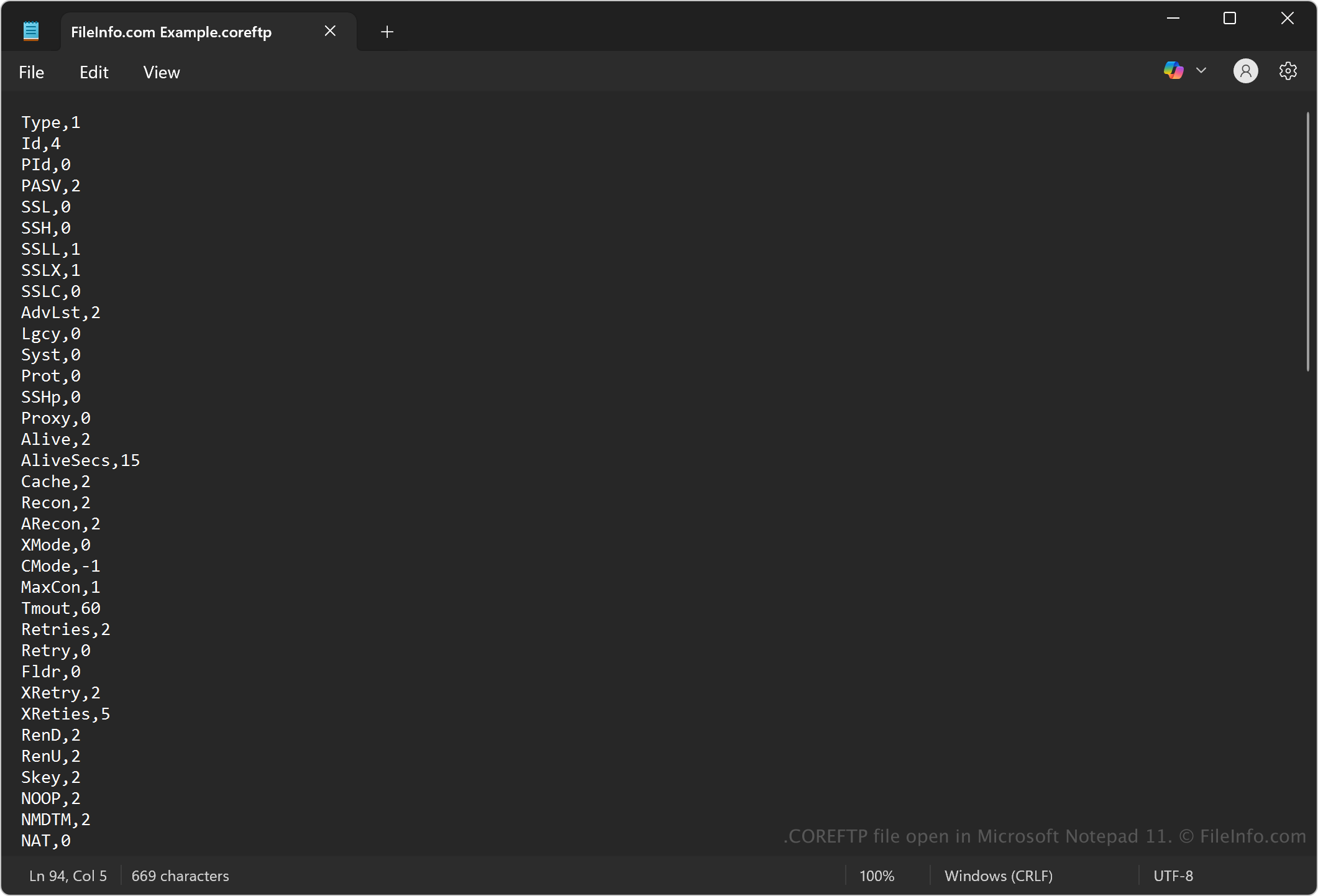
Microsoft Notepad 11で開いた.coreftpファイルのスクリーンショット
Microsoft Notepad 11で開いたCOREFTPファイル

CoreFTP is a Windows-based FTP client developed by Core FTP, first released in the early 2000s. Web developers, system administrators, and IT professionals use the program to transfer files securely between local computers and remote servers using various protocols. The program uses COREFTP files to store settings for saved site profiles that help users quickly access their frequent connections without re-entering login information.

注: To create a COREFTP file, select Sites → Site Manager, and click New Site to add your server information. When you click Connect and choose to save the site, CoreFTP stores the settings in a COREFTP file.

COREFTPファイルの開き方

You can open COREFTP files with CoreFTP in Windows. To open an existing COREFTP file, go to Site Manager, and the saved sites (stored as COREFTP files) will appear in the list for quick access.

Since COREFTP files store plain text, you may also view or modify them with a text editor, such as Microsoft Notepad (Windows), Apple TextEdit (macOS), or gedit (Linux). However, modifying a COREFTP file with a text editor may risk corrupting the file or exposing sensitive credentials.

File Viewer Plusで400種類以上のファイル形式を開けます。無料ダウンロード

COREFTPファイルを開く、または参照するプログラム

All Platforms
Windows
無料
カテゴリ: 設定
更新日: 2025-05-05

検証者 FileInfo.com

FileInfo.comチーム は、このページに掲載されているCoreFTP Connection Configurationファイル形式とWindowsアプリについて独自に調査しました。 私たちの目標は100%の正確性であり、検証済みのファイルタイプに関する情報のみを公開しています。

このページへの追加や更新をご提案いただける場合は、お知らせください。