.BIB 文件扩展名

BibTeX Bibliography Database

开发者 不适用
受欢迎程度
3.5  |  33 
 

什么是 BIB 文件?

A BIB file is a text document created by a LaTeX program, such as MiKTeX or TeXworks. It contains a list of bibliographic citations in BibTeX formatting. BIB files enable bibliographies to be searched and published using standard commands and are often used in combination with LaTeX (.TEX) documents.

更多信息

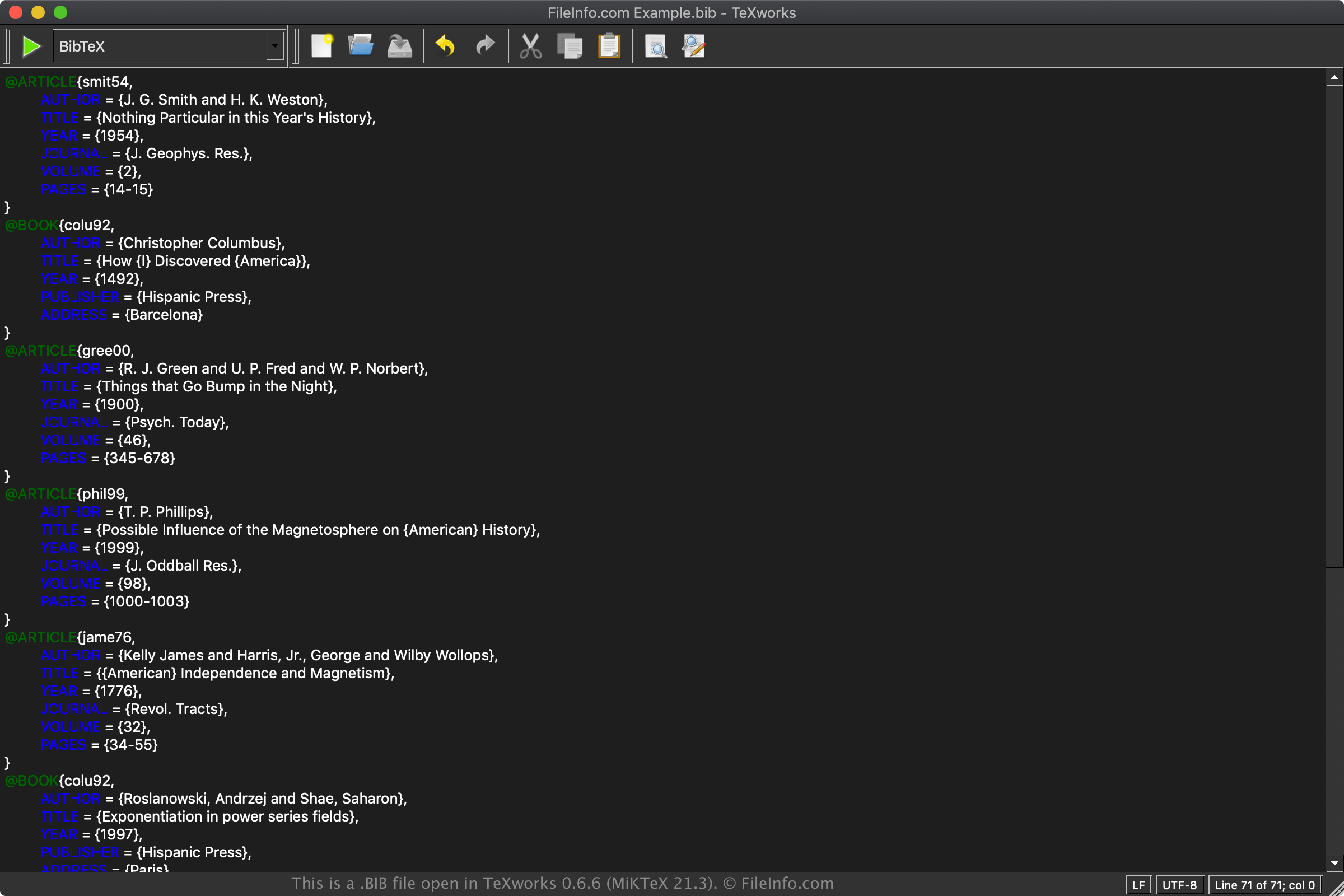
在 TeXworks 0.6.6 (MiKTeX 21.3) 中打开的 .bib 文件截图
在 TeXworks 0.6.6 (MiKTeX 21.3) 中打开的 BIB 文件

LaTeX is a typesetting system commonly utilized in academia to prepare documents with content that is formatted separately before it is published. This system is beneficial for publishing documents in fields such as engineering, economics, mathematics, statistics, philosophy, and linguistics.

Unlike word processor documents, which contain inline text formatting, LaTeX documents contain plain text with tags and other LaTeX syntax. The visual formatting is handled by a LaTeX processing system. Therefore, a LaTeX document may look different depending on which LaTeX application is used to display the file.

BibTeX is a system for managing bibliographic references included in the LaTeX documents. The bibliographies may be stored in the LaTeX document but are typically stored in BIB files. Examples of items included in bibliographies are books, articles, research papers, and technical reports.

Example BibTeX formatting

A sample BIB file entry may be formatted as follows:

@BOOK{citation key,

AUTHOR = {Author name},
TITLE = {Title of book},
PUBLISHER = {Name of publisher},
ADDRESS = {Location published},
}

如何打开 BIB 文件

You can open BIB files with various LaTeX applications and bibliographic managers, such as MiKTeX (Windows), BibDesk (macOS), TeXworks (multiplatform), and JabRef (multiplatform).

Since BIB files are saved in plain text, you can also open and edit BIB files with a plain text editor, such as Microsoft Notepad (bundled with Windows) or Apple TextEdit (bundled with macOS). However, these text editors do not provide helpful formatting features like LaTeX applications and bibliographic managers.

使用File Viewer Plus打开 400 多种文件格式。免费下载

可打开 BIB 文件的程序

Windows
免费
免费
免费
免费
Mac
免费
免费
免费
免费
Linux
免费
免费
免费
免费
免费
分类: 文本
更新时间: 2021-03-29

Bibliography Document

开发者 不适用
受欢迎程度
3.5  |  38 
 

A BIB file is a text-based bibliography document that stores references used in academic papers, books, and other publications. It stores plain text (ASCII) citation information, such as author names, titles, publication years, and sources. BIB files support various structured formats, including BibTeX, BibLaTeX (an extension of BibTeX), EndNote Tagged Format, and RIS Format.

更多信息

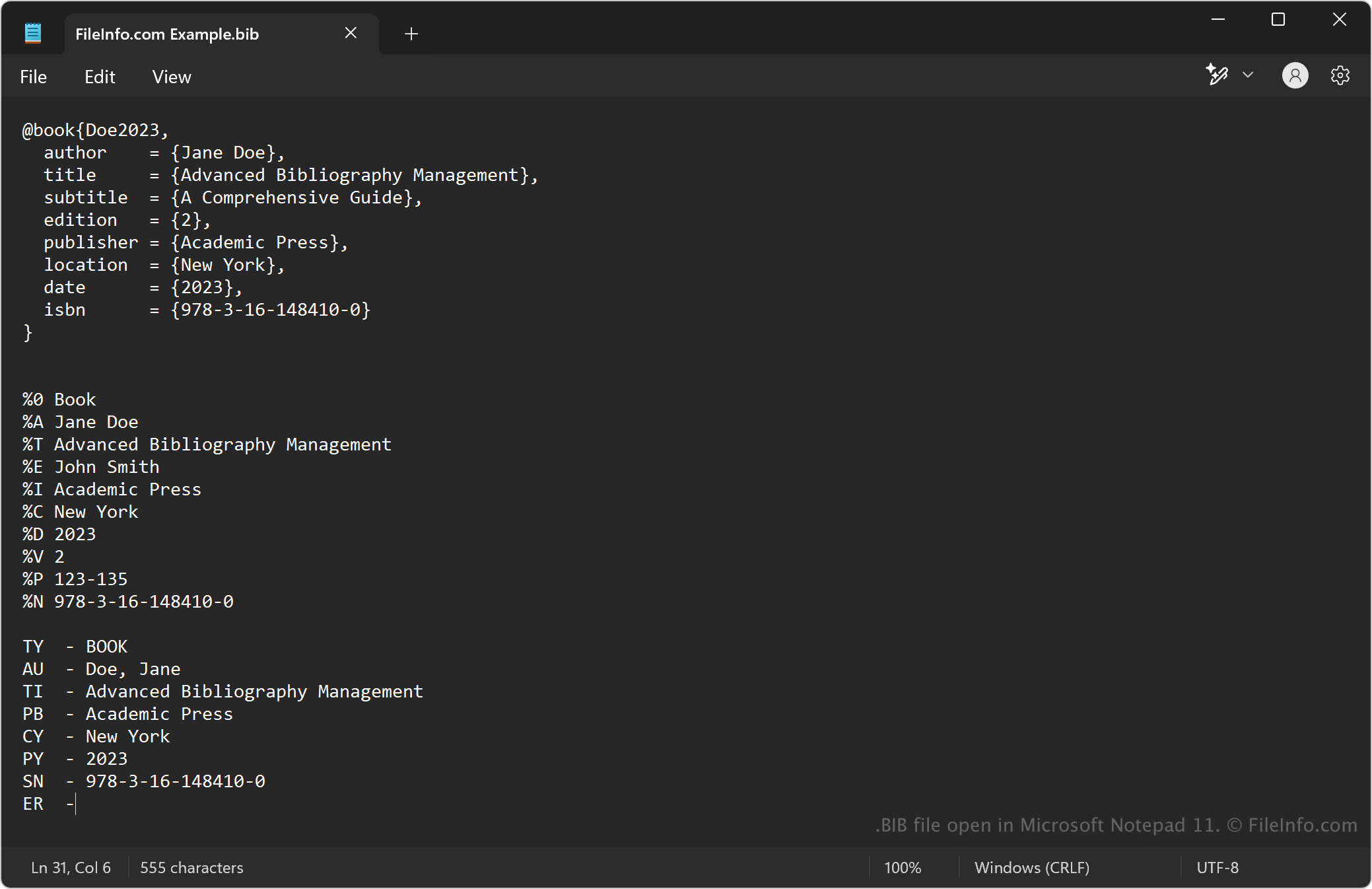
在 Microsoft Notepad 11 中打开的 .bib 文件截图
在 Microsoft Notepad 11 中打开的 BIB 文件

The most common format BIB files use is BibTex, which you can view more information about in the "BibTeX Bibliography Database" file type entry. The other structured formats include:

  • BibLaTeX – An extension of BibTeX that offers more flexibility and additional fields, making it more suitable for modern academic citations. It follows a similar structure to BibTeX but introduces new entry types and metadata.
  • EndNote Tagged Format – Some EndNote reference managers export bibliographies in a BIB format that differs from BibTeX. This structure uses a simple tag-based system and includes % symbols as field markers.
  • RIS Format – Another widely used bibliography format in research databases and journal publishers that can sometimes be stored with a .bib extension when converted. It follows a tagged text format, uses two-letter field tags (e.g., TY for type, AU for author), and fields are separated by line breaks.

如何打开 BIB 文件

You can open BIB files with any text editor, such as Microsoft Notepad (bundled with Windows), Apple TextEdit (bundled with macOS), and gedit (Linux). You can also open BIB files with programs that include features that make it easier to view and edit the files (e.g., syntax highlighting), including Microsoft Visual Studio Code (multiplatform).

可打开 BIB 文件的程序

All Platforms
分类: 文本
更新时间: 2025-03-07

验证者 FileInfo.com

FileInfo.com 团队 独立研究了本页面列出的所有文件格式和软件程序。 我们的目标是达到 100% 的准确率,并且仅发布我们已验证过的文件类型信息。

如果您想为此页面提出新增或更新建议,请告诉我们