

.MMMP Extensão de arquivo
Arquivo de parte de mapa do MindManager
| Desenvolvedor | Mindjet |
| Popularidade |
2,3 | 3 Votos |
O que é um arquivo MMMP?
Um arquivo MMMP contém uma parte de mapa criada pelo Corel MindManager, um aplicativo de criação de diagramas visuais usado para organizar ideias, planos e projetos. Ele armazena parte de um diagrama de mapa mental que os usuários usam em outros mapas. Os arquivos MMMP são semelhantes aos arquivos de modelo .MMAT, mas armazenam um componente de um mapa em vez do mapa inteiro.
Mais informações
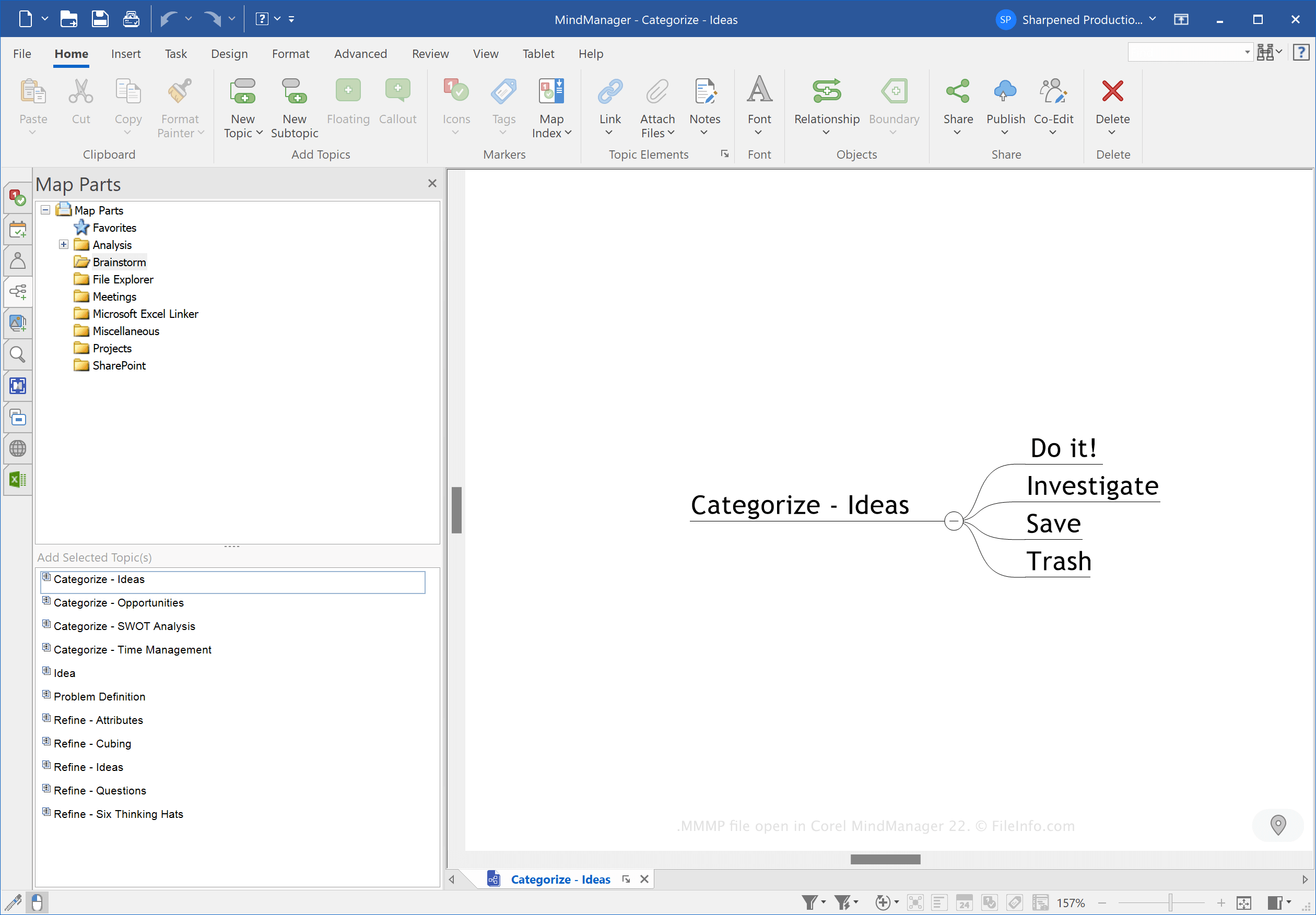
Um mapa mental do MindManager é composto por um tópico principal, subtópicos, notas, limites, linhas de relacionamento, imagens e outros objetos. Você pode usar os mapas (normalmente arquivos .MMAP) para organizar informações em vários layouts, como fluxogramas, linhas do tempo, reuniões, eventos e planos de gerenciamento de projetos.
As partes de mapa do MindManager são componentes de tópicos ou subtópicos que você pode reutilizar em mapas diferentes. Como você pode reutilizar as partes em diferentes tipos de mapas, os arquivos MMMP normalmente armazenam informações genéricas, como unidades de tempo (dias ou meses) ou itens básicos de pauta de reuniões.
Como criar um arquivo MMMP
Para criar um arquivo MMMP para armazenar uma parte de mapa:
- Escolha uma parte de mapa
- Selecione
- Escolha "MindManager Map Part" no menu suspenso
- Dê um nome ao arquivo
- Escolha o local de salvamento
- Clique em
NOTA: A Corel Corporation adquiriu o MindManager da Mindjet em 2016.
Como abrir um arquivo MMMP
Você pode abrir um arquivo MMMP com o Corel MindManager no Windows e no macOS. Para abrir um arquivo MMMP, selecione e escolha o arquivo MMMP.
Você também pode abrir um arquivo MMMP para importar partes para tópicos clicando com o botão direito do mouse em um tópico e selecionando no painel Map Parts.