

.MMMP ファイル拡張子
MindManagerマップパーツファイル
| 開発元 | Mindjet |
| 人気度 |
2.3 | 3 票 |
MMMPファイルとは?
MMMPファイルには、アイデア、計画、プロジェクトの整理に使用されるビジュアル図解アプリケーション、Corel MindManagerで作成されたマップパーツが含まれています。ユーザーが他のマップで使用するマインドマップ図の一部が保存されています。MMMPファイルは.MMATテンプレートファイルに似ていますが、マップ全体ではなく、マップの1つのコンポーネントを保存します。
詳細情報
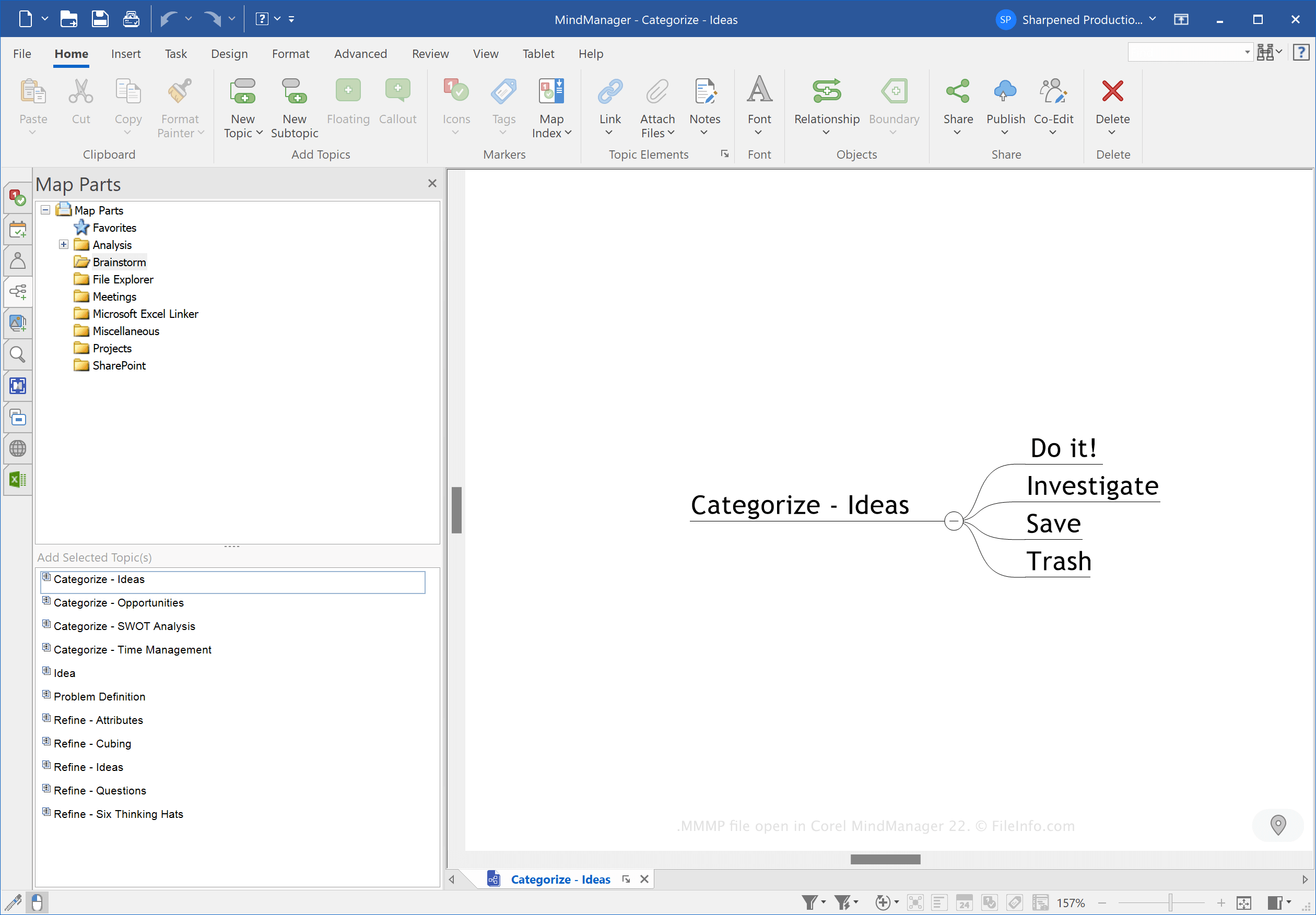
MindManagerのマインドマップは、メイントピック、サブトピック、ノート、境界線、関係線、画像、その他のオブジェクトで構成されます。マップ(通常は.MMAPファイル)を使用して、フローチャート、タイムライン、会議、イベント、プロジェクト管理計画など、さまざまなレイアウトで情報を整理できます。
MindManagerのマップパーツは、さまざまなマップで再利用できるトピックまたはサブトピックのコンポーネントです。パーツはさまざまな種類のマップで再利用できるため、MMMPファイルには通常、時間の単位(日または月)や基本的な会議の議題項目など、汎用的な情報が保存されます。
MMMPファイルの作成方法
マップパーツを保存するMMMPファイルを作成するには、次の手順を実行します。
- マップパーツを選択します
- を選択します
- ドロップダウンメニューから「MindManager Map Part」を選択します
- ファイル名を入力します
- 保存場所を選択します
- をクリックします
注: Corel Corporationは2016年にMindjetからMindManagerを買収しました。
MMMPファイルの開き方
WindowsおよびmacOSでは、Corel MindManagerでMMMPファイルを開くことができます。MMMPファイルを開くには、を選択し、MMMPファイルを選択します。
トピックを右クリックして、マップパーツペインでを選択することでも、MMMPファイルを開いてパーツをトピックにインポートできます。
MMMPファイルを開くプログラム
Windows
無料体験版
Mac
無料体験版