

.MMMP Dateiendung
MindManager-Kartenteil-Datei
| Entwickler | Mindjet |
| Beliebtheit |
2,3 | 3 Stimmen |
Was ist eine MMMP-Datei?
Eine MMMP-Datei enthält einen von Corel MindManager erstellten Kartenteil. Corel MindManager ist eine Anwendung zur visuellen Darstellung von Diagrammen, mit der sich Ideen, Pläne und Projekte organisieren lassen. Die Datei speichert einen Teil eines Mindmap-Diagramms, den Benutzer in anderen Karten verwenden können. MMMP-Dateien ähneln den .MMAT-Vorlagendateien, speichern jedoch eine einzelne Komponente einer Karte statt der gesamten Karte.
Weitere Informationen
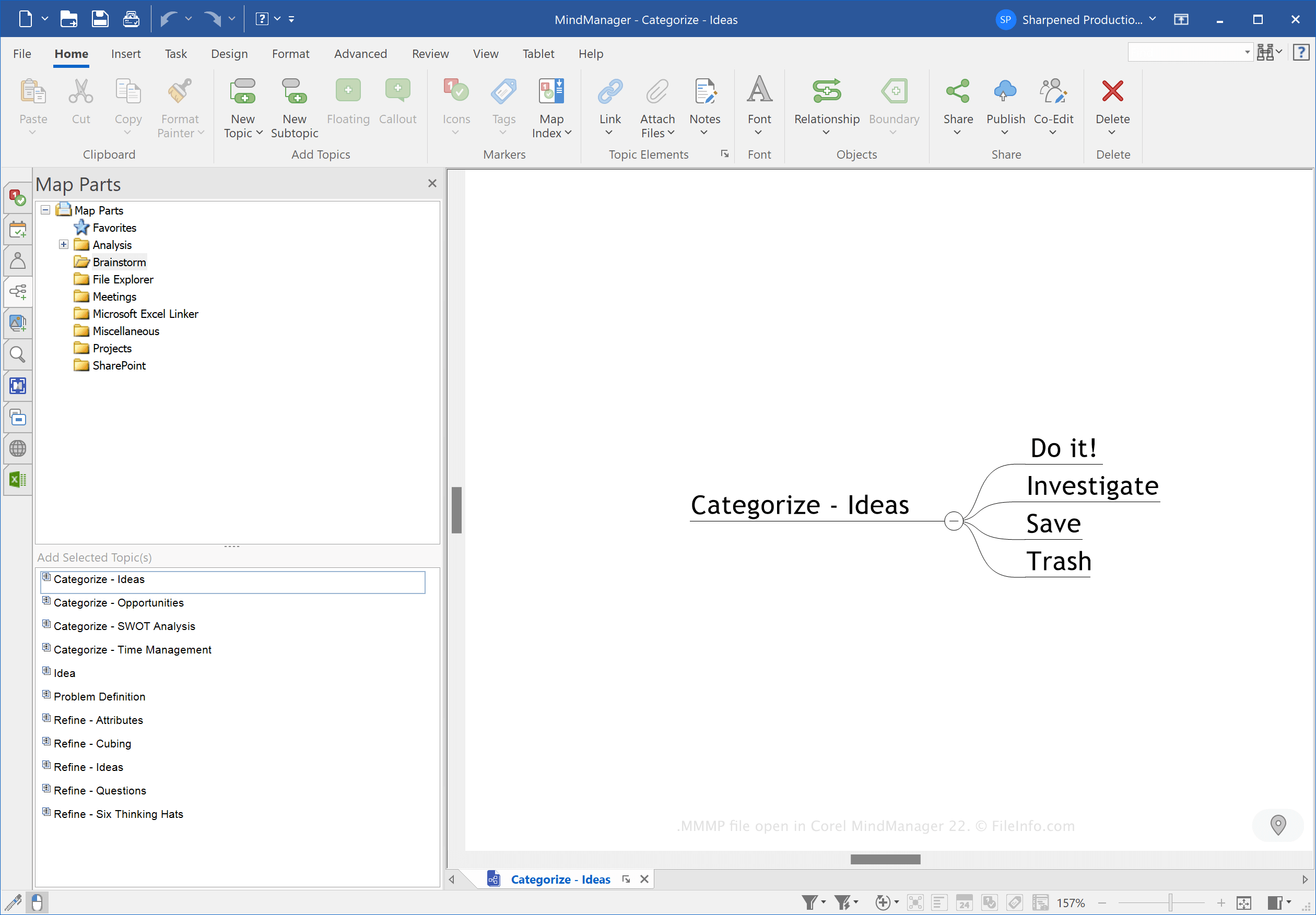
Eine MindManager-Mindmap besteht aus einem Hauptthema, Unterthemen, Notizen, Begrenzungen, Beziehungslinien, Bildern und anderen Objekten. Sie können die Karten (normalerweise .MMAP-Dateien) verwenden, um Informationen in verschiedenen Layouts zu organisieren, beispielsweise als Flussdiagramme, Zeitachsen, Besprechungen, Veranstaltungen und Pläne für das Projektmanagement.
MindManager-Kartenteile sind Themen- oder Unterthemenkomponenten, die Sie in verschiedenen Karten wiederverwenden können. Da Sie die Teile in verschiedenen Kartentypen wiederverwenden können, speichern MMMP-Dateien normalerweise allgemeine Informationen, beispielsweise Zeiteinheiten (Tage oder Monate) oder grundlegende Punkte einer Besprechungsagenda.
So erstellen Sie eine MMMP-Datei
So erstellen Sie eine MMMP-Datei zum Speichern eines Kartenteils:
- Wählen Sie einen Kartenteil aus
- Wählen Sie aus
- Wählen Sie im Dropdown-Menü „MindManager Map Part“ aus
- Benennen Sie die Datei
- Wählen Sie den Speicherort aus
- Klicken Sie auf
HINWEIS: Corel Corporation erwarb MindManager 2016 von Mindjet.
So öffnen Sie eine MMMP-Datei
Sie können eine MMMP-Datei mit Corel MindManager unter Windows und macOS öffnen. Um eine MMMP-Datei zu öffnen, wählen Sie aus und wählen Sie die MMMP-Datei aus.
Sie können eine MMMP-Datei auch öffnen, um Teile in Themen zu importieren. Klicken Sie dazu mit der rechten Maustaste auf ein Thema und wählen Sie im Bereich „Map Parts“ aus.