

.DPD Extensão de arquivo
Documento do Ovation Pro
| Desenvolvedor | David Pilling Software |
| Popularidade |
3,1 | 7 Votos |
O que é um arquivo DPD?
Um arquivo DPD é um documento criado pela versão para Windows do Ovation Pro. Ele contém um manual de instruções, folheto, carta, currículo ou outro tipo de documento formatado. Esse documento provavelmente é composto por várias páginas de texto formatado e pode conter imagens importadas.
Mais informações
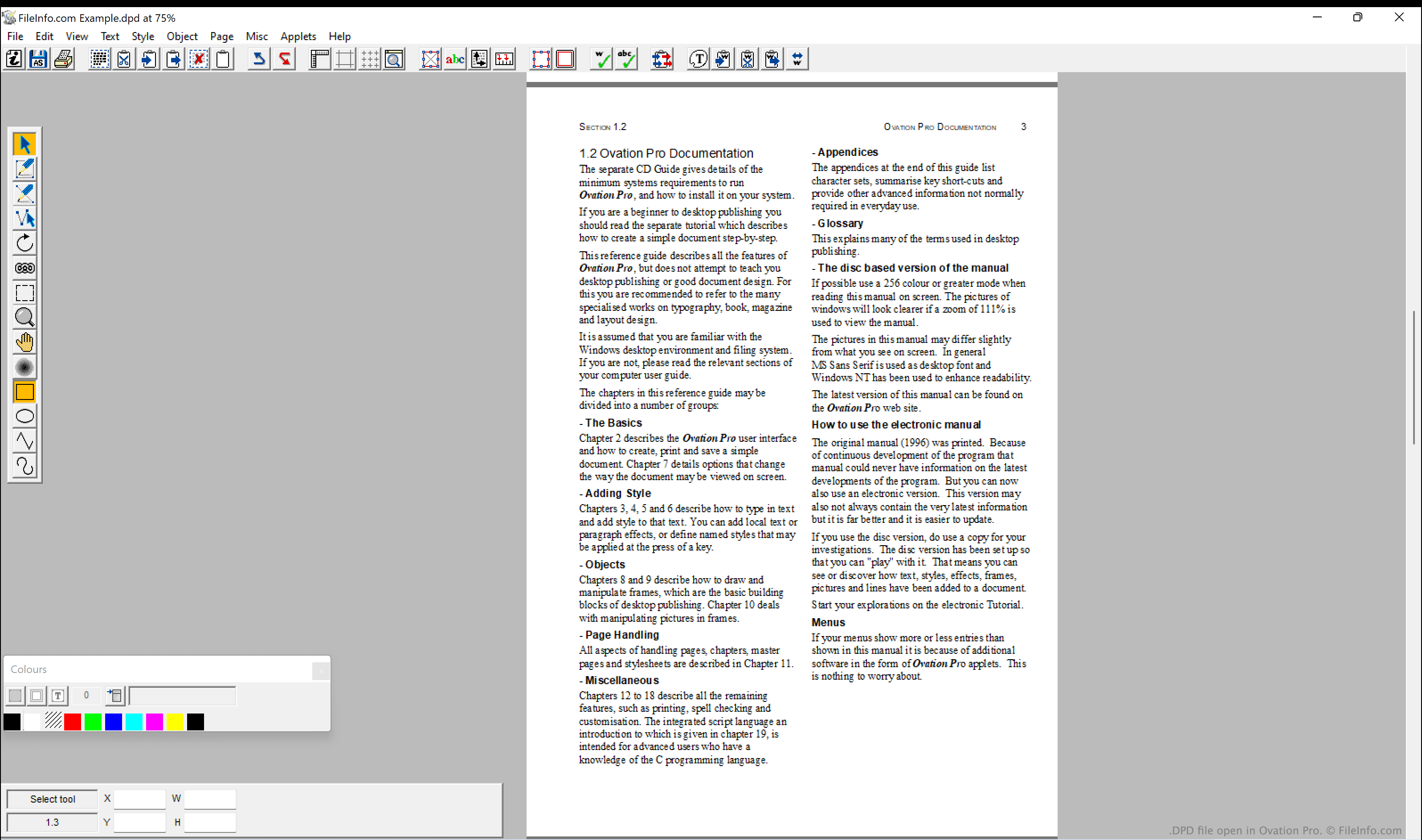
O Ovation Pro era um programa de editoração eletrônica desenvolvido pela David Piling Software. A versão inicial do Ovation Pro, disponível para RISC OS, foi lançada em 1996. A versão para Windows foi lançada em 2005. O programa foi descontinuado, e a versão para Windows está disponível online como download gratuito.
Principalmente, o Ovation Pro era usado para criar documentos formatados que o usuário pretendia imprimir e compartilhar com outras pessoas ou enviar a elas. Por exemplo, um usuário poderia ter usado o Ovation Pro para criar e imprimir um anúncio, folheto ou carta. O texto contido nesses documentos podia ser formatado para usar diferentes fontes, tamanhos, estilos, cores e outras opções de formatação. Os documentos também podiam conter imagens importadas, que os usuários podiam cortar, girar e redimensionar no Ovation Pro, se necessário.
A versão para Windows do Ovation Pro salvava os documentos criados pelos usuários como arquivos DPD. Os usuários do Windows também podiam abrir, na versão para Windows, documentos criados pela versão do Ovation Pro para RISC OS, pois os documentos criados por ambas as versões do Ovation Pro usam o mesmo formato de arquivo.
Como abrir um arquivo DPD
Você pode abrir um arquivo DPD com o Ovation Pro (Windows). Depois de abrir o Ovation Pro, selecione para localizar e abrir seu arquivo DPD.