

.TID Bestandsextensie
TiddlyWiki-tiddler
| Ontwikkelaar | The TiddlyWiki Team |
| Populariteit |
2,0 | 1 stem |
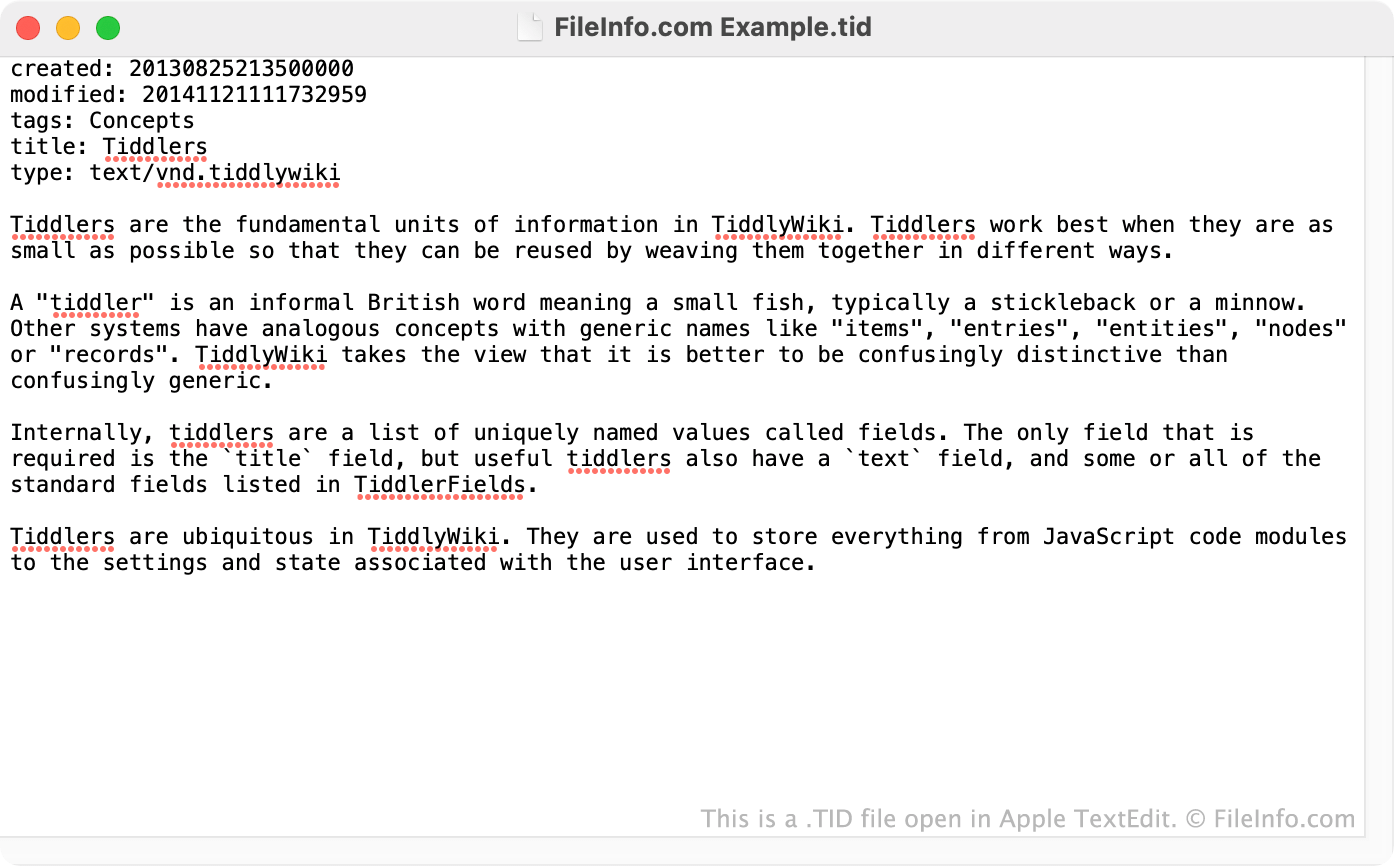
Een TID-bestand is een tiddler die uit een TiddlyWiki is geëxporteerd. Het bevat de tekst en metagegevens van de tiddler, zoals de titel, maker en datum waarop de tiddler voor het laatst is gewijzigd. TID-bestanden kunnen in andere TiddlyWiki's worden geïmporteerd, zodat gebruikers informatie tussen wiki's kunnen kopiëren.
Meer informatie
TiddlyWiki is een persoonlijk wikisysteem waarmee gebruikers complexe informatie kunnen verzamelen, ordenen en delen. Hiervoor downloaden gebruikers een TiddlyWiki .HTML-bestand en beginnen ze vervolgens tiddlers, of onderwerpen, aan hun TiddlyWiki toe te voegen.
Als een gebruiker een onderwerp uit zijn eigen TiddlyWiki of een andere TiddlyWiki wil exporteren, kan diegene dit doen met de optie van TiddlyWiki (die beschikbaar is in het vervolgkeuzemenu van elke tiddler). Hiermee kan de gebruiker de tiddler in verschillende indelingen exporteren, waaronder TiddlyWiki's eigen TID-indeling.
In de TID-indeling worden tiddlers opgeslagen als platte tekst. Elk TID-bestand begint met name:value-paren die de metagegevens van de tiddler beschrijven, zoals de titel, maker, aanmaakdatum, tags, type, datum van de laatste wijziging en bijschrift. De eigenlijke inhoud van de tiddler begint meestal na deze lijst met metagegevens (en wordt soms voorafgegaan door de tag text:).
Een TID-bestand openen
Omdat TID-bestanden platte tekstbestanden zijn, kun je ze openen en bewerken in elke teksteditor. Als je een TID-bestand in een TiddlyWiki wilt importeren, kun je dit doen met de optie in het menu van je TiddlyWiki. Nadat je het TID-bestand hebt geïmporteerd, kun je het bewerken en ernaar verwijzen zoals bij elke andere tiddler.