

.TAX2022 Bestandsextensie
TurboTax 2022-belastingaangifte
| Ontwikkelaar | Intuit |
| Populariteit |
3,8 | 4 stemmen |
Wat is een TAX2022-bestand?
Een TAX2022-bestand is een Amerikaanse belastingaangifte die is gemaakt door Intuit TurboTax, een toepassing voor het voorbereiden en indienen van belastingaangiften voor inwoners van de Verenigde Staten. Het bestand bevat informatie over de belastingaangifte voor het belastingjaar 2022, waaronder een federaal belastingformulier van de IRS, een of meer formulieren van een staat en persoonlijke informatie die de gebruiker heeft ingevoerd. Doorgaans slaan gebruikers hun belastingaangiften op als TAX2022-bestanden met de desktopversie van TurboTax uit 2022, maar ze kunnen ook een TAX2022-bestand exporteren en downloaden vanuit de onlineversie van TurboTax uit 2022.
Meer informatie
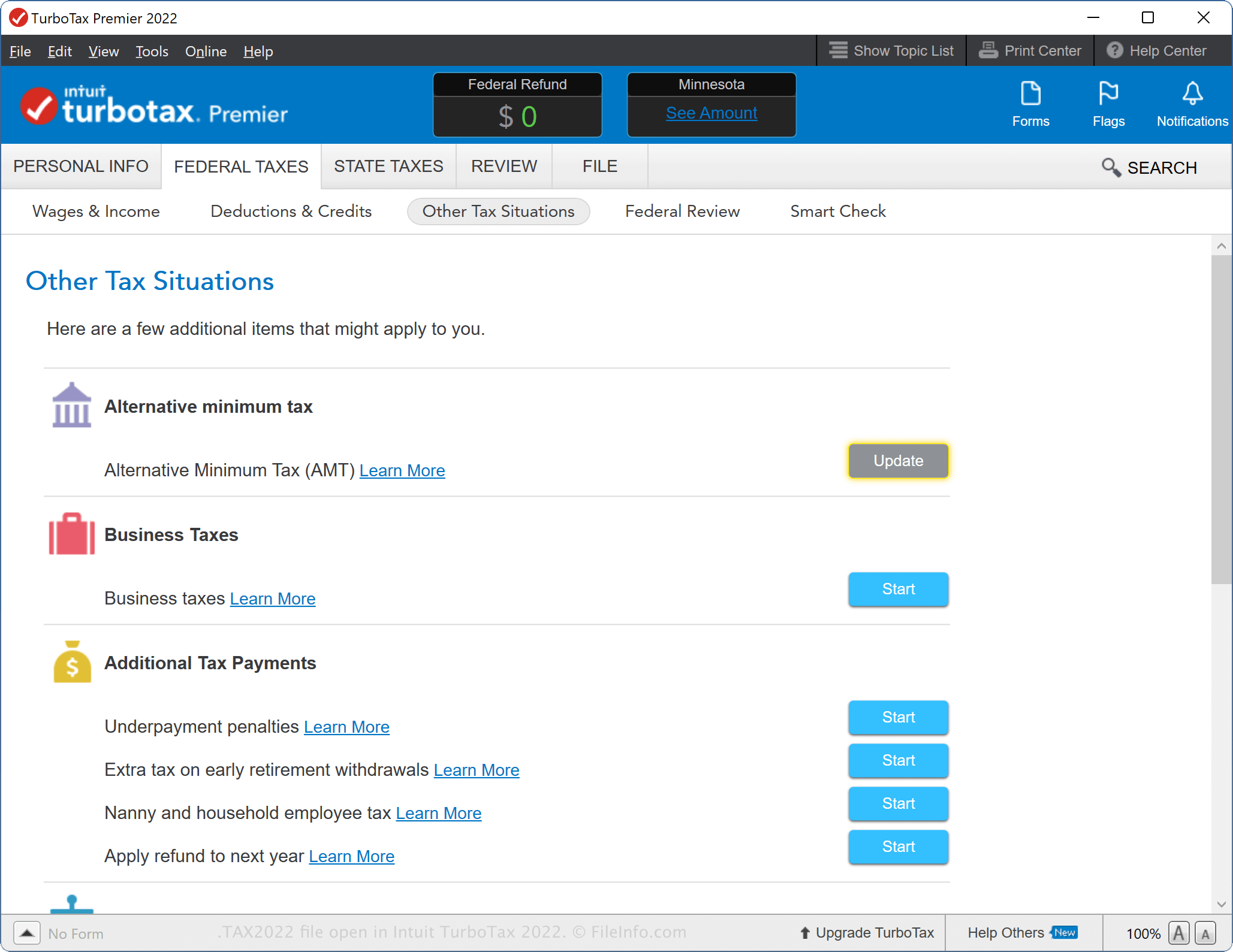
Met de desktopversie van TurboTax uit 2022 kun je helemaal opnieuw beginnen met een belastingaangifte, gegevens uit een vorig jaar importeren of doorgaan met een belastingaangifte waaraan je in TurboTax Online bent begonnen. Als je je belastingaangifte voor 2021 met TurboTax hebt voorbereid en je informatie hebt opgeslagen als een .TAX2021-bestand, kun je deze in de software importeren wanneer je je belastingaangifte voor 2022 begint.
De Windows-versie van TurboTax zoekt automatisch naar TAX2021-bestanden op je computer wanneer je een nieuwe belastingaangifte begint, maar je kunt ook selecteren. Selecteer in de macOS-versie "Use a tax return that's on my computer" wanneer hier aan het begin van het proces voor de belastingaangifte om wordt gevraagd en selecteer vervolgens het TAX2021-bestand. Je kunt ook selecteren en vervolgens het TAX2021-bestand kiezen.
Een TAX2022-bestand maken met de desktopversie van TurboTax
Terwijl je een belastingaangifte voorbereidt met de desktopversie van TurboTax, kun je je voortgang opslaan in een TAX2022-bestand. Nadat je het TAX2022-bestand hebt opgeslagen, kun je het sluiten en later opnieuw openen om de belastingaangifte verder te wijzigen.
Als je een TAX2022-bestand wilt maken met de desktopversie van TurboTax, selecteer je , kies je de gewenste opslagopties en klik je vervolgens op .
Een TAX2022-bestand maken met de webversie van TurboTax
Je kunt ook een TAX2022-bestand downloaden vanuit TurboTax Online wanneer je je belastinggegevens exporteert. Dit is handig wanneer je je belastingaangifte op een opslagapparaat wilt archiveren of je aangifte wilt overbrengen naar de desktopversie van TurboTax.
Als je een TAX2022-bestand wilt exporteren vanuit TurboTax Online, klik je op en selecteer je vervolgens "Save your 2022 return to your computer". Hiermee wordt het downloaden van het TAX2022-bestand gestart (taxReturn.tax2022).
Wijzigingen die je na het downloaden van het TAX2022-bestand in TurboTax Online in de aangifte aanbrengt, worden niet toegepast op het bestand, omdat de app de wijzigingen niet synchroniseert. Als je wilt dat het bestand je wijzigingen bevat, moet je de belastingaangifte opnieuw exporteren.
Veelvoorkomende .TAX2022-bestandsnamen
Tax Return 22.tax2022 - Standaardnaam die wordt gegeven aan een nieuw TAX2022-bestand dat de desktopversie van TurboTax in macOS maakt.
taxReturn.tax2022 - Standaardnaam die wordt gegeven aan een TAX2022-bestand dat vanuit TurboTax Online wordt gedownload.
Een TAX2022-bestand openen
Je kunt een TAX2022-bestand openen met de desktopversie van Intuit TurboTax 2022 in Windows en macOS. Als je een TAX2022-bestand wilt openen, selecteer je .
Je kunt belastingaangiften ook openen in TurboTax Online wanneer je belastinggegevens uit het vorige jaar importeert. Je kunt bijvoorbeeld een TAX2022-bestand uploaden wanneer je belastingaangifte doet voor het kalenderjaar 2023. Als je een TAX2022-bestand wilt openen met TurboTax Online, selecteer je , klik je op "Transfer last year's TurboTax return from your computer" en volg je de aanwijzingen om het bestand te uploaden.
OPMERKING: Gebruikers van TurboTax die hun belastingaangiften in TAX2022 voorbereiden, kunnen deze met wachtwoordbeveiliging versleutelen om hun gevoelige inhoud te beschermen. Als het bestand is versleuteld, kun je het alleen openen door het juiste wachtwoord in te voeren.