

.TAX2022 ファイル拡張子
TurboTax 2022納税申告書
| 開発元 | Intuit |
| 人気度 |
3.8 | 4 票 |
TAX2022ファイルとは?
TAX2022ファイルは、米国居住者向けの納税申告書を作成および提出するアプリケーションであるIntuit TurboTaxによって作成された米国の納税申告書です。このファイルには、2022年の課税年度の納税申告情報が保存されており、連邦IRS納税フォーム、1つ以上の州のフォーム、ユーザーが入力した個人情報が含まれます。通常、ユーザーはTurboTaxの2022年デスクトップ版で納税申告書をTAX2022ファイルとして保存しますが、TurboTaxの2022年オンライン版からTAX2022ファイルをエクスポートしてダウンロードすることもできます。
詳細情報
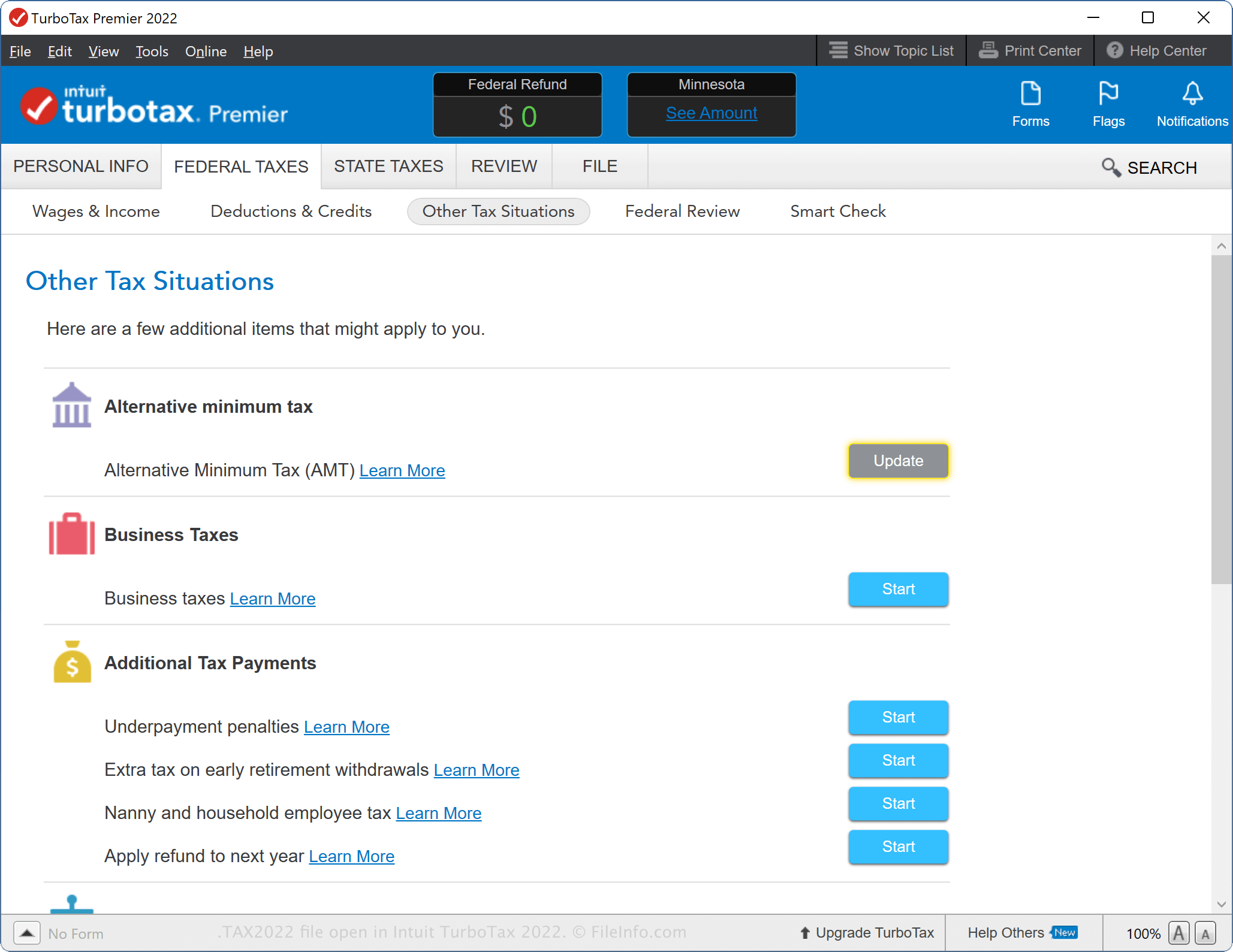
TurboTaxの2022年デスクトップ版では、納税申告書を最初から作成したり、前年のデータをインポートしたり、TurboTax Onlineで作成を始めた納税申告書を続けたりできます。TurboTaxで2021年の納税申告書を作成し、情報を.TAX2021ファイルとして保存している場合は、2022年の納税申告書を開始するときに、そのファイルをソフトウェアにインポートできます。
TurboTaxのWindows版では、新しい納税申告書を開始すると、コンピューター上のTAX2021ファイルが自動的に検索されますが、を選択することもできます。macOS版では、納税申告書の作成手順の開始時に表示されたら「Use a tax return that's on my computer」を選択し、TAX2021ファイルを選択します。を選択してから、TAX2021ファイルを選択することもできます。
TurboTaxのデスクトップ版でTAX2022ファイルを作成する方法
TurboTaxのデスクトップ版で納税申告書を作成中に、進行状況をTAX2022ファイルに保存できます。TAX2022ファイルを保存した後は、ファイルを閉じてから再度開き、納税申告書をさらに編集できます。
TurboTaxのデスクトップ版でTAX2022ファイルを作成するには、を選択し、保存オプションを選択してから、をクリックします。
TurboTaxのWeb版でTAX2022ファイルを作成する方法
納税情報をエクスポートすると、TurboTax OnlineからTAX2022ファイルをダウンロードすることもできます。これは、ストレージデバイスに納税申告書をアーカイブしたり、TurboTaxのデスクトップ版に納税申告書を転送したりするときに便利です。
TurboTax OnlineからTAX2022ファイルをエクスポートするには、をクリックし、「Save your 2022 return to your computer」を選択します。これにより、TAX2022ファイル(taxReturn.tax2022)のダウンロードが開始されます。
TAX2022ファイルをダウンロードした後にTurboTax Onlineで納税申告書に加えた変更は、アプリが変更内容を同期しないため、ファイルには適用されません。ファイルに変更内容を反映するには、納税申告書をもう一度エクスポートする必要があります。
一般的な.TAX2022ファイル名
Tax Return 22.tax2022 - macOSのTurboTaxデスクトップ版で作成された新しいTAX2022ファイルに付けられるデフォルトの名前。
taxReturn.tax2022 - TurboTax OnlineからダウンロードされたTAX2022ファイルに付けられるデフォルトの名前。
TAX2022ファイルの開き方
WindowsおよびmacOSでは、Intuit TurboTax 2022のデスクトップ版でTAX2022ファイルを開くことができます。TAX2022ファイルを開くには、を選択します。
前年の税務データをインポートするときに、TurboTax Onlineで納税申告書を開くこともできます。たとえば、2023暦年分の税金を申告するときに、TAX2022ファイルをアップロードできます。TurboTax OnlineでTAX2022ファイルを開くには、を選択し、「Transfer last year's TurboTax return from your computer」をクリックして、指示に従ってファイルをアップロードします。
注: TAX2022の納税申告書を作成するTurboTaxユーザーは、機密性の高い内容を保護するために、パスワード保護で暗号化できます。ファイルが暗号化されている場合は、正しいパスワードを入力しないと開くことができません。