

.TAX2022 파일 확장자
TurboTax 2022 세금 신고서
| 개발사 | Intuit |
| 인기도 |
3.8 | 4 표 |
TAX2022 파일이란 무엇인가요?
TAX2022 파일은 미국 거주자를 위한 세금 신고서 작성 및 제출 애플리케이션인 Intuit TurboTax로 만든 미국 세금 신고서입니다. 이 파일에는 2022 과세 연도의 세금 신고서 정보가 저장되며, 여기에는 연방 IRS 세금 양식, 하나 이상의 주 세금 양식, 사용자가 입력한 개인 정보가 포함됩니다. 일반적으로 사용자는 TurboTax의 2022 데스크톱 버전으로 세금 신고서를 작성한 후 TAX2022 파일로 저장하지만, TurboTax의 2022 온라인 버전에서 TAX2022 파일을 내보내고 다운로드할 수도 있습니다.
추가 정보
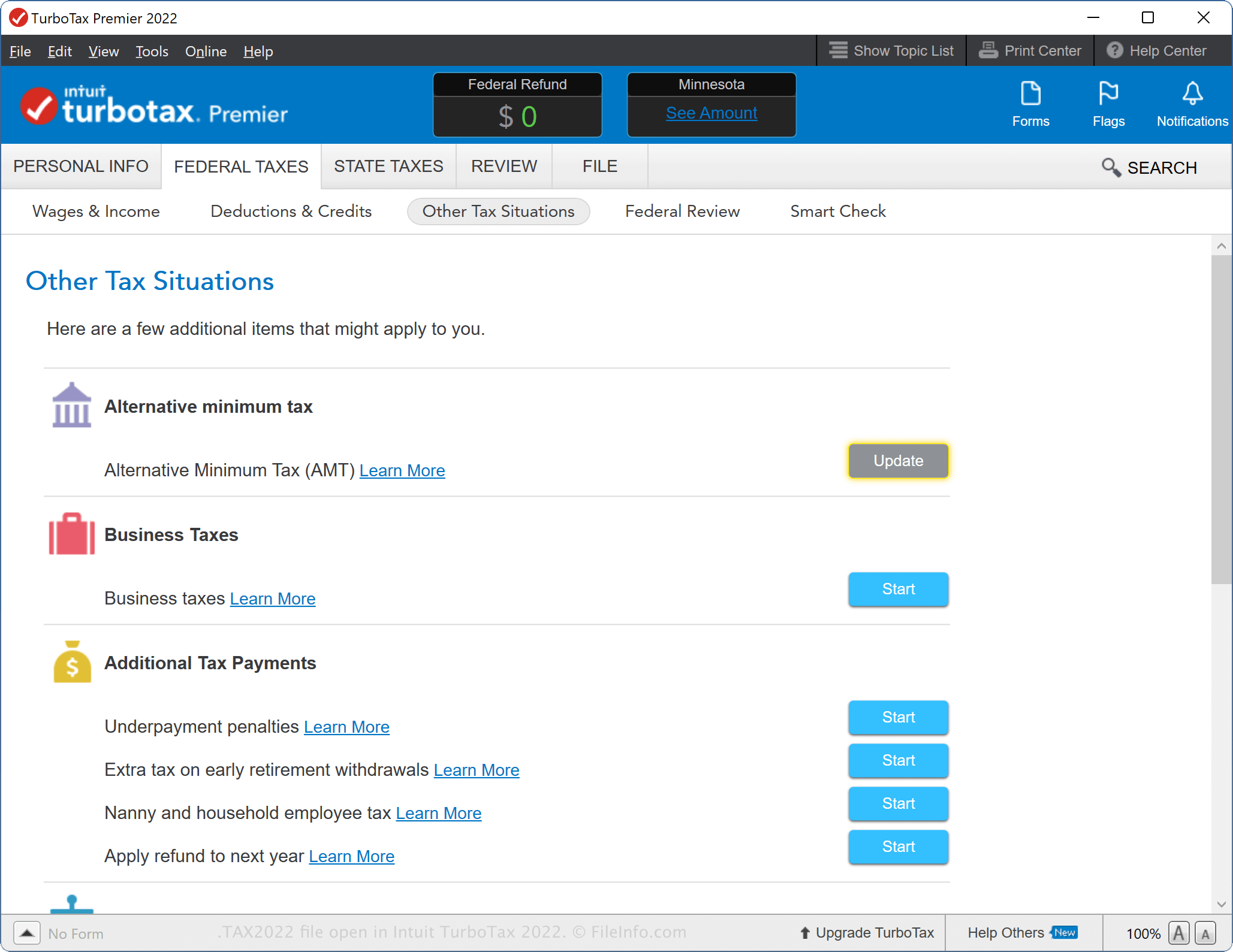
TurboTax의 2022 데스크톱 버전을 사용하면 세금 신고서를 처음부터 작성하거나, 이전 연도의 데이터를 가져오거나, TurboTax Online에서 작성하기 시작한 세금 신고서를 계속 작성할 수 있습니다. TurboTax로 2021 세금 신고서를 작성하고 정보를 .TAX2021 파일로 저장했다면, 2022 세금 신고서를 시작할 때 해당 정보를 소프트웨어로 가져올 수 있습니다.
TurboTax의 Windows 버전은 새 세금 신고서를 시작할 때 컴퓨터에서 TAX2021 파일을 자동으로 검색하지만, 를 선택할 수도 있습니다. macOS 버전에서는 세금 신고서 작성 과정의 시작 부분에 메시지가 표시될 때 "Use a tax return that's on my computer"를 선택한 다음 TAX2021 파일을 선택합니다. 또는 을 선택한 다음 TAX2021 파일을 선택할 수도 있습니다.
TurboTax 데스크톱 버전으로 TAX2022 파일을 만드는 방법
TurboTax 데스크톱 버전으로 세금 신고서를 작성하는 동안 진행 상황을 TAX2022 파일로 저장할 수 있습니다. TAX2022 파일을 저장한 후 닫았다가 다시 열어 세금 신고서를 계속 수정할 수 있습니다.
TurboTax 데스크톱 버전으로 TAX2022 파일을 만들려면 을 선택하고 저장 옵션을 선택한 다음 를 클릭합니다.
TurboTax 웹 버전으로 TAX2022 파일을 만드는 방법
세금 정보를 내보낼 때 TurboTax Online에서 TAX2022 파일을 다운로드할 수도 있습니다. 이는 저장 장치에 세금 신고서를 보관하거나 신고서를 TurboTax 데스크톱 버전으로 전송할 때 유용합니다.
TurboTax Online에서 TAX2022 파일을 내보내려면 를 클릭한 다음 "Save your 2022 return to your computer"를 선택합니다. 그러면 TAX2022 파일(taxReturn.tax2022) 다운로드가 시작됩니다.
TAX2022 파일을 다운로드한 후 TurboTax Online에서 신고서를 수정해도 앱이 변경 사항을 동기화하지 않으므로 해당 수정 사항은 파일에 적용되지 않습니다. 파일에 변경 사항이 반영되도록 하려면 세금 신고서를 다시 내보내야 합니다.
일반적인 .TAX2022 파일 이름
Tax Return 22.tax2022 - macOS에서 TurboTax 데스크톱 버전으로 만든 새 TAX2022 파일에 지정되는 기본 이름입니다.
taxReturn.tax2022 - TurboTax Online에서 다운로드한 TAX2022 파일에 지정되는 기본 이름입니다.
TAX2022 파일을 여는 방법
Windows 및 macOS에서는 Intuit TurboTax 2022 데스크톱 버전으로 TAX2022 파일을 열 수 있습니다. TAX2022 파일을 열려면 을 선택합니다.
이전 연도의 세금 데이터를 가져올 때 TurboTax Online에서 세금 신고서를 열 수도 있습니다. 예를 들어 2023년 과세 연도에 세금을 신고할 때 TAX2022 파일을 업로드할 수 있습니다. TurboTax Online에서 TAX2022 파일을 열려면 를 선택하고 "Transfer last year's TurboTax return from your computer"를 클릭한 다음 안내에 따라 파일을 업로드합니다.
참고: TAX2022 세금 신고서를 작성하는 TurboTax 사용자는 중요한 내용을 보호하기 위해 암호 보호로 신고서를 암호화할 수 있습니다. 파일이 암호화된 경우 올바른 암호를 입력해야만 파일을 열 수 있습니다.