

.SSG Bestandsextensie
Opgeslagen gamebestand van Sonic Robo Blast 2
| Ontwikkelaar | Sonic Team Jr. |
| Populariteit |
3,0 | 5 stemmen |
Wat is een SSG-bestand?
Een SSG-bestand bevat een opgeslagen game voor Sonic Robo Blast 2, een door fans gemaakte, opensourcegame over Sonic the Hedgehog. Het bevat de voortgang van de opgeslagen game, zoals het level waarin je je bevindt, het laatste checkpoint dat je hebt bereikt en het aantal levens dat je hebt.
Meer informatie
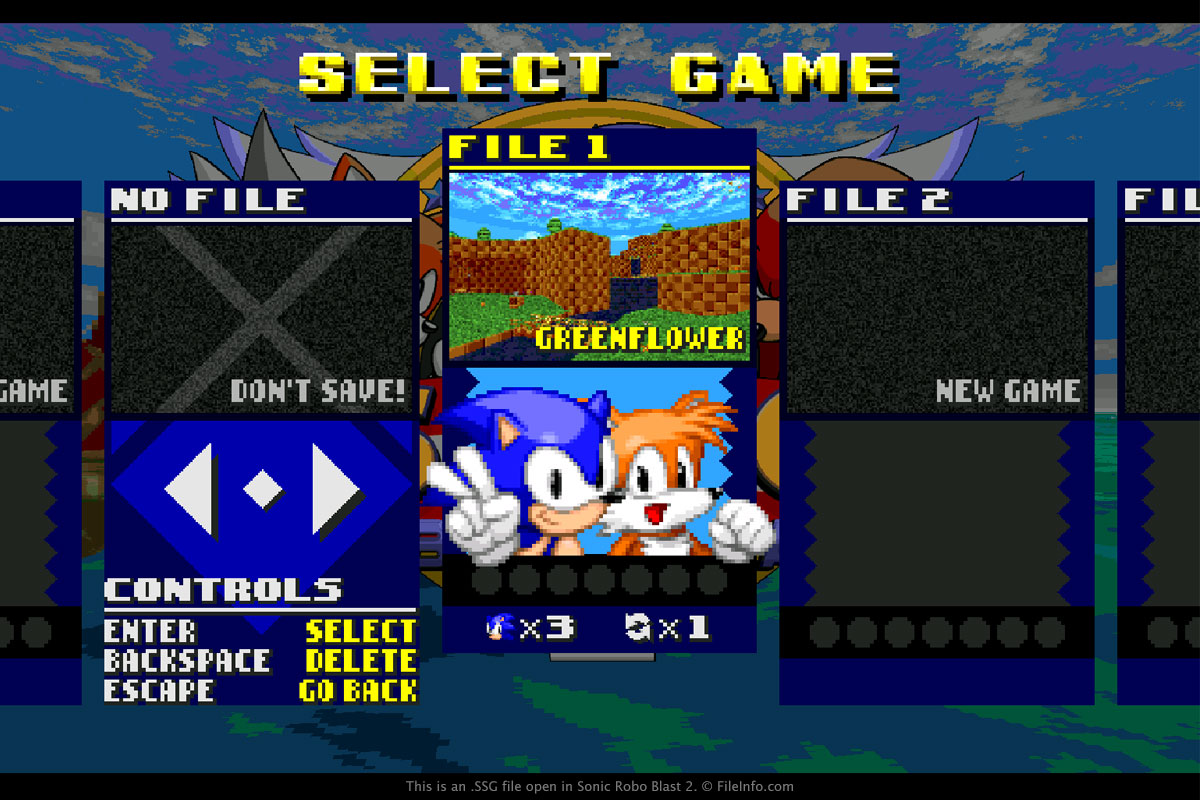
Je komt waarschijnlijk alleen een SSG-bestand tegen als je de inhoud van de installatiemap van Sonic Robo Blast 2 bekijkt. SSG-bestanden worden standaard elke keer dat een gebruiker een game opslaat in deze map opgeslagen.
Als je een SSG-bestand wilt maken, selecteer je "1 PLAYER" in het hoofdmenu van de game. Kies vervolgens "START GAME", selecteer een leeg bestand en druk op de toets "Enter" of "Return". Als je een game wilt hervatten die in een SSG-bestand is opgeslagen en in de game is geladen, selecteer je "1 PLAYER" in het hoofdmenu van de game. Kies vervolgens "START GAME", selecteer de opgeslagen game en druk op de toets "Enter" of "Return".
OPMERKING: SSG-bestanden zijn niet bedoeld om door een gebruiker te worden geopend. In plaats daarvan verwijst de game naar het SSG-gamebestand om de voortgang van de opgeslagen game te laden.
Veelvoorkomende .SSG-bestandsnamen
srb2sav1.ssg - De naam van de eerste opgeslagen game. De nummers lopen op bij elke opslag (srb2sav2.ssg, srb2sav3.ssg, enzovoort).