.SSG ファイル拡張子

Sonic Robo Blast 2 Saved Game File

開発元 Sonic Team Jr.
人気度
3.0  |  5 
 

SSGファイルとは?

An SSG file contains a saved game for Sonic Robo Blast 2, a fan-made, open source Sonic the Hedgehog game. It contains saved game progress, such as the level you are on, the last checkpoint you reached, and the number of lives you have.

詳細情報

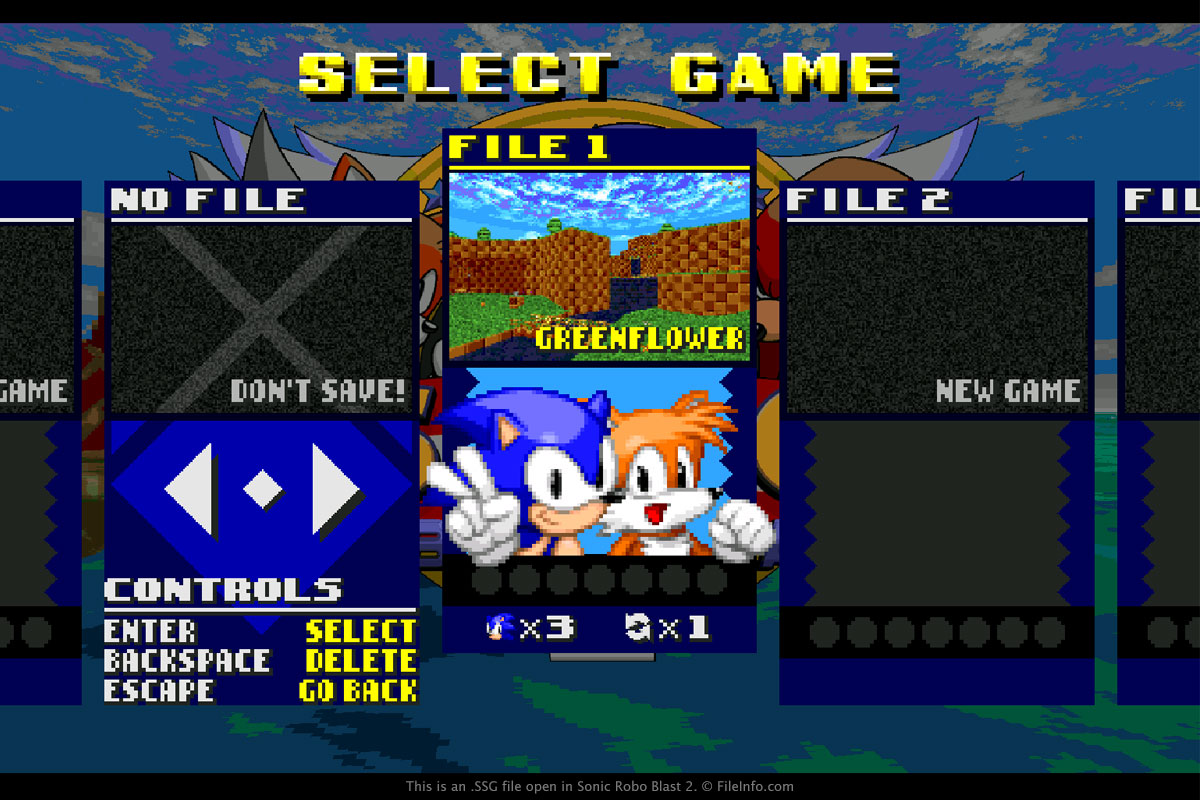
Sonic Robo Blast 2で開いた.ssgファイルのスクリーンショット
Sonic Robo Blast 2で開いたSSGファイル

You will most likely only encounter an SSG file if you are exploring the contents of the Sonic Robo Blast 2 installation directory. SSG files are saved in this directory by default every time a user saves a game.

To create an SSG file, select "1 PLAYER" from the main menu in the game, then choose "START GAME," select an empty file, and type the "Enter" or "Return" key. If you want to resume a game saved in an SSG file that is loaded in the game, select "1 PLAYER" from the main menu in the game, then choose "START GAME," select the saved game, and type the "Enter" or "Return" key.

注: SSG files are not meant to be opened by a user. Instead, the SSG game file is referenced by the game to load saved game progress.

一般的な.SSGファイル名

srb2sav1.ssg - The name of the first saved game. The numbers ascend with each save (srb2sav2.ssg, srb2sav3.ssg, etc.).

File Viewer Plusで400種類以上のファイル形式を開けます。無料ダウンロード

SSGファイルを開く、または参照するプログラム

Windows
Mac
Linux
カテゴリ: ゲーム
更新日: 2020-03-26

検証者 FileInfo.com

FileInfo.comチーム は、このページに掲載されているSonic Robo Blast 2 Saved Gameファイル形式とMac, Windows, and Linuxアプリについて独自に調査しました。 私たちの目標は100%の正確性であり、検証済みのファイルタイプに関する情報のみを公開しています。

このページへの追加や更新をご提案いただける場合は、お知らせください。