.SSG 파일 확장자

Sonic Robo Blast 2 Saved Game File

개발사 Sonic Team Jr.
인기도
3.0  |  5 투표
 

SSG 파일이란 무엇인가요?

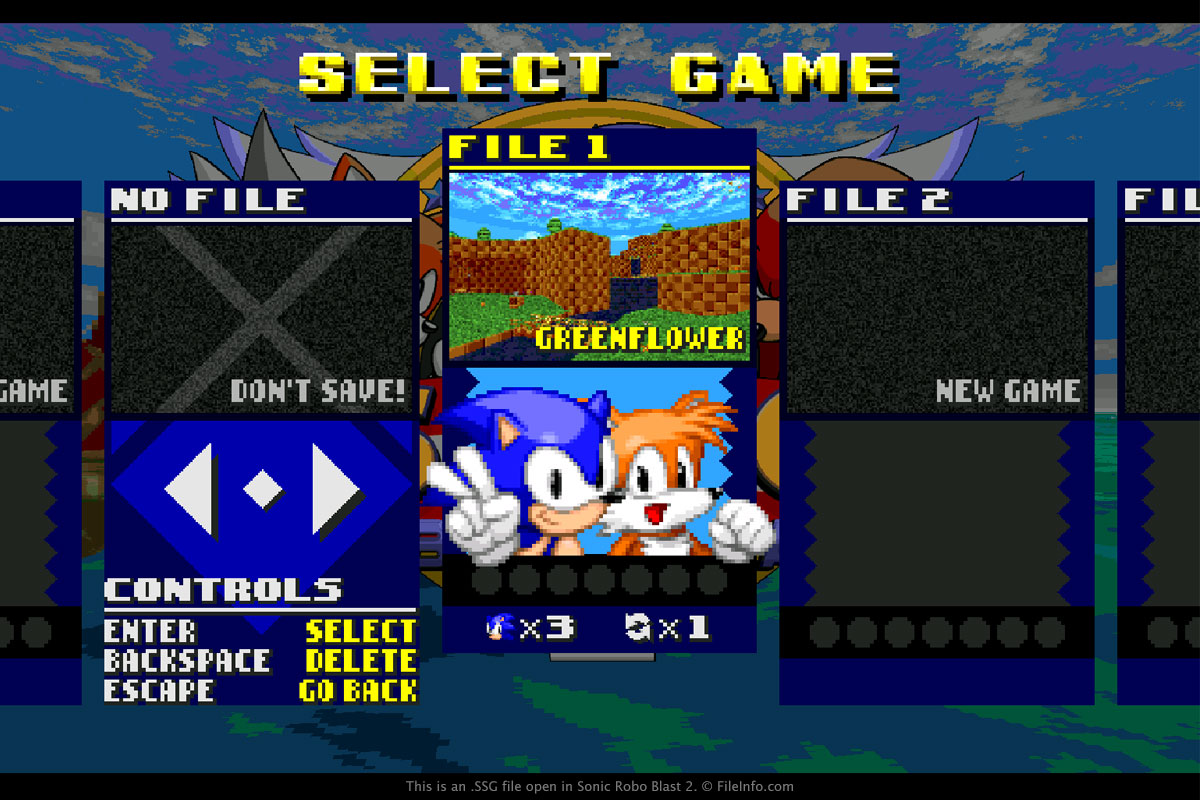
An SSG file contains a saved game for Sonic Robo Blast 2, a fan-made, open source Sonic the Hedgehog game. It contains saved game progress, such as the level you are on, the last checkpoint you reached, and the number of lives you have.

추가 정보

Sonic Robo Blast 2에서 열린 .ssg 파일의 스크린샷
Sonic Robo Blast 2에서 열린 SSG 파일

You will most likely only encounter an SSG file if you are exploring the contents of the Sonic Robo Blast 2 installation directory. SSG files are saved in this directory by default every time a user saves a game.

To create an SSG file, select "1 PLAYER" from the main menu in the game, then choose "START GAME," select an empty file, and type the "Enter" or "Return" key. If you want to resume a game saved in an SSG file that is loaded in the game, select "1 PLAYER" from the main menu in the game, then choose "START GAME," select the saved game, and type the "Enter" or "Return" key.

참고: SSG files are not meant to be opened by a user. Instead, the SSG game file is referenced by the game to load saved game progress.

일반적인 .SSG 파일 이름

srb2sav1.ssg - The name of the first saved game. The numbers ascend with each save (srb2sav2.ssg, srb2sav3.ssg, etc.).

File Viewer Plus(으)로 400개 이상의 파일 형식을 여세요.무료 다운로드

SSG 파일을 열거나 참조하는 프로그램

Windows
Mac
Linux
카테고리: 게임
업데이트: 2020-03-26

검증자 FileInfo.com

FileInfo.com 팀 이 페이지에 나열된 Sonic Robo Blast 2 Saved Game 파일 형식과 Mac, Windows, and Linux 앱을 독자적으로 조사했습니다. 저희의 목표는 100% 정확성이며, 검증한 파일 유형에 대한 정보만 게시합니다.

이 페이지에 추가하거나 업데이트할 내용을 제안하고 싶으시면 알려 주세요.