.JSS Bestandsextensie

Velesoft Simulator Engine Save

Ontwikkelaar Velesoft
Populariteit
4.4  |  5 Stemmen
 

Wat is een JSS-bestand?

A JSS file is a save file created by an online simulator built on the Velesoft Simulator Engine, such as Japan Simulator and Train Simulator. It stores a player's progress state, including their location in the world, the environment state, and the number of in-game items they have acquired, in a JSON-based text format. JSS files allow players to save their game progress and restore a session exactly as it was.

Meer informatie

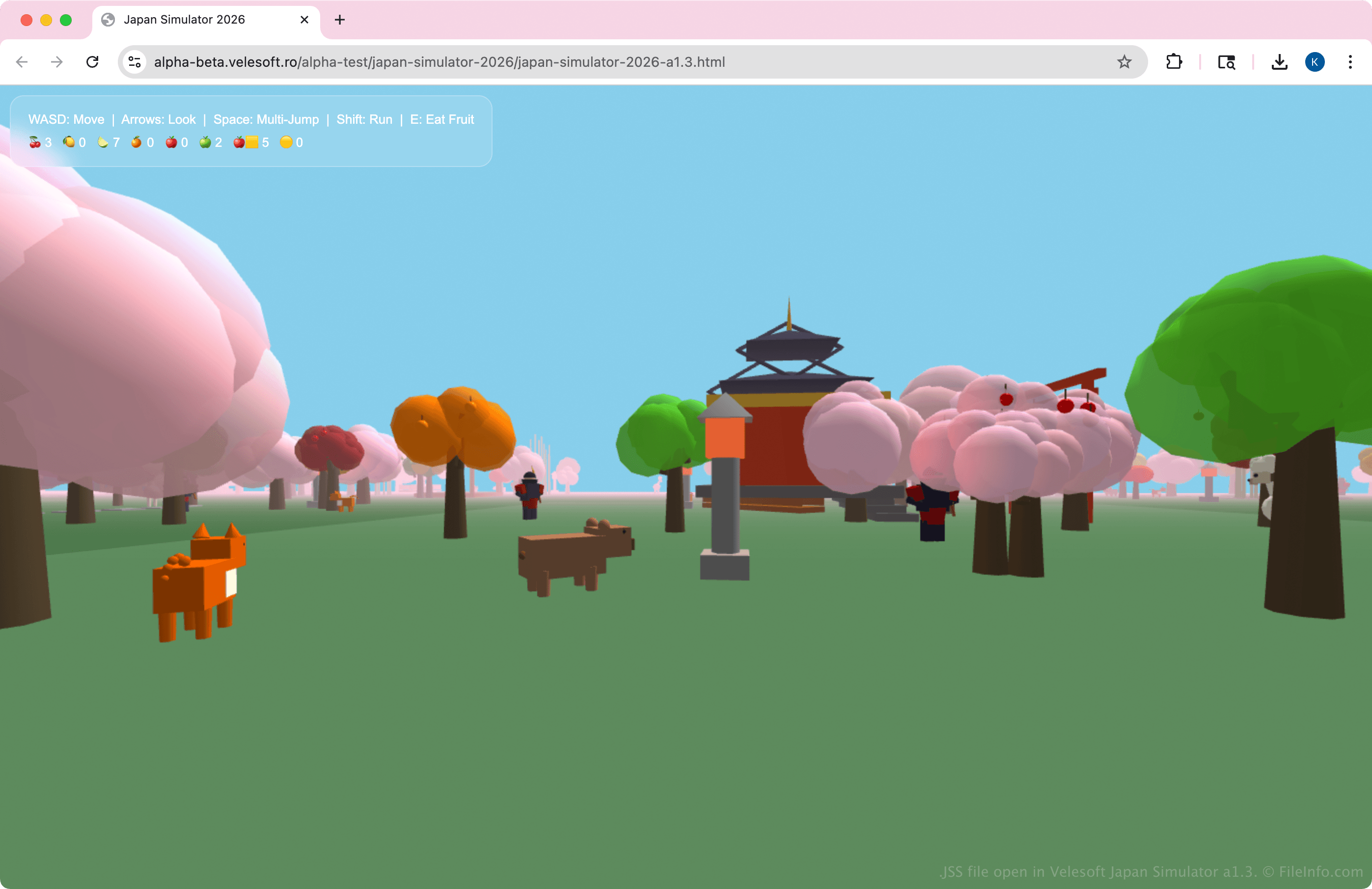
Schermafbeelding van een .jss-bestand in Velesoft Japan Simulator a1.3
JSS-bestand geopend in Velesoft Japan Simulator a1.3

JSS files may include a unique identifier, world name, seed value, timestamp, player coordinates, camera orientation, and counts of in-game items. It may also track interactions, such as objects collected or actions performed. When the game loads a JSS file, it reads the structured JSON data and reconstructs the game world and player state.

OPMERKING: While Japan Simulator is released, Train Simulator is still in development.

Een JSS-bestand openen

You can open JSS files with Velesoft Japan Simulator. To open the JSS file with Japan Simulator, select Import .jss and choose the JSS file to upload.

Since the JSS file is stored in JSON format, you can also view or edit it with a text editor, such as Microsoft Notepad or Apple TextEdit. However, modifying the JSS file's contents may cause errors if the structure is not preserved.

Open meer dan 400 bestandsformaten met File Viewer Plus.Gratis downloaden

Programma's die JSS-bestanden openen

All Platforms
Categorie: Spel
Bijgewerkt: 2026-04-14

JavaScript Style Sheet File

Ontwikkelaar JSS
Populariteit
3.0  |  5 Stemmen
 

File created in the JSS (JavaScript Style Sheets) format, an extension of the CSS language that supports multiple inheritance, whereas standard CSS only supports single inheritance; allows more flexibility when defining styles for webpages.

Meer informatie

The JSS files must be parsed and converted to the .CSS format before they can be used with a webpage. Therefore, you need to use the jss program as shown in the following command, which converts styles.jss to styles.css:

jss styles.jss styles.css

OPMERKING: JSS files use the inherit-class:, inherit-id:, and inherit-tag: syntax in CSS definitions to provide for inheritance.

Programma's die JSS-bestanden openen

Windows
Gratis
Gratis proefversie
Gratis
Mac
Gratis
Gratis proefversie
Gratis
Linux
Gratis
Gratis proefversie
Gratis
Categorie: Web
Bijgewerkt: 2018-09-17

JACOsub Subtitle File

Ontwikkelaar JACOsub
Populariteit
3.0  |  4 Stemmen
 

File created by JACOsub subtitling software; stores video subtitles in a plain text format and saves timing sequences for when to display text or graphic subtitles; originally used for overlaying English subtitles on Japanese videos, but also adopted for other languages as well.

Meer informatie

The JSS format is supported by several video playback programs. JSS files can be converted to other formats using subtitle editors such as URUWorks Subtitle Workshop.

Programma's die JSS-bestanden openen

Categorie: Video
Bijgewerkt: 2012-07-09

JAWS Script

Ontwikkelaar Freedom Scientific
Populariteit
2.5  |  4 Stemmen
 

Script written for JAWS, a Windows screen reading application that provides text to speech functionality for Windows; stores functions that are used in the process of reading screen text; used for specifying how JAWS reads or interprets text or other information in a particular application.

Programma's die JSS-bestanden openen

Windows

Geverifieerd door FileInfo.com

Het FileInfo.com-team heeft onafhankelijk onderzoek gedaan naar alle bestandsformaten en softwareprogramma's die op deze pagina worden vermeld. Ons doel is 100% nauwkeurigheid en we publiceren alleen informatie over bestandstypen die we hebben geverifieerd.

Als u aanvullingen of updates voor deze pagina wilt voorstellen, kunt u het ons laten weten.