

.GFORM Bestandsextensie
Google Forms-snelkoppeling
| Ontwikkelaar | |
| Populariteit |
3,7 | 24 stemmen |
Wat is een GFORM-bestand?
Een GFORM-bestand is een snelkoppeling waarmee je een Google Forms-document opent dat is opgeslagen in Google Drive. Het bestand bevat een verwijzing naar het formulier dat het opent en naar het Gmail-account waarmee het formulier is gemaakt. GFORM-bestanden worden gemaakt door Google Drive for Desktop.
Meer informatie
Google Drive for Desktop is een programma waarmee Google Drive-gebruikers een back-up van hun Google Drive-bestanden kunnen maken en deze kunnen openen op Windows- en Mac-pc's. Hoewel Drive for Desktop daadwerkelijke back-ups van sommige bestandstypen (zoals .JPG en .DOCX-bestanden) opslaat op de computers van gebruikers, slaat het geen kopieën op van bestanden die zijn gemaakt met Google Forms, Docs, Sheets en andere Google Workspace-applicaties. In plaats daarvan slaat Drive for Desktop snelkoppelingsbestanden op die, wanneer erop wordt gedubbelklikt, het bijbehorende bestand openen in de webversie van de juiste Google Workspace-applicatie.
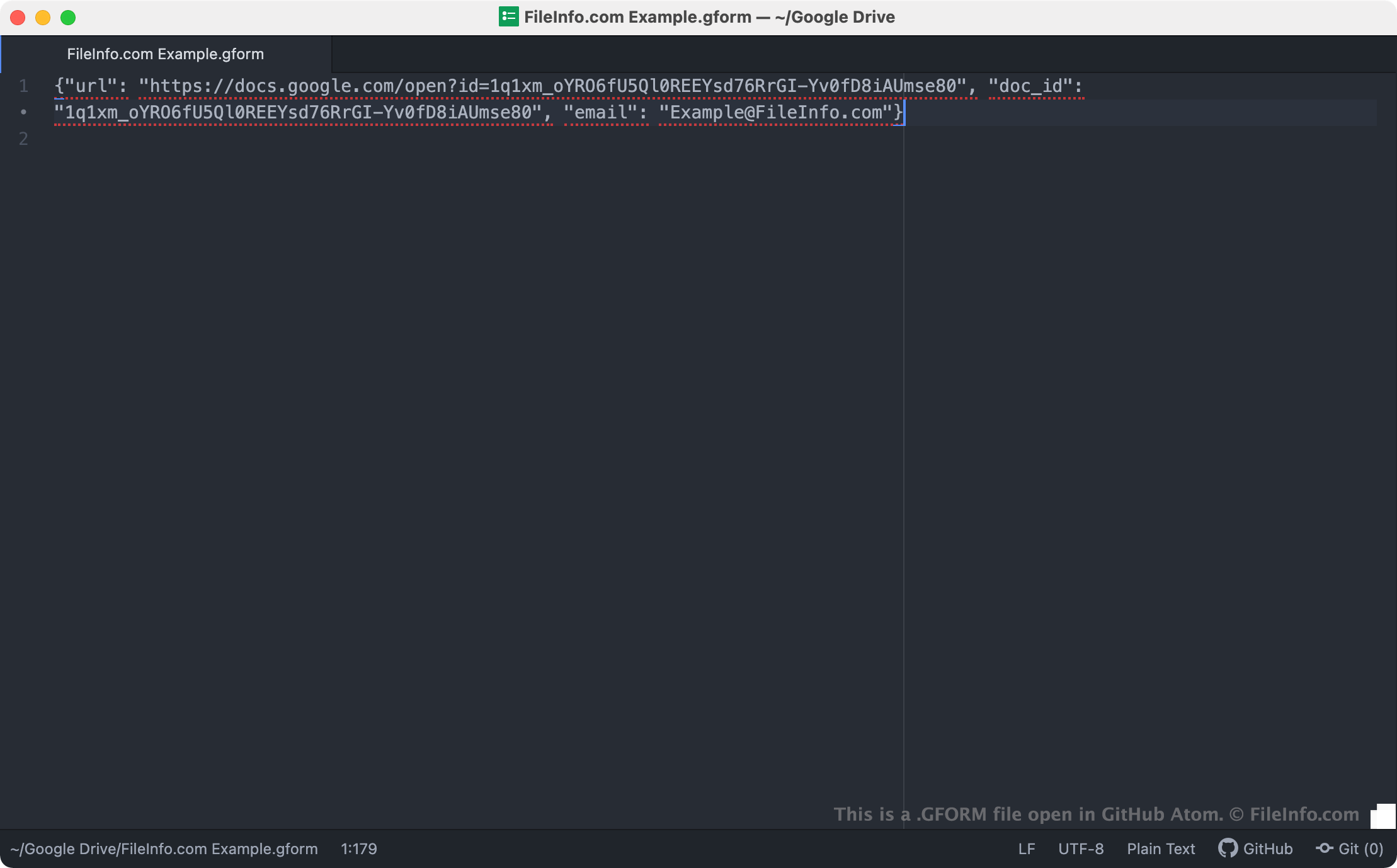
GFORM-bestanden zijn snelkoppelingen van Drive for Desktop waarmee formulieren worden geopend die in Google Forms zijn gemaakt. Wanneer een Drive for Desktop-gebruiker dubbelklikt op een GFORM-bestand, wordt het bijbehorende formulier geopend in Google Forms, op voorwaarde dat de gebruiker is ingelogd bij een Gmail-account dat toegang heeft tot het formulier. Elk GFORM-bestand is een JSON-bestand dat de URL en document-ID van een formulier bevat, evenals de naam van het Gmail-account waarmee het formulier is gemaakt.
OPMERKING: GFORM-bestanden werden eerder gemaakt door Backup and Sync from Google. Google verving Backup and Sync in oktober 2021 door Drive for Desktop.
Een GFORM-bestand openen
Als Google Drive for Desktop op je pc is geïnstalleerd of als je een Chrome OS-apparaat gebruikt, kun je dubbelklikken op een GFORM-bestand om het formulier waarnaar het verwijst te openen in Google Forms. Mogelijk moet je inloggen bij je Gmail-account of toegang tot het formulier aanvragen om het te openen.
Indien nodig kun je een GFORM-bestand ook openen in een teksteditor naar keuze om de URL, document-ID en Gmail-accountgegevens die het bevat te bekijken. Dit kan bijvoorbeeld handig zijn als je problemen ondervindt bij het gebruik van je GFORM-bestand om een formulier te openen. Als dubbelklikken op je GFORM-bestand geen formulier opent, kun je proberen de URL van je bestand te kopiëren en in je webbrowser te plakken om toegang te krijgen tot je formulier.