

.C Bestandsextensie
C/C++-broncodebestand
| Ontwikkelaar | ANSI/ISO |
| Populariteit |
4,1 | 258 stemmen |
Wat is een C-bestand?
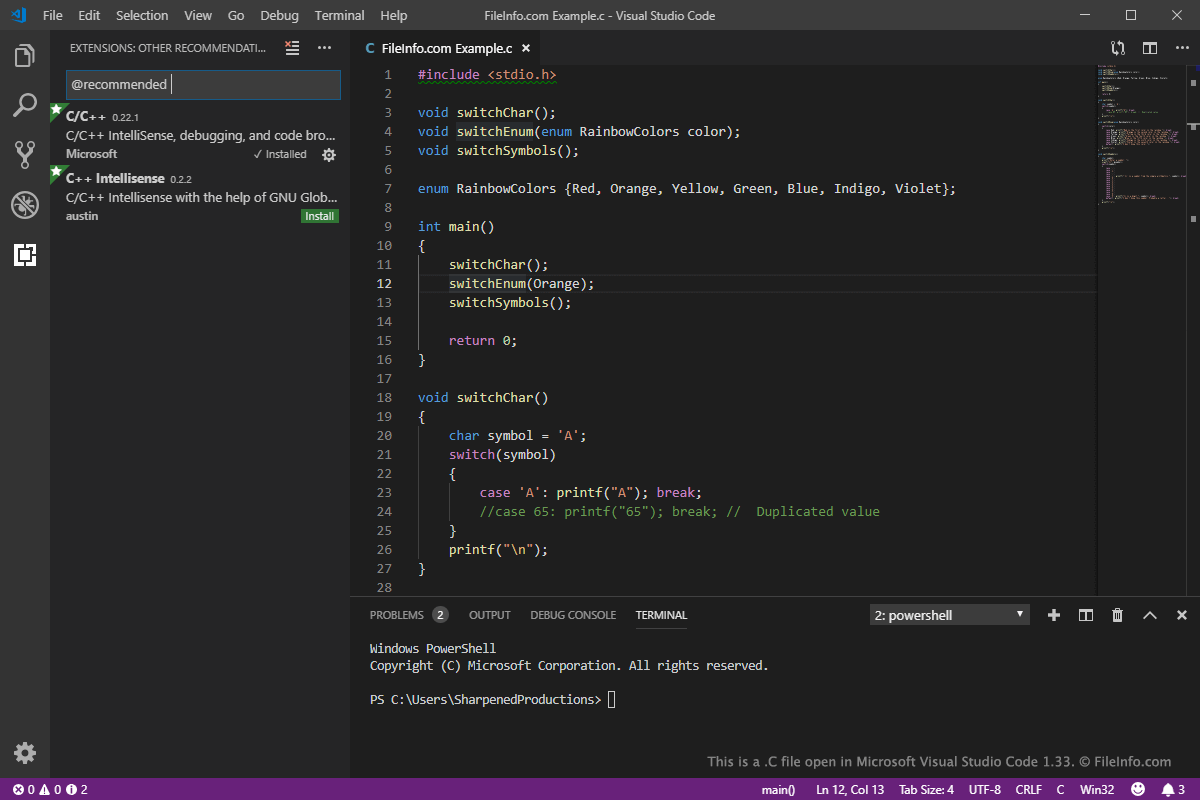
Een C-bestand is een bestand met broncode voor een C- of C++-programma. Het kan de broncode van een volledig programma bevatten of een van de vele bronbestanden zijn waarnaar binnen een programmeerproject wordt verwezen. Je kunt C-bestanden bewerken met broncode- en platte-teksteditors en ze vervolgens compileren met een C/C++-compiler voor het doelplatform voordat de code kan worden uitgevoerd.
Meer informatie
Dennis Ritchie ontwikkelde oorspronkelijk de programmeertaal C om eind jaren 60 en begin jaren 70 Unix-hulpprogramma's te maken bij Bell Labs. Sinds de jaren 70 is de populariteit van C toegenomen en hebben veel gebruikers de taal geleerd en gebruikt om besturingssystemen, databasebeheersystemen, games en meer te ontwikkelen. Daarnaast hebben het American National Standards Institute (ANSI) en de International Organization for Standardization (ISO) de programmeertaal C sinds 1989 gestandaardiseerd.
De taal heeft ook invloed gehad op veel programmeertalen, waaronder C++, PHP, Perl, Python, Java en JavaScript. C++ is bijvoorbeeld een uitbreiding van de programmeertaal C en werd halverwege de jaren 80 uitgebracht. Ontwikkelaars gebruiken de taal om veel van de huidige softwareprogramma's te maken. De C++-taal kan worden opgeslagen in C-, .CC, .CPP, .CXX- en C++-broncodebestanden.
Veelvoorkomende .C-bestandsnamen
main.c - Een broncodebestand dat doorgaans de functie main(), oftewel het ingangspunt, voor een C-programma bevat.
Een C-bestand openen
Je kunt C-bestanden openen en bewerken met verschillende broncode-editors, waaronder Microsoft Visual Studio Code (multiplatform), Code Blocks (multiplatform) en Apple Xcode (macOS). Deze toepassingen bieden handige functies, zoals syntaxiskleuring en automatisch aanvullen, voor het bekijken en bewerken van C/C++-code.
Je kunt CPP-bestanden ook openen en bewerken met een platte-teksteditor, zoals Microsoft Notepad (meegeleverd met Windows) of Apple TextEdit (meegeleverd met macOS). Deze teksteditors bieden echter geen handige functies voor het bewerken van broncode.
C/C++-compilers
Je kunt de C/C++-code die in C-bestanden is opgeslagen compileren naar code die op een computer kan worden uitgevoerd met verschillende gratis en commerciële compilers. Enkele compilers zijn Microsoft Visual Studio (Windows), GNU Compiler Collection (multiplatform), Eclipse IDE for C Developers (multiplatform) en Apple Xcode (macOS).