.BRD Bestandsextensie

EAGLE Circuit Board

Ontwikkelaar Autodesk
Populariteit
3.6  |  81 Stemmen
 

Wat is een BRD-bestand?

A BRD file is a CAD file created by Autodesk EAGLE, an application used for schematic capture and PCB (printed circuit board) design. It is created with the EAGLE Layout Editor and used to develop design templates for circuitry. BRD files can be saved in the Gerber drill data format, which may be used by CAM (computer-aided manufacturing) programs.

Meer informatie

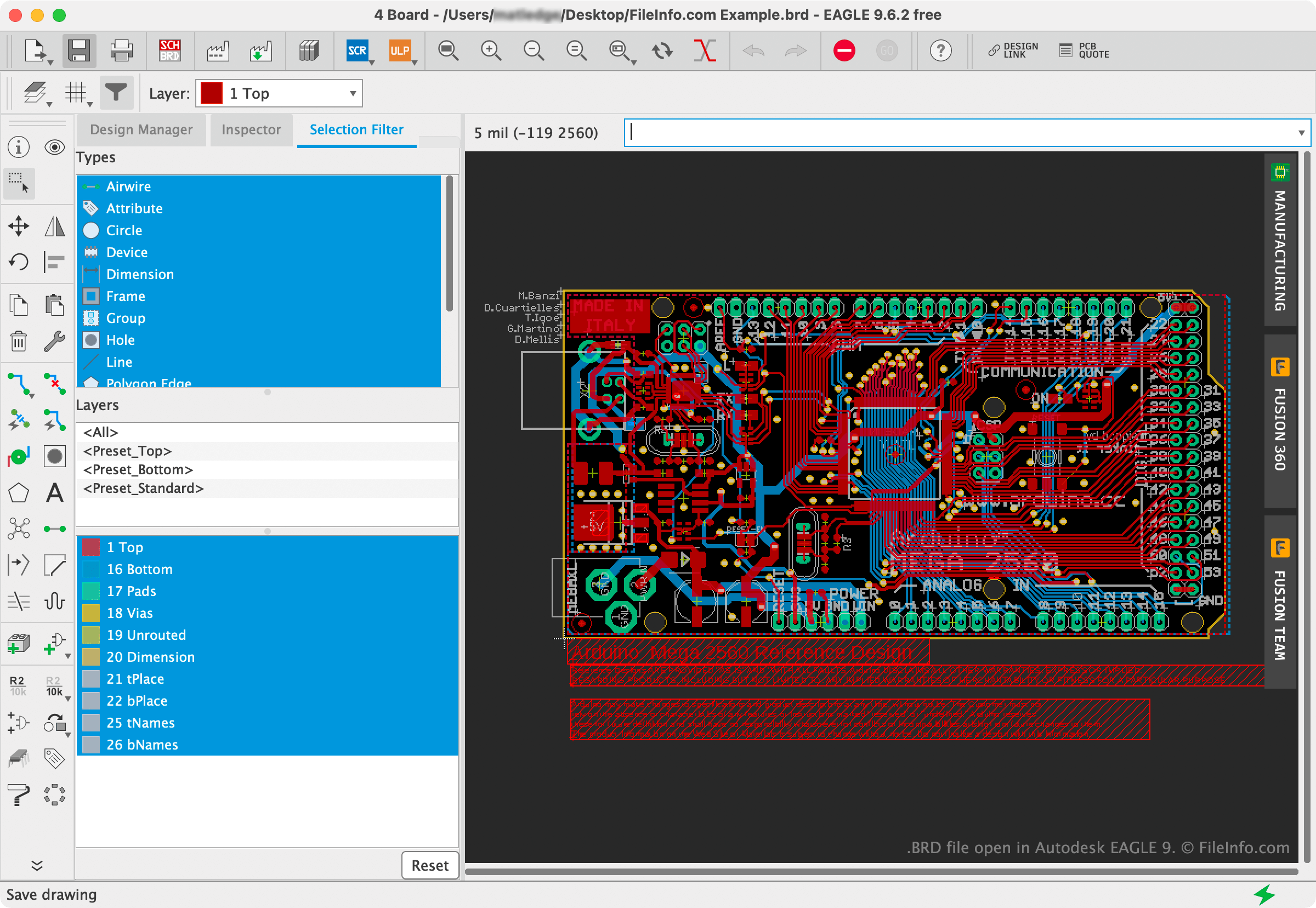
Schermafbeelding van een .brd-bestand in Autodesk EAGLE 9
BRD-bestand geopend in Autodesk EAGLE 9

Autodesk EAGLE is an electronic design automation program that allows engineers to create circuit diagrams. The program was formerly known as CadSoft Eagle, before Autodesk acquired it in 2016.

EAGLE's PCB layout editor allows engineers to place circuit diagrams upon a virtual copy of a real-life circuit board. These circuit board layouts are saved as BRD files. In addition to being able to open and edit BRD files in EAGLE and other PCB design applications, engineers can send their PCB files to PCB fabricators, who use the files to assemble physical circuit boards.

OPMERKING: Prior to version 6, EAGLE BRD files were saved in a proprietary text and binary format. Version 6 and later BRD files are saved in the XML format.

Een BRD-bestand openen

You can open a BRD file in a variety of PCB design applications, including Autodesk EAGLE (cross-platform), Altium Designer (Windows), and Open Board Viewer (Linux).

If you do not have access to any of the above applications, the easiest way to view the circuit board design contained within a BRD file is to upload it to Altium 365 Viewer, a free, online CAD file viewer (Web).

Open meer dan 400 bestandsformaten met File Viewer Plus.Gratis downloaden

Programma's die BRD-bestanden openen

Windows
Gratis proefversie
Gratis proefversie
Mac
Gratis proefversie
Linux
Gratis proefversie
Categorie: Gegevens
Bijgewerkt: 2023-09-18

KiCad PCB Design File (Legacy)

Ontwikkelaar KiCad
Populariteit
3.2  |  21 Stemmen
 

A BRD file is a printed circuit board (PCB) design file created by KiCad, a free, cross-platform electronic design automation (EDA) program. It contains the layout of a PCB, including the placement of electronic components, traces, pads, and other physical features required to manufacture the board. Electronics hobbyists, students, and professional engineers commonly use BRD files when designing PCBs for personal projects, prototypes, or commercial products.

Meer informatie

BRD files store information in a text-based, human-readable format. In versions prior to KiCad 6, BRD files are saved in a structured key-value format, where each section defines elements of the PCB, including layers, footprints, traces, vias, and board edges. Beginning with version 6, BRD files are saved in an S-expression-like text format, which is also human-readable.

OPMERKING: KiCAD replaced BRD files with .KICAD_PCB files with the release of version 4.0.

Een BRD-bestand openen

You can open BRD files with KiCad. You can open a BRD file in multiple ways, including opening the .PRO project that contains the BRD file (the PCB editor will automatically recognize the layout file associated with the project) or by selecting File → Open with the KiCad PCB editor.

Since BRD files are saved in a human-readable text format, you can also open them with a text editor, such as Microsoft Notepad or Apple TextEdit. However, opening the files with a text editor will not appear the same as opening them with KiCad.

Programma's die BRD-bestanden openen

All Platforms
Gratis
Categorie: CAD
Bijgewerkt: 2025-09-11

Cadence Allegro PCB Design

Ontwikkelaar Cadence Design Systems
Populariteit
2.9  |  18 Stemmen
 

A BRD file is a printed circuit board (PCB) schematic created by Cadence Allegro PCB Designer or OrCAD PCB Designer. It contains binary data that, when loaded in PCB Designer, appears as a circuit board design.

Meer informatie

Cadence Allegro PCB Designer is a CAD program that electrical engineers use to prototype PCBs. The designs that engineers create in Allegro PCB Designer are saved as BRD files.

Other Cadence CAD programs can also create and load BRD files. For example, OrCAD PCB Designer allows engineers to save circuit board layouts as BRD files.

Een BRD-bestand openen

You can open a BRD file in Cadence Allegro PCB Designer (Windows), OrCAD PCB Designer (Windows), and Allegro Viewer (Windows). Allegro Viewer is a free BRD file viewer available for download from Cadence's website.

Een BRD-bestand converteren

You can use Cadence Allegro PCB Designer to convert BRD files to many standard PCB formats (including the Gerber format), as well as the .PDF format.

Programma's die BRD-bestanden openen

Categorie: CAD
Bijgewerkt: 2022-06-21

Geverifieerd door FileInfo.com

Het FileInfo.com-team heeft onafhankelijk onderzoek gedaan naar alle bestandsformaten en softwareprogramma's die op deze pagina worden vermeld. Ons doel is 100% nauwkeurigheid en we publiceren alleen informatie over bestandstypen die we hebben geverifieerd.

Als u aanvullingen of updates voor deze pagina wilt voorstellen, kunt u het ons laten weten.