

.7Z Bestandsextensie
7-Zip-gecomprimeerd bestand
| Ontwikkelaar | Igor Pavlov |
| Populariteit |
4,0 | 575 stemmen |
Wat is een 7Z-bestand?
Een 7Z-bestand is een gecomprimeerd archief dat is gemaakt door verschillende hulpprogramma's voor bestandscompressie, met name 7-Zip van Igor Pavlov. Het is gecomprimeerd met de opensourcecompressie van LZMA, die een hoge compressieverhouding biedt en AES-256-versleuteling (256 bits) kan bevatten. 7Z-bestanden kunnen meerdere mappen of bestanden bevatten die zijn gecomprimeerd om ruimte te besparen voor opslag of transport.
Meer informatie
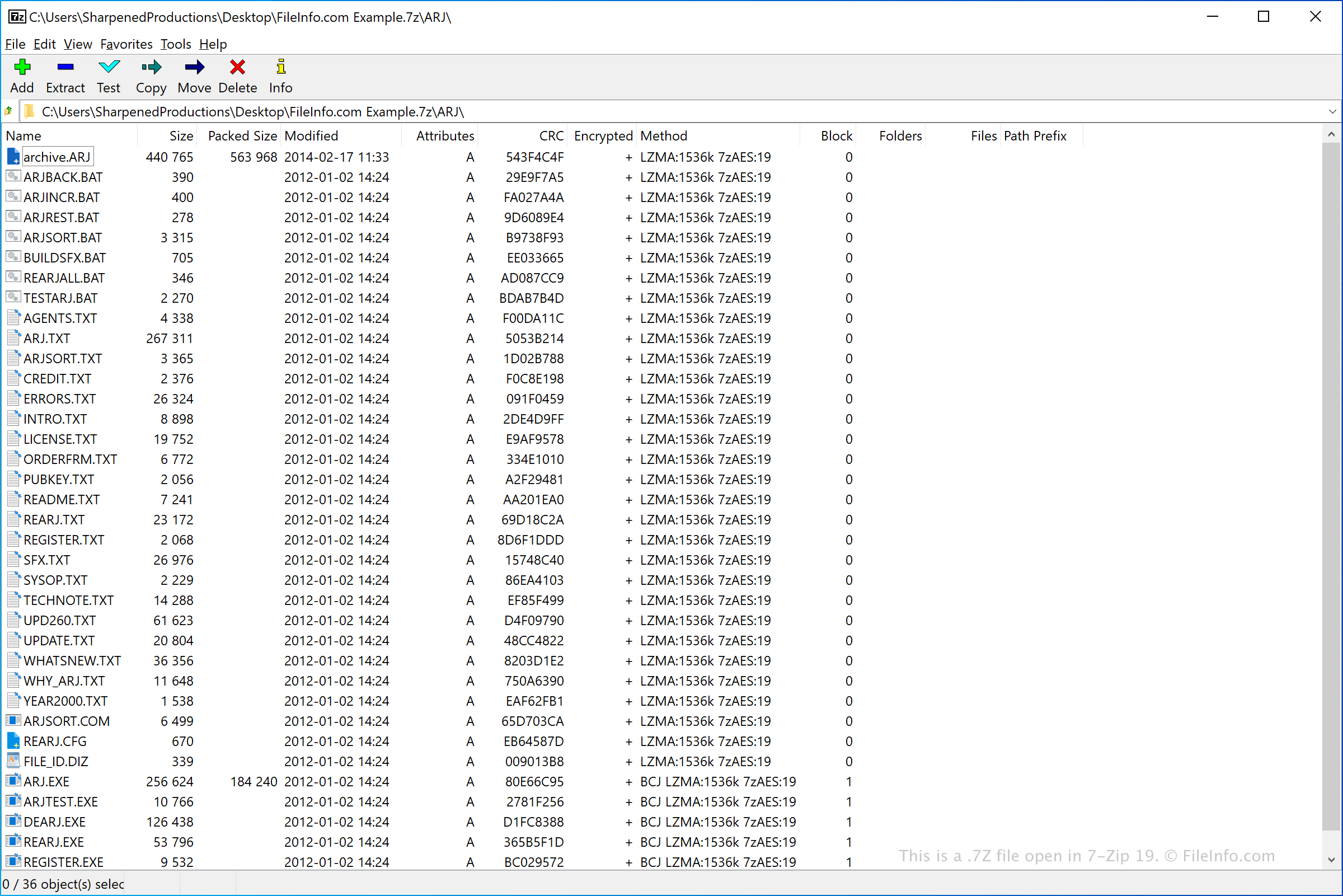
Het 7z-formaat werd aanvankelijk uitgebracht in 1999 en gebruikt door 7-Zip, een gratis opensourceprogramma voor het archiveren en comprimeren van gegevens. Het werd uiteindelijk in december 2008 in het publieke domein geplaatst en wordt nog steeds onderhouden.
7z-compressie gebruikt standaard de LZMA-methode. Het 7z-formaat ondersteunt ook de compressiemethoden PPMD, BCJ, BCJ2, BZip2 en Deflate. Daarnaast ondersteunt dit bestandstype Unicode-bestandsnamen, archieven met meerdere delen, compressie van archiefheaders en bestandsgroottes tot 16.000.000.000 GB.
Een 7Z-bestand openen
Je kunt bestanden in een 7Z-archief uitpakken met verschillende hulpprogramma's voor decompressie, zoals 7-Zip (Windows), Corel WinZip (Windows), Apple Archive Utility (meegeleverd met Macs), Corel WinZip Mac (Mac) en B1 Free Archiver (voor meerdere platforms).
Als je 7Z-archief is opgesplitst in een archief met meerdere delen (je hebt bijvoorbeeld een .7Z.001-bestand, een .7Z.002-bestand enzovoort), kun je alle bestanden in het archief met meerdere delen uitpakken door het 7Z.001-bestand van het archief te openen in een hulpprogramma voor decompressie. Hiervoor moeten alle bestanden van het archief met meerdere delen in dezelfde map zijn opgeslagen. Ook moet je elk bestand in het archief hebben. Als je bijvoorbeeld een bestand .7Z.003 en een bestand .7Z.005 hebt, maar geen bestand .7Z.004, kan het uitpakken van je bestanden problemen opleveren. (Sommige hulpprogramma's die 7Z-archieven met één deel kunnen decomprimeren, kunnen archieven met meerdere delen niet decomprimeren. Apple Archive Utility kan bijvoorbeeld geen 7Z-archieven met meerdere delen decomprimeren.)
OPMERKING: Sommige 7Z-archieven zijn mogelijk beveiligd met een wachtwoord. Om deze archieven te openen, moet je het wachtwoord invoeren dat is gebruikt om het archief te maken wanneer daarom wordt gevraagd.