

.ZMBX 파일 확장자
Mecabricks ZIP 압축 3D 장면
| 개발사 | Mecabricks |
| 인기도 |
4.0 | 2 표 |
ZMBX 파일이란 무엇인가요?
ZMBX 파일은 LEGO 브릭으로 장면을 디자인하는 웹 앱인 Mecabricks에서 내보낸 ZIP 압축 3D 장면입니다. 여기에는 모델의 점, 위치, 텍스처 및 장면에 대한 정보를 저장하는 .MBX 파일이 포함되어 있습니다. LEGO 애호가들은 Mecabricks로 장면을 만든 다음 ZMBX 파일로 내보내고, 이후 Blender로 가져와 장면을 더 자세히 일러스트레이션하고 애니메이션화하는 경우가 많습니다.
추가 정보
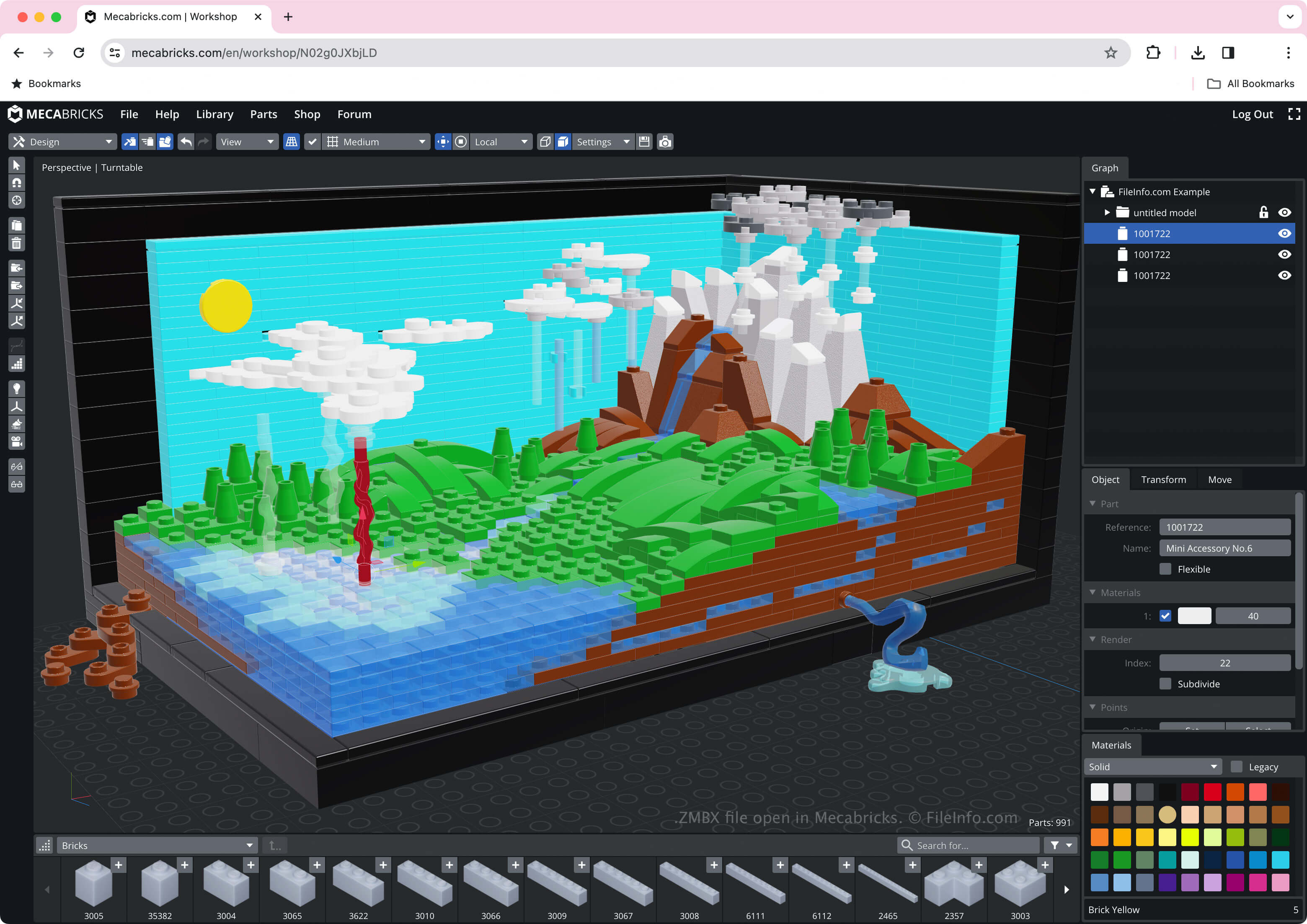
Mecabricks를 사용하면 LEGO 창작물을 만들고, 렌더링하고, 애니메이션화할 수 있습니다. 3D 장면을 만들 때 다양한 브릭, 색상, 배경, 조명 및 기타 효과를 선택할 수 있습니다.
장면을 ZMBX 파일로 저장하면 Mecabricks가 이 모든 정보를 파일에 저장합니다. Mecabricks에서 장면을 내보내려면 를 선택한 다음 형식 옵션에서 을 선택합니다.
ZMBX 파일을 여는 방법
웹 브라우저에서 Mecabricks를 사용하여 ZMBX 파일을 열 수 있습니다. 예를 들어 Mecabricks로 ZMBX 파일을 열려면 를 선택한 다음 형식 옵션에서 를 선택합니다.
Blender에서 을 선택하여 ZMBX 파일을 열 수도 있습니다. 그러나 Blender Lite 플러그인이 설치되어 있어야 합니다.
ZMBX 파일을 변환하는 방법
ZMBX 파일을 여는 프로그램
Windows
Web