

.XLTX 파일 확장자
Microsoft Excel 스프레드시트 서식 파일
| 개발사 | Microsoft |
| 인기도 |
3.2 | 22 표 |
XLTX 파일이란 무엇인가요?
XLTX 파일은 Microsoft Office 제품군에 포함된 스프레드시트 애플리케이션인 Microsoft Excel에서 만든 서식 파일입니다. 비슷한 서식과 속성을 가진 여러 Excel 스프레드시트(일반적으로 .XLSX 파일)를 만드는 데 사용되는 미리 정의된 설정과 레이아웃 정보가 포함되어 있습니다.
추가 정보
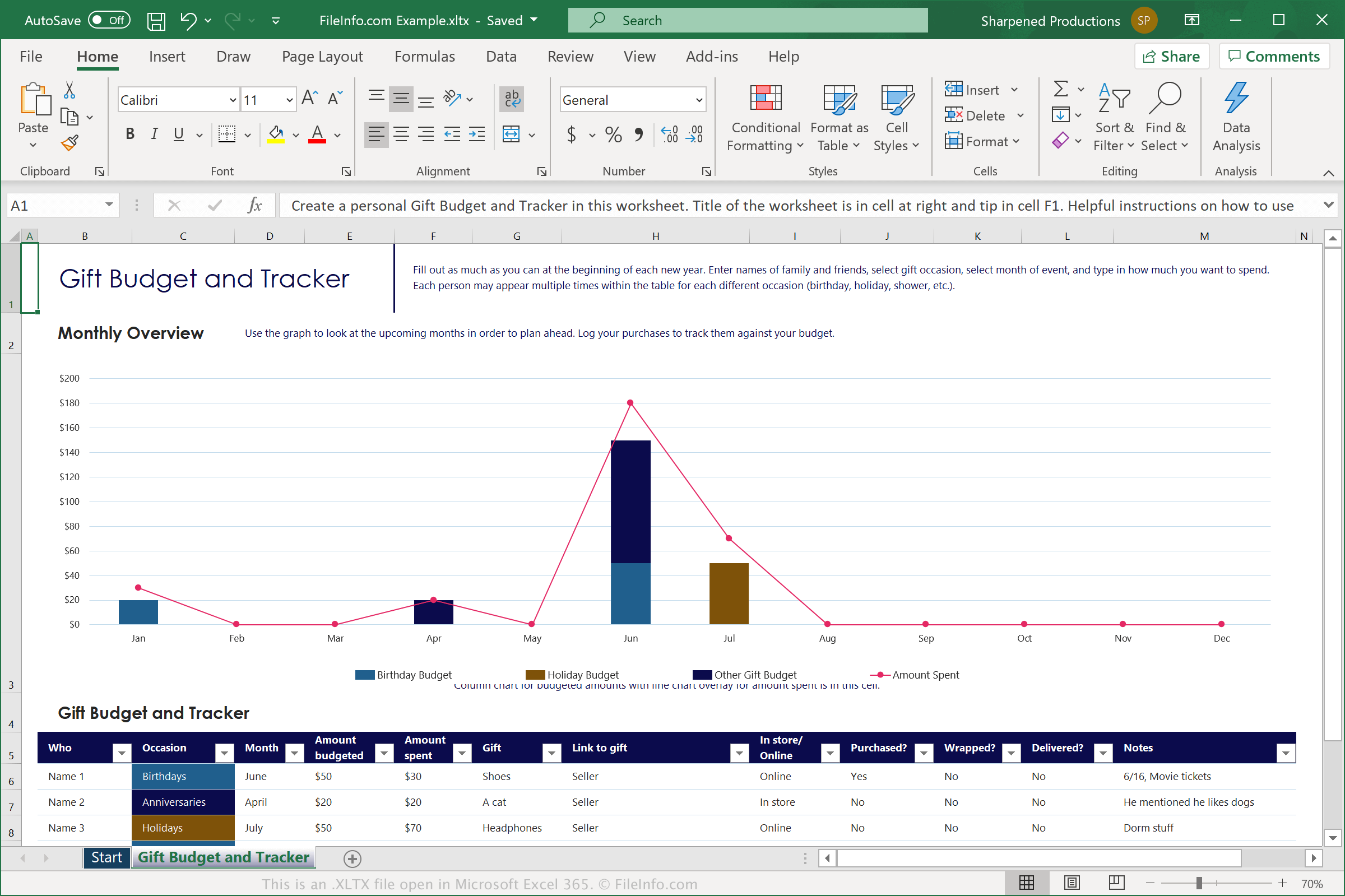
Excel은 세계에서 가장 널리 사용되는 스프레드시트 애플리케이션입니다. 모든 Microsoft Office 제품군에 포함되어 있으며 가정, 교육 및 비즈니스 환경에서 사용하도록 설계되었습니다.
이 소프트웨어에는 스프레드시트를 처음부터 만들 필요 없이 시작할 수 있도록 미리 만들어진 XLTX 파일이 다양하게 포함되어 있습니다. 예를 들면 예산 계획표, 달력, 청구서 등이 있습니다. 스프레드시트에서 사용자 지정 서식 파일을 만들 수도 있습니다. Microsoft Excel에서 스프레드시트를 XLTX 파일로 저장하려면 를 선택한 다음 형식 드롭다운 메뉴에서 "Excel Template"를 선택합니다.
참고: XLTX 파일은 Microsoft가 Microsoft Office 2007에서 도입한 Open XML 파일 형식으로 저장됩니다. 이 서식 파일 형식은 이진 형식으로 저장되는 .XLT 파일을 대체했습니다.
XLTX 파일을 여는 방법
Microsoft Excel(Windows, Mac, iOS, Android)에서 XLTX 파일을 열 수 있습니다. 열려면 프로그램의 메뉴 모음에서 을 선택합니다. 그런 다음 XLTX 파일에 포함된 서식 파일을 편집하거나, XLTX 파일을 사용해 새 스프레드시트를 만들 수 있습니다.
Microsoft Excel 2003 및 이전 버전에서 XLTX 파일을 열려면 Microsoft Office 호환 기능 팩을 설치해야 합니다. 호환 기능 팩을 설치하지 않은 경우 Excel 2003 및 이전 버전에서 XLTX 파일을 열 수 없습니다.