.SS 파일 확장자

SilverStripe Source Code File

개발사 SilverStripe
인기도
2.9  |  12 투표
 
🔍File Helper(으)로 .SS 파일을 웹 브라우저에서 바로 여세요.온라인으로 보기

SS 파일이란 무엇인가요?

Developer file created for SilverStripe, a Web application framework developed in PHP5 using object-oriented techniques; uses the SilverStripe templating language, which allows plain text (such as HTML and XML) to be augmented with loops, conditionals, and other statements; used for producing dynamic page content.

추가 정보

참고: SilverStripe runs on a Web server with PHP5 enabled.

SS 파일을 열거나 참조하는 프로그램

Windows
무료 체험판
Mac
무료 체험판
Linux
무료 체험판
Web
카테고리: 개발자
업데이트: 2012-08-20

SurgeScript File

개발사 Alexandre Martins
인기도
2.0  |  1 투표
 

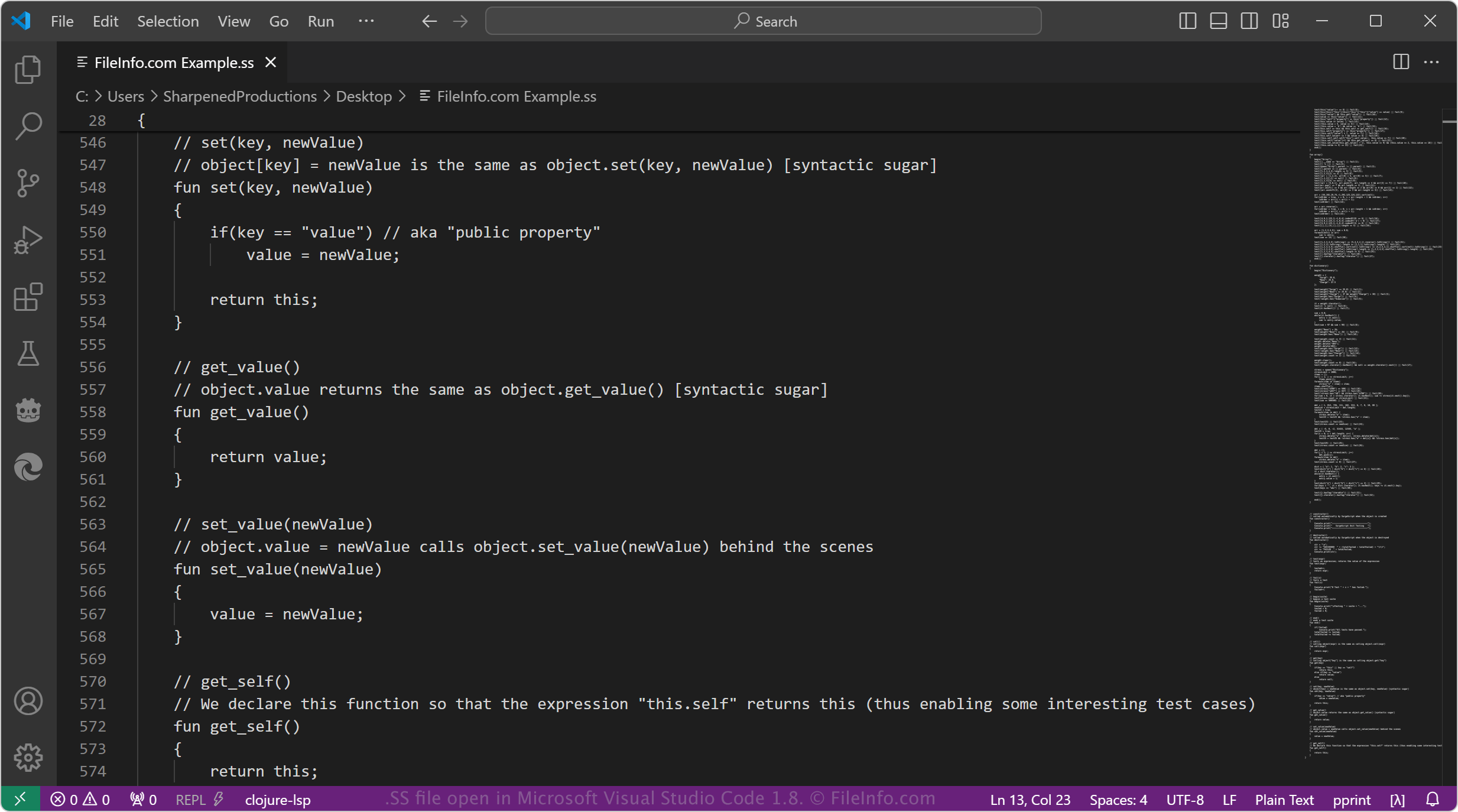
An SS file contains SurgeScript source code, a programming language for building 2D retro games using the Surge Engine. It is an object-oriented, dynamically typed language based on the C programming language. Since SS files store plain text, users can open SS files with any source code or plain text editor.

추가 정보

Microsoft Visual Studio Code 1.8에서 열린 .ss 파일의 스크린샷
Microsoft Visual Studio Code 1.8에서 열린 SS 파일

Alexandre Martins developed SurgeScript to be easy for beginners to learn but powerful enough for advanced developers. While most developers use SurgeScript to build games, they may also use it to develop interactive applications.

Some SurgeScript features include object tagging and garbage collection. Developers can also integrate SurgeScript into existing code.

참고: Martins also created the open source game engine, which is where the SurgeScript name originates.

SS 파일을 여는 방법

You can open SS files with any source code editor or plain text editor. For example, the Microsoft Visual Studio Code and Brackets source code editors can open SS files. Plain text editors, such as Microsoft Notepad and Apple TextEdit, which come bundled with Windows and macOS platforms, can also open SS files.

SS 파일을 여는 프로그램

All Platforms
Windows
Linux
카테고리: 개발자
업데이트: 2024-04-09

검증자 FileInfo.com

FileInfo.com 팀 이 페이지에 나열된 모든 파일 형식과 소프트웨어 프로그램을 독자적으로 조사했습니다. 저희의 목표는 100% 정확성이며, 검증한 파일 유형에 대한 정보만 게시합니다.

이 페이지에 추가하거나 업데이트할 내용을 제안하고 싶으시면 알려 주세요.