

.RF 파일 확장자
Rammerhead 프로필
| 개발사 | Simon Cheng |
| 인기도 |
3.5 | 4 표 |
RF 파일이란 무엇인가요?
RF 파일은 프록시 웹 브라우저인 Rammerhead에서 사용하는 설정 파일입니다. 사용자의 Rammerhead 프로필이 포함되어 있습니다. 사용자는 프로필 설정을 백업하기 위해 Rammerhead에서 RF 파일을 내보낼 수 있습니다.
추가 정보
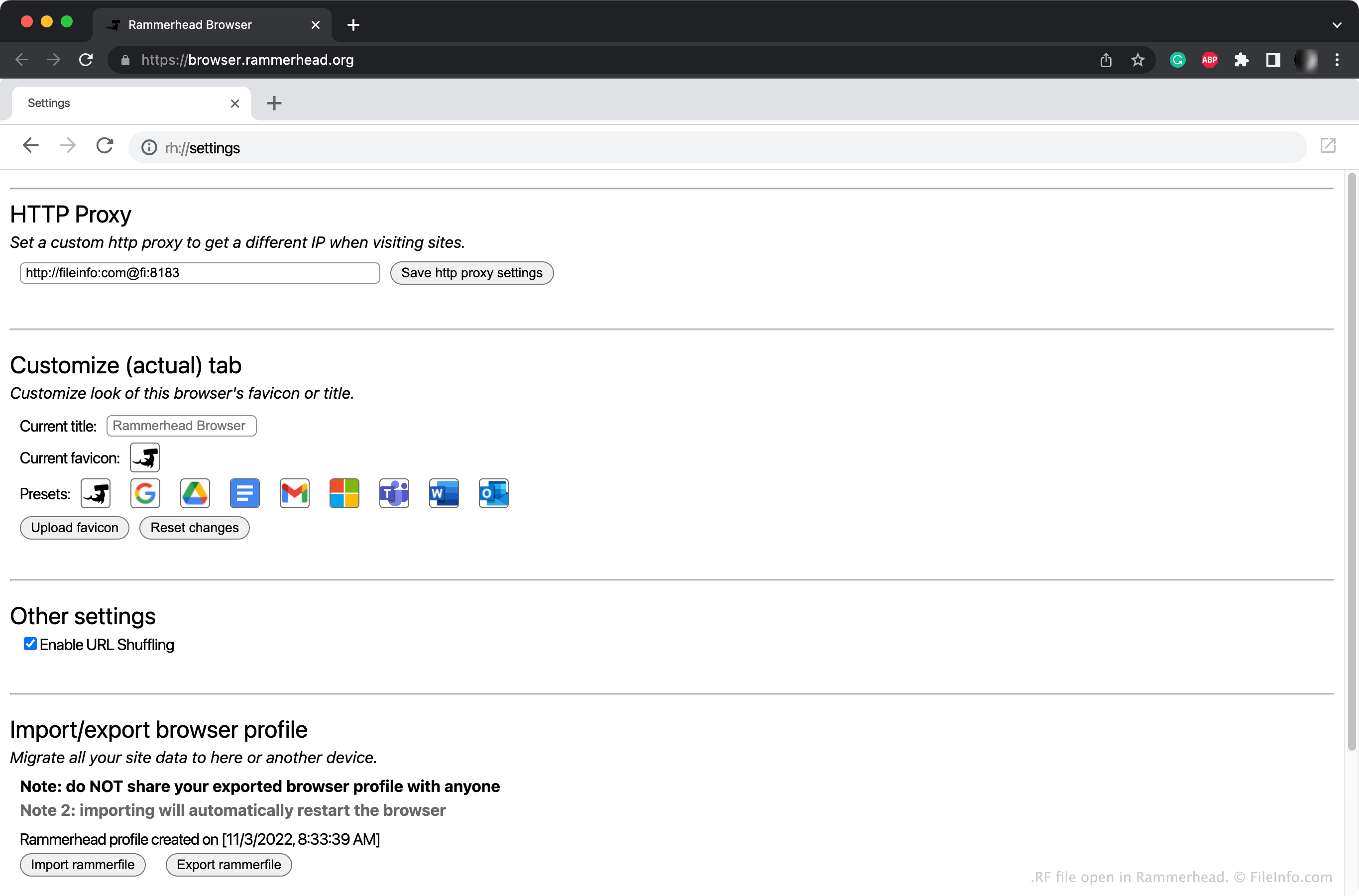
Rammerhead는 프록시 서버를 통해 사용자가 익명으로 인터넷을 탐색할 수 있도록 하는 프록시 웹 브라우저입니다. 일반적으로 사용자는 다른 웹 브라우저를 통해 https://browser.rammerhead.org로 이동하여 Rammerhead에 접속합니다.
Rammerhead의 Settings 페이지에 접속하려면 주소 표시줄에 rh://settings를 입력합니다. 이 페이지에서 사용자 지정 HTTP 프록시를 설정하고 Rammerhead의 모양을 사용자 지정할 수 있습니다. 그런 다음 을 선택하여 이러한 설정을 RF 파일로 저장할 수 있습니다.
일반적인 .RF 파일 이름
Profile.rf - Rammerhead가 RF 파일에 지정하는 기본 이름입니다.
RF 파일을 여는 방법
Rammerhead (Web)에서 RF 파일을 열 수 있습니다. 방법은 다음과 같습니다:
- Rammerhead를 열고 주소 표시줄에 rh://settings를 입력하여 Settings 페이지에 접속합니다.
- 을 클릭합니다.
- RF 파일이 있는 위치로 이동하여 엽니다.
RF 파일을 여는 프로그램
Web