

.RF ファイル拡張子
Rammerheadプロファイル
| 開発元 | Simon Cheng |
| 人気度 |
3.5 | 4 票 |
RFファイルとは?
RFファイルは、プロキシWebブラウザーであるRammerheadが使用する設定ファイルです。ユーザーのRammerheadプロファイルが含まれています。ユーザーはRammerheadからRFファイルをエクスポートして、プロファイル設定をバックアップできます。
詳細情報
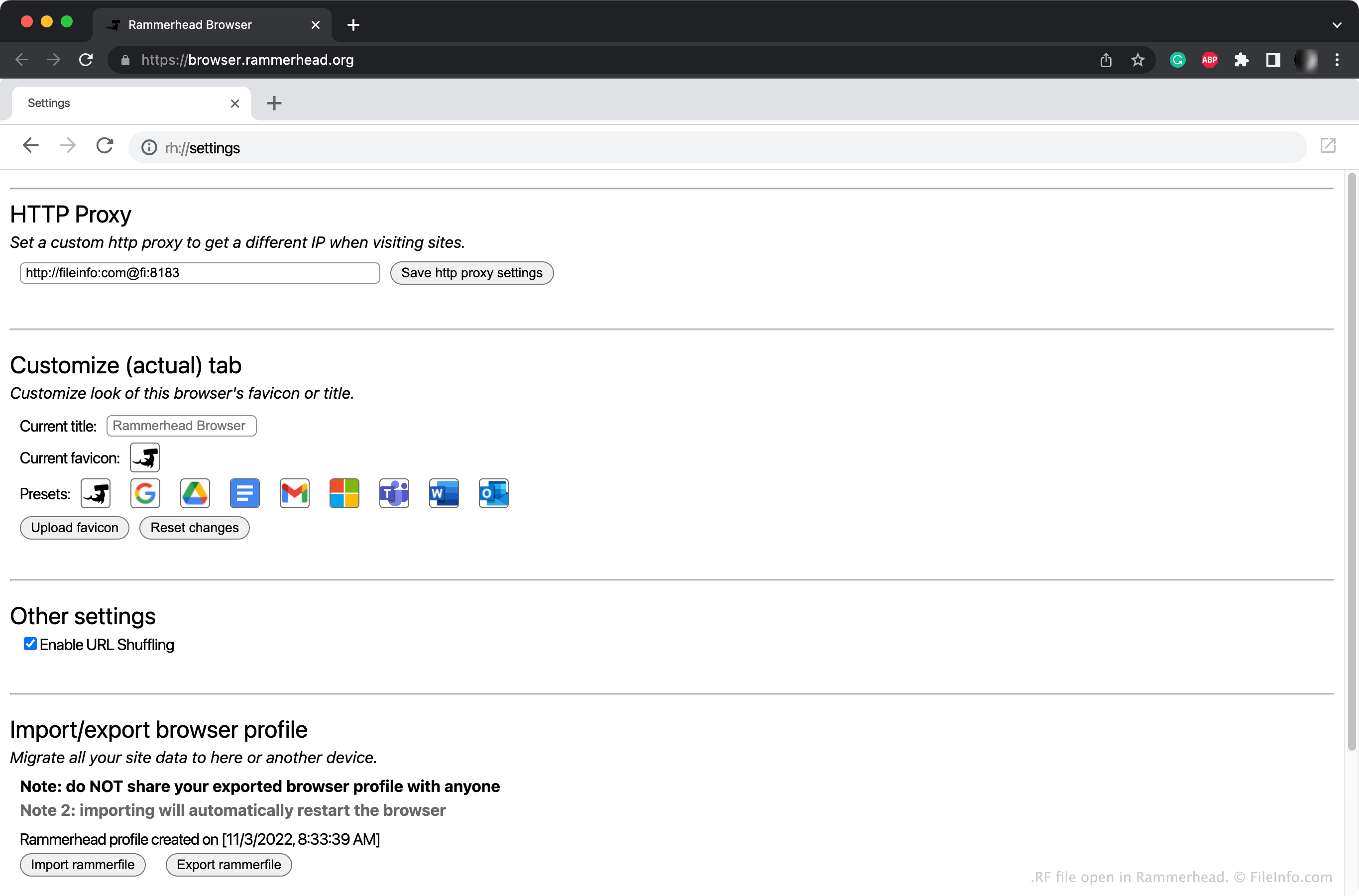
Rammerheadは、プロキシサーバーを使用して、ユーザーが匿名でインターネットを閲覧できるようにするプロキシWebブラウザーです。通常、ユーザーは別のWebブラウザーからhttps://browser.rammerhead.orgに移動してRammerheadにアクセスします。
Rammerheadの設定ページにアクセスするには、Rammerheadのアドレスバーにrh://settingsと入力します。そこでは、カスタムHTTPプロキシを設定したり、Rammerheadの外観をカスタマイズしたりできます。その後、を選択して、これらの設定をRFファイルに保存できます。
一般的な.RFファイル名
Profile.rf - RammerheadがRFファイルに割り当てるデフォルト名です。
RFファイルの開き方
Rammerhead (Web)でRFファイルを開くことができます。手順は次のとおりです。
- Rammerheadを開き、アドレスバーにrh://settingsと入力して設定ページにアクセスします。
- をクリックします。
- RFファイルの場所に移動して開きます。
RFファイルを開くプログラム
Web