

.RBG 파일 확장자
ROBOTC 프로그램
| 개발사 | Robomatter Inc. |
| 인기도 |
1.5 | 2 표 |
RBG 파일이란 무엇인가요?
RBG 파일은 개발자가 VEX Robotics, LEGO MINDSTORMS 및 Arduino 장치용 프로그램을 만들 때 사용하는 블록 기반 프로그래밍 인터페이스인 Graphical ROBOTC를 사용해 만든 프로그램입니다. 여기에는 Graphical ROBOTC가 사용자에게 프로그램을 표시하고 해당 프로그램을 장치에서 사용할 수 있도록 C 프로그램으로 변환하는 데 사용하는 XML이 포함되어 있습니다.
추가 정보
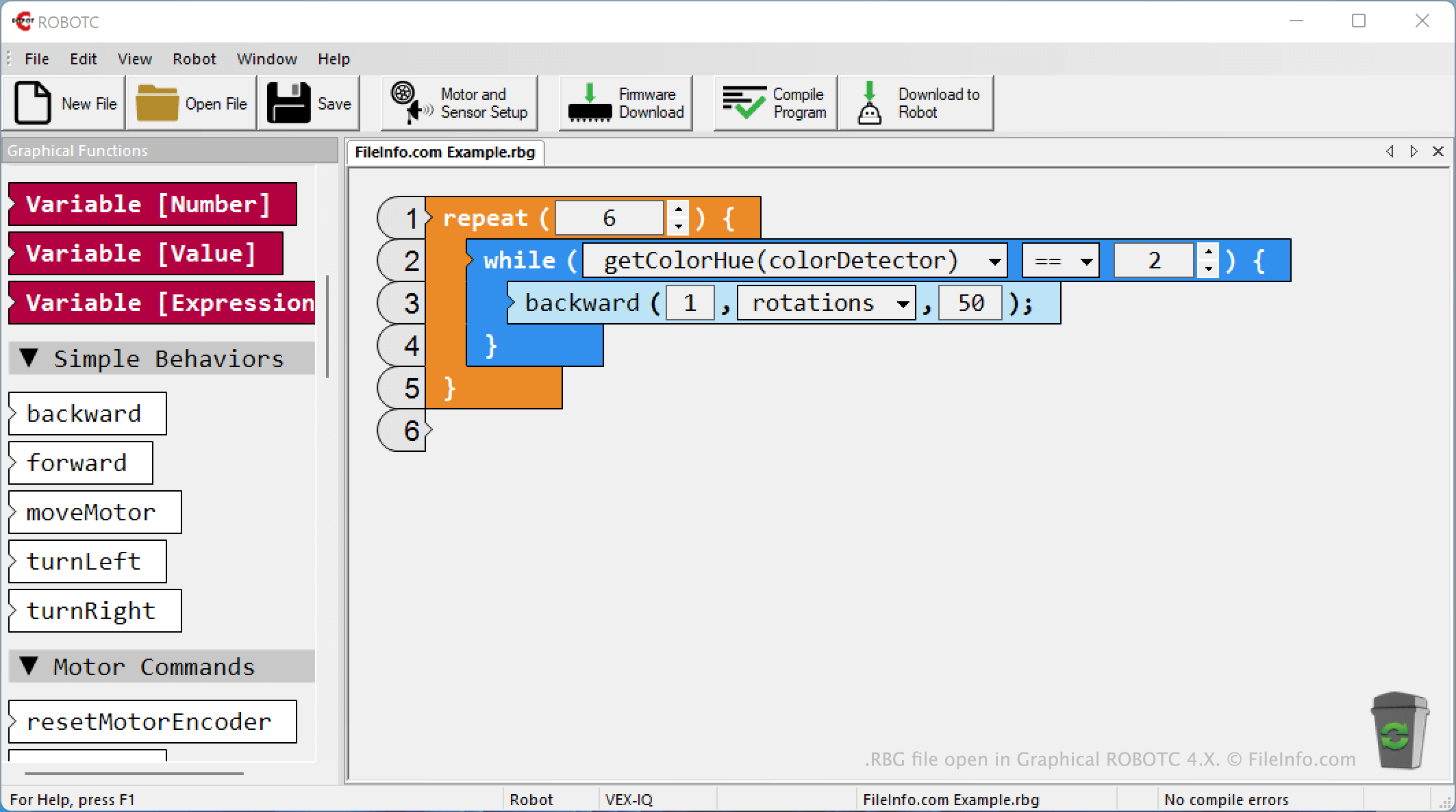
ROBOTC는 학생들이 VEX Robotics, LEGO MINDSTORMS 및 Arduino 장치용 프로그램을 만들 수 있도록 해 주는 교육용 프로그래밍 플랫폼입니다. ROBOTC 플랫폼에는 그래픽(블록 기반) 프로그래밍 인터페이스와 텍스트 기반 프로그래밍 인터페이스가 모두 포함되어 있습니다. Graphical ROBOTC는 개발자의 프로그램을 RBG 파일로 저장합니다. (텍스트 기반 ROBOTC 버전은 주로 개발자의 프로그램을 .C 파일로 저장합니다.)
개발자는 서로 다른 장치 하위 집합용 프로그램을 만들기 위해 약간씩 다른 버전의 Graphical ROBOTC를 사용합니다. 예를 들어 Arduino 프로그램을 만드는 데 사용되는 Graphical ROBOTC 버전은 VEX Robotics 프로그램을 만드는 데 사용되는 버전과 다릅니다. 따라서 각 Graphical ROBOTC 버전이 생성하는 RBG 파일도 약간씩 다릅니다. 텍스트 편집기(예: Microsoft Notepad)에서 파일을 열고 VexIQ와 같은 식별 정보를 찾으면 RBG 프로그램이 어떤 유형의 장치용으로 만들어졌는지 확인할 수 있습니다.
RBG 파일을 여는 방법
파일을 만든 Graphical ROBOTC(Windows) 버전에서 RBG 파일을 열 수 있습니다. 그러려면 해당 프로그램의 버튼을 선택하세요. 그런 다음 RBG 파일이 있는 위치로 이동하여 파일을 여세요.