

.RAR 파일 확장자
WinRAR 압축 아카이브
| 개발사 | Eugene Roshal |
| 인기도 |
4.2 | 4538 표 |
RAR 파일이란 무엇인가요?
RAR 파일은 RAR 압축으로 압축된 하나 이상의 파일을 포함하는 아카이브입니다. 일반적인 ZIP 압축보다 높은 압축률로 압축되며, 7-Zip에서 .7Z 파일에 사용하는 것을 비롯해 다른 압축 프로그램에서도 활용되는 독점 압축 알고리즘을 통합합니다. RAR 아카이브는 파일을 더 작은 크기로 저장하므로, 사용자는 파일을 전송하거나 저장하기 위해 파일을 압축하는 경우가 많습니다.
추가 정보
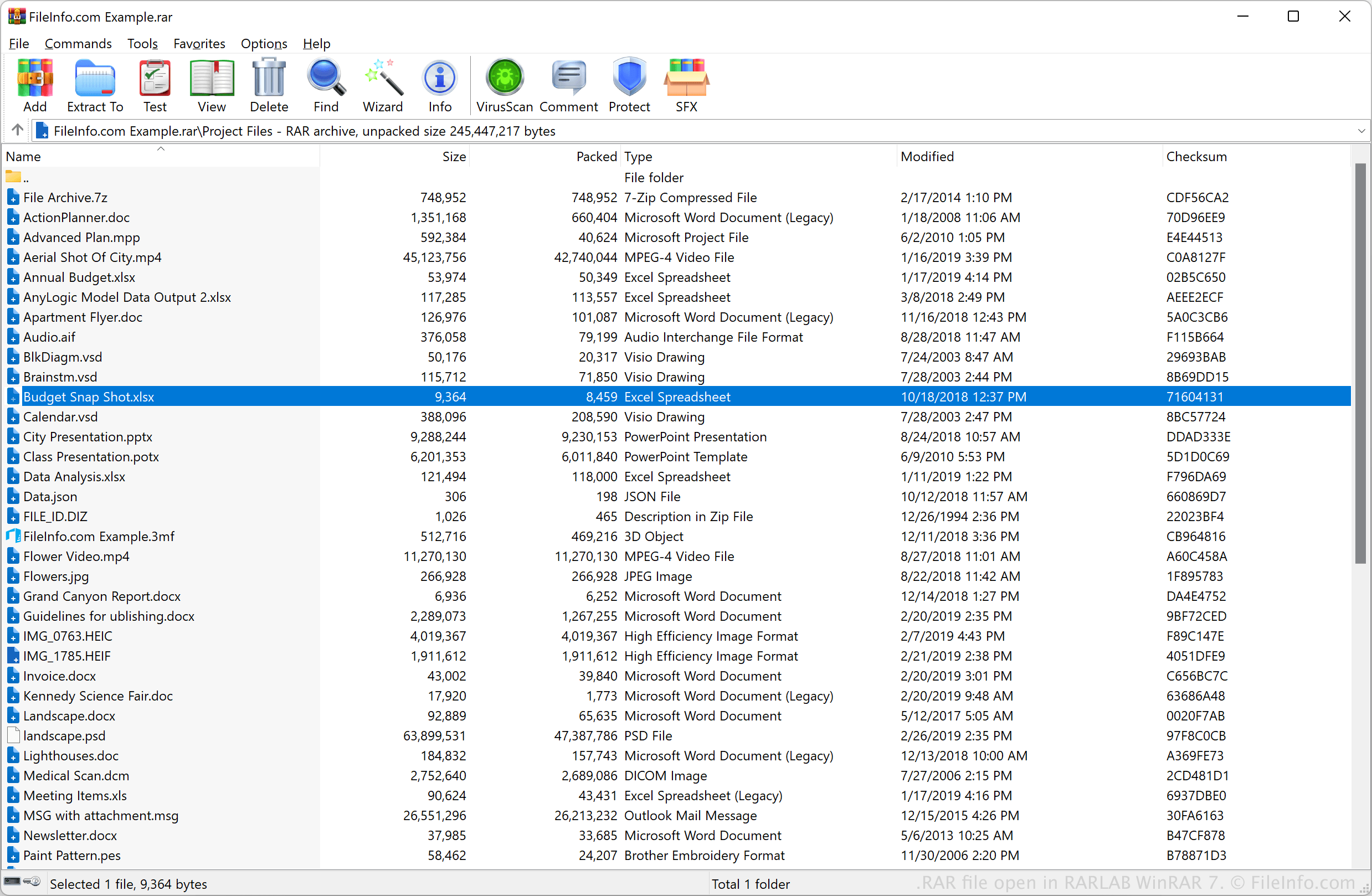
Eugene Roshal은 RAR 형식("Roshal ARchive"의 약자)을 개발했으며, 1993년에 WinRAR 압축 프로그램을 출시하면서 이 형식을 처음 선보였습니다. 출시 이후 이 형식은 .ZIP 및 7Z와 함께 표준 압축 형식이 되었습니다. WinRAR는 일반적으로 RAR 파일을 만들지만, 다양한 유틸리티로 RAR 파일을 압축하거나 압축 해제할 수 있습니다.
일반적으로 RAR 파일은 파일 모음이나 카메라 RAW 파일 또는 동영상 파일과 같은 대용량 파일을 저장합니다. 예를 들어, 직장 동료가 대용량 동영상 몇 개를 RAR 파일로 압축하고 이메일에 첨부해 보낼 수 있습니다. 또 다른 예로, CAD 웹사이트에서 RAR 아카이브로 압축된 3D CAD 파일을 다운로드할 수도 있습니다.
참고: RAR 압축 프로그램은 여러 압축 파일로 나뉘어 있는 분할 아카이브(또는 다중 볼륨 아카이브)를 만들 수도 있습니다. 이러한 파일의 확장자는 일반적으로 .r00부터 .r99까지이거나, 모두 표준 .rar 확장자를 사용합니다.
RAR 파일을 여는 방법
RARLAB WinRAR(Windows) 및 RARLAB RAR(Android)로 RAR 파일을 열 수 있습니다. 예를 들어 RARLAB WinRAR로 RAR 파일을 열려면 를 선택합니다.
다음 애플리케이션을 비롯한 다양한 타사 압축 해제 유틸리티도 RAR 파일을 지원합니다.
- Corel WinZip(Windows)
- Corel WinZip Mac(Mac)
- B1 Free Archiver(크로스 플랫폼)
- PeaZip(크로스 플랫폼)
RAR 아카이브가 다중 볼륨 아카이브로 분할되어 있는 경우(예: .rar 파일, .r01 파일, .r02 파일 등을 가지고 있는 경우), 압축 해제 유틸리티로 아카이브의 기본 RAR 파일을 열어 다중 볼륨 아카이브에 포함된 모든 파일을 추출할 수 있습니다. 이 작업을 수행하려면 다중 볼륨 아카이브에 포함된 모든 파일이 같은 폴더에 저장되어 있어야 합니다. 또한 아카이브에 포함된 모든 파일을 가지고 있어야 합니다(예: .r03 파일과 .r05 파일은 있지만 .r04 파일이 없으면 파일을 추출하는 데 문제가 발생할 수 있습니다).
일부 RAR 아카이브는 비밀번호로 보호되어 있을 수 있습니다. 이러한 아카이브를 열려면 메시지가 표시될 때 아카이브를 만들 때 사용한 비밀번호를 입력해야 합니다.