

.PVMZ 파일 확장자
Parallels 압축 가상 머신
| 개발사 | Parallels |
| 인기도 |
2.8 | 5 표 |
PVMZ 파일이란 무엇인가요?
PVMZ 파일은 Parallels Desktop 에뮬레이션 소프트웨어로 만든 압축된 가상 머신입니다. 여기에는 Windows, macOS 또는 Linux와 같은 운영 체제를 로드하고 실행하는 데 필요한 가상 머신(VM)의 모든 정보가 포함되어 있습니다. PVMZ 파일은 .PVM 파일과 같지만 공간을 절약하기 위해 Zip으로 압축됩니다.
추가 정보
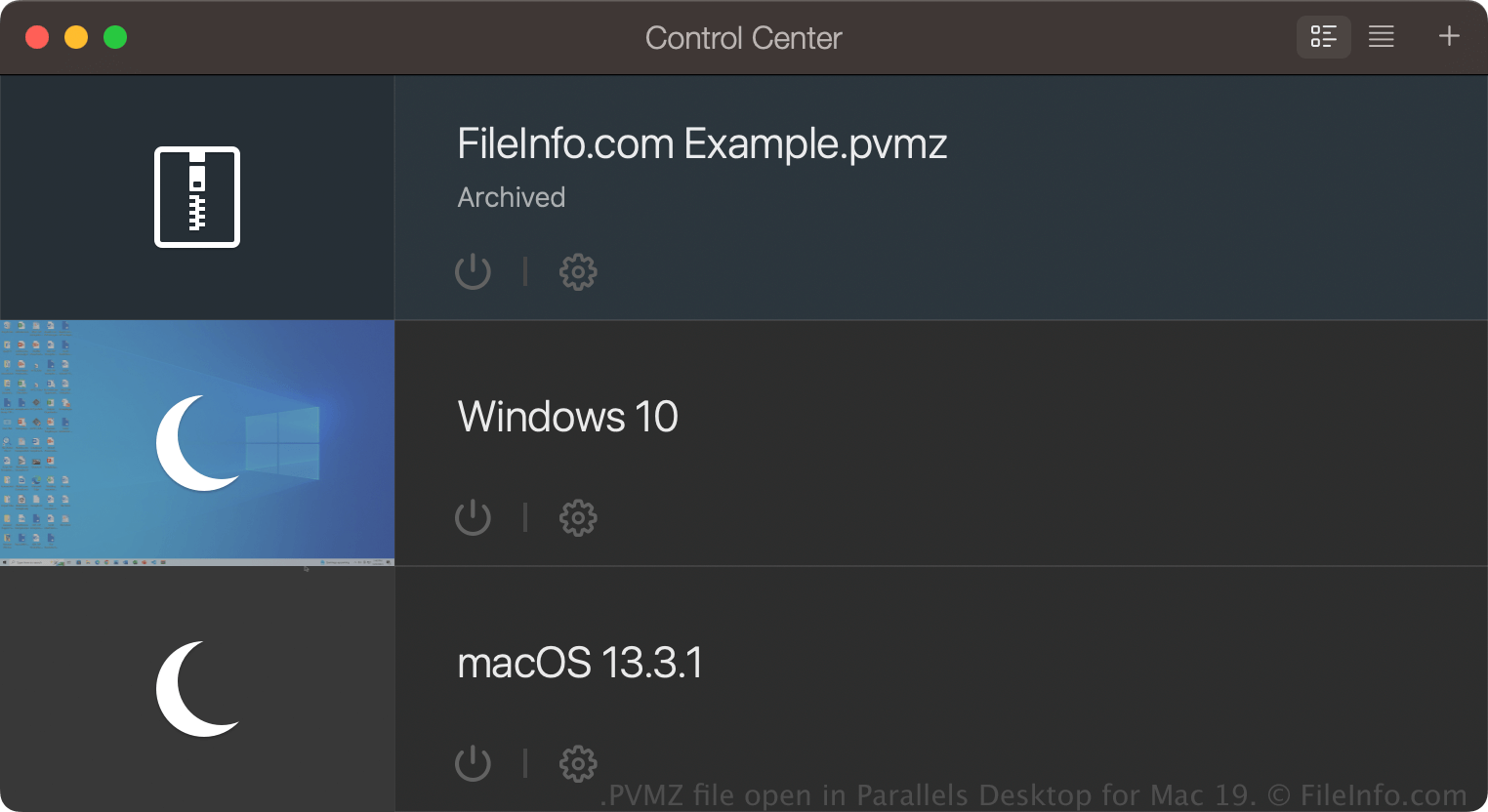
Parallels Desktop for Mac은 Mac에서 Windows, Linux, Android 및 추가 버전의 macOS를 실행할 수 있는 운영 체제 가상화 프로그램입니다. 사용자가 Parallels Desktop으로 VM을 만들면 소프트웨어는 그 내용을 저장하기 위해 macOS 패키지인 PVM 파일을 만듭니다.
PVM 파일은 크기가 커질 수 있으므로 일반적으로 사용자는 크기를 줄이기 위해 PVM 파일을 PVMZ 파일로 압축합니다. 이 기능은 Parallels Desktop for Mac Pro 및 Business Edition에서만 사용할 수 있습니다.
Parallels Desktop으로 PVMZ 파일을 만들려면 Control Center에서 VM을 마우스 오른쪽 버튼으로 클릭한 다음 를 선택합니다. VM을 보관하면 같은 위치에 있는 PVM 파일이 PVMZ 파일로 바뀝니다.
PVMZ 파일을 여는 방법
macOS에서는 Parallels Desktop for Mac으로 PVMZ 파일을 열 수 있습니다. PVMZ 파일을 열려면 가상 머신을 저장하는 기본 위치로 설정한 폴더(Parallels의 기본 위치는 Macintosh HD/Users/[username]/Documents/Parallels/)에 파일을 넣고, Parallels Desktop for Mac에서 을 선택한 다음 PVMZ 파일을 선택합니다.
가상 머신(VM)이 Parallels Desktop for Mac Control Center에서 "Archived"로 표시되면 해당 VM을 두 번 클릭하여 보관을 해제하거나, VM을 마우스 오른쪽 버튼으로 클릭하고 를 선택할 수 있습니다.