.PTS 파일 확장자
Pro Tools Session
| 개발사 | Avid Technology |
| 인기도 |
3.5 | 12 투표 |
PTS 파일이란 무엇인가요?
Audio project created with Pro Tools digital audio workstation (DAW) software; may contain multiple audio and MIDI tracks, mixer settings, audio effects, and references to audio files; does not contain actual audio data.
추가 정보
NOTE: PTS files were used by Pro Tools 6.9 and earlier. Pro Tools 7 and later saves sessions with a .PTF file extension.
PTS 파일을 여는 프로그램
Plain Text Point Data
| 개발사 | 해당 없음 |
| 인기도 |
4.0 | 2 투표 |
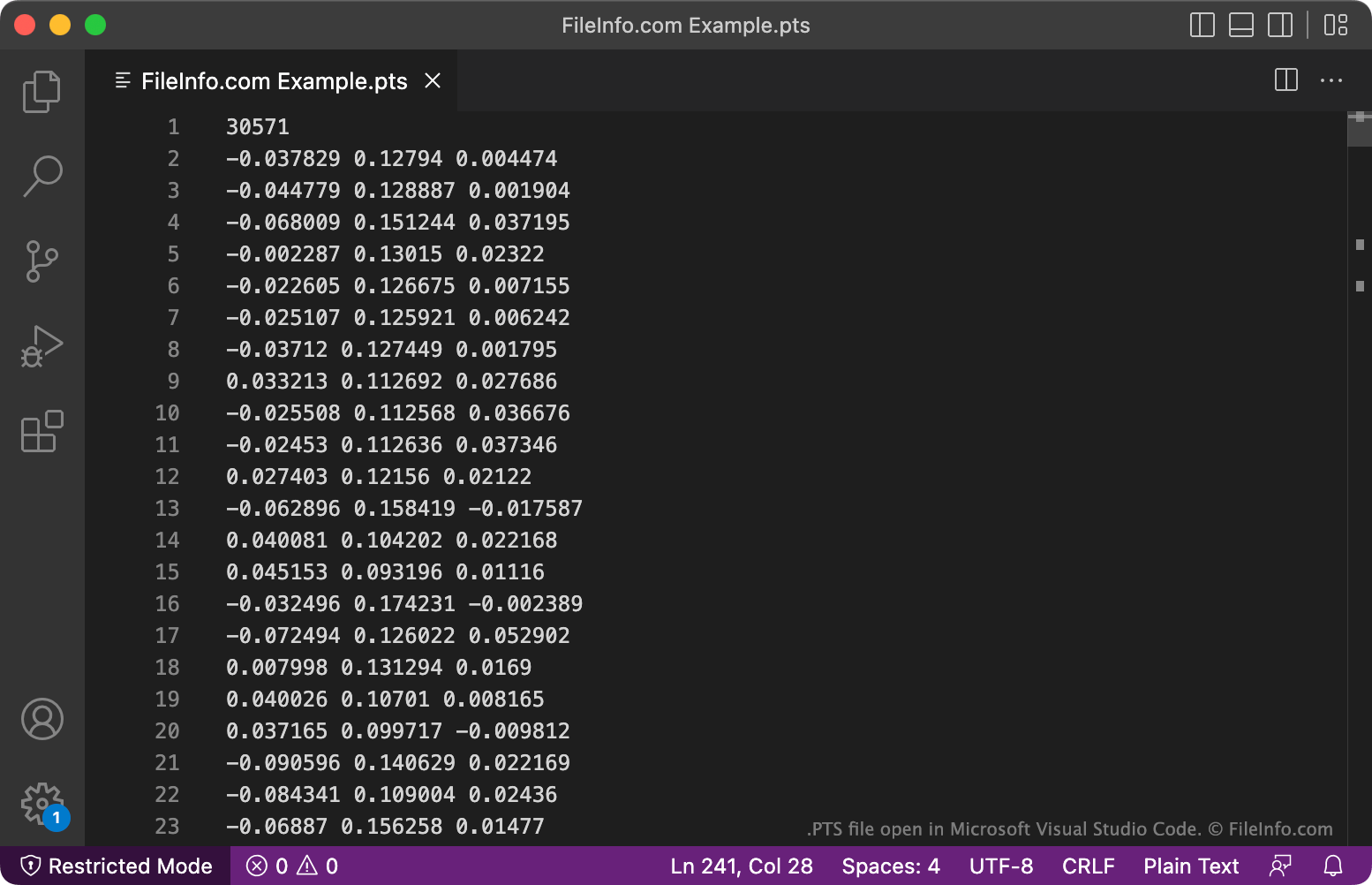
A PTS file is a plain text file that stores point data, typically collected using a LIDAR scanner. It contains a header that notes the number of points the file contains, followed by point data stored one point per line. Each point typically (but not always) also has associated RGB color data and intensity data.
추가 정보
Scientists and engineers use LIDAR scanners to map objects and surfaces, by targeting them with a laser and measuring how long it takes reflected light to return to the scanner. Some of these scanners and associated applications, such as Leica Cyclone, FARO Scene, and Autodesk ReCap Pro, can save the maps they create in the PTS format.
Each PTS file contains a list of points, saved as a set of x, y, z coordinates. Each point is typically also assigned estimated RGB color values and an intensity value. The intensity value is an estimate of the fraction of incident radiation reflected at that point.
PTS 파일을 여는 방법
Because PTS files are plain text files, you can open them with any text editor, such as Microsoft Notepad (Windows) or Apple TextEdit (Mac). However, most PTS files are meant to be opened in point data processing programs, such as Leica Cyclone (Windows), FARO Scene (Windows), or Autodesk ReCap Pro (Windows). These programs can use the data PTS files contain to create 3D images.
PTS 파일을 여는 프로그램
PTGui Project File
| 개발사 | New House Internet Services |
| 인기도 |
1.5 | 2 투표 |
File created by PTGui, a panoramic photo stitching application; contains a panorama template or project, which includes imported images and panorama settings like rectilinear, cylindrical, mercator, and fullframe layouts.
추가 정보
To create a PTS file, select File → Save Project or Save Project As... or Save as Template..., name the file, choose the save location, and click Save.