

.PTS Extension de fichier
Données de points en texte brut
| Développeur | N/D |
| Popularité |
4,0 | 2 Votes |
Un fichier PTS est un fichier texte brut qui stocke des données de points, généralement collectées à l’aide d’un scanner LIDAR. Il contient un en-tête indiquant le nombre de points que contient le fichier, suivi des données de points, avec un point par ligne. Chaque point possède généralement (mais pas toujours) des données de couleur RGB et des données d’intensité associées.
Plus d'informations
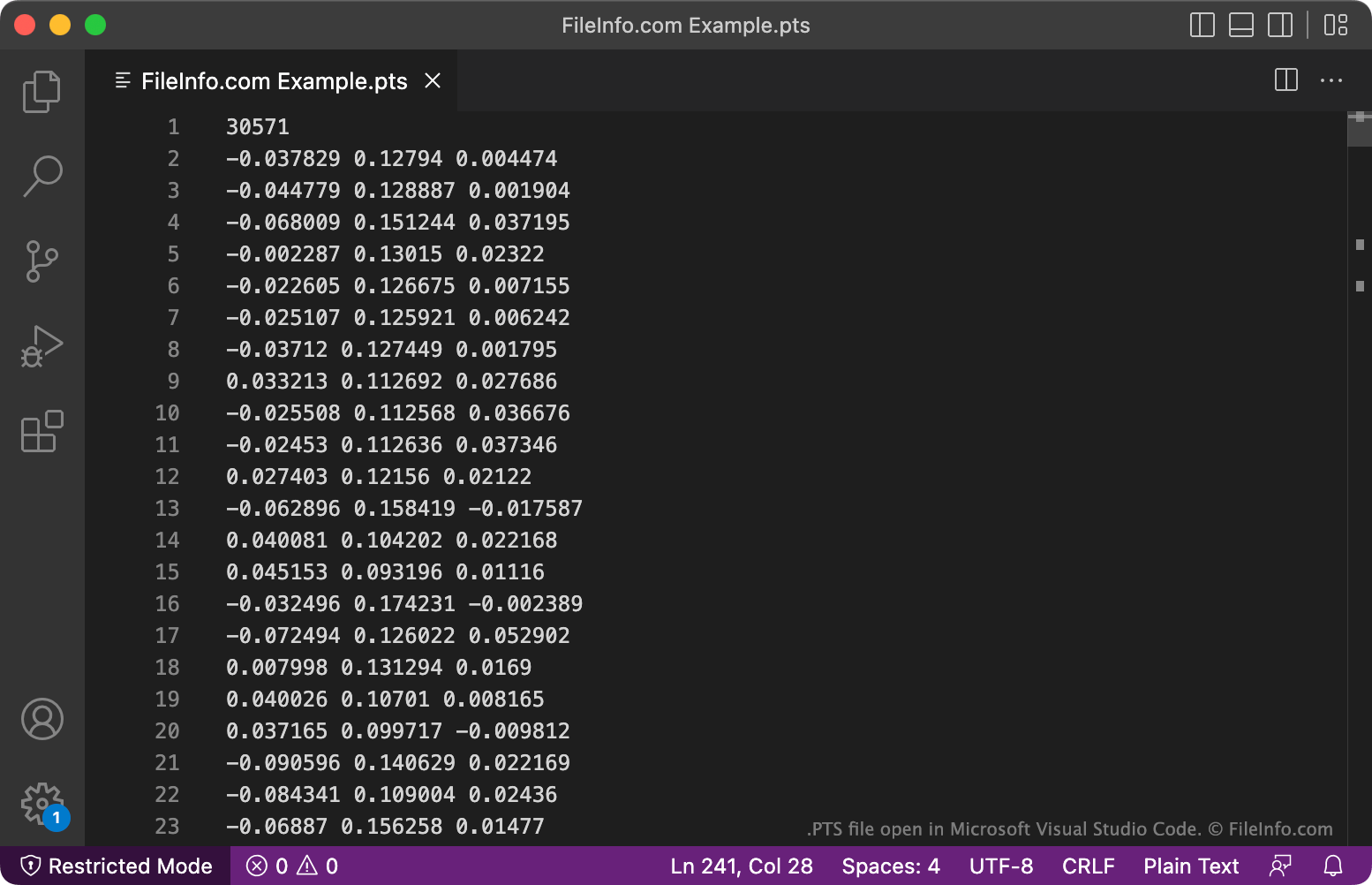
Les scientifiques et les ingénieurs utilisent des scanners LIDAR pour cartographier des objets et des surfaces, en les ciblant avec un laser et en mesurant le temps nécessaire à la lumière réfléchie pour revenir au scanner. Certains de ces scanners et les applications associées, comme Leica Cyclone, FARO Scene et Autodesk ReCap Pro, peuvent enregistrer les cartes qu’ils créent au format PTS.
Chaque fichier PTS contient une liste de points, enregistrés sous forme d’un ensemble de coordonnées x, y et z. Une valeur de couleur RGB estimée et une valeur d’intensité sont généralement également attribuées à chaque point. La valeur d’intensité est une estimation de la fraction du rayonnement incident réfléchie à cet endroit.
Comment ouvrir un fichier PTS
Comme les fichiers PTS sont des fichiers texte brut, vous pouvez les ouvrir avec n’importe quel éditeur de texte, comme Microsoft Notepad (Windows) ou Apple TextEdit (Mac). Cependant, la plupart des fichiers PTS sont destinés à être ouverts dans des programmes de traitement de données de points, comme Leica Cyclone (Windows), FARO Scene (Windows) ou Autodesk ReCap Pro (Windows). Ces programmes peuvent utiliser les données contenues dans les fichiers PTS pour créer des images 3D.