

.MEPJ 파일 확장자
Movavi Video Editor 프로젝트
| 개발사 | Movavi |
| 인기도 |
2.1 | 18 표 |
MEPJ 파일이란 무엇인가요?
MEPJ 파일은 Movavi Video Editor로 만든 비디오 프로젝트입니다. 프로젝트 설정, 가져온 미디어에 대한 참조 및 프로젝트 타임라인 기록이 포함되어 있습니다. MEPJ 형식은 .MEPX 형식을 대체했습니다.
추가 정보
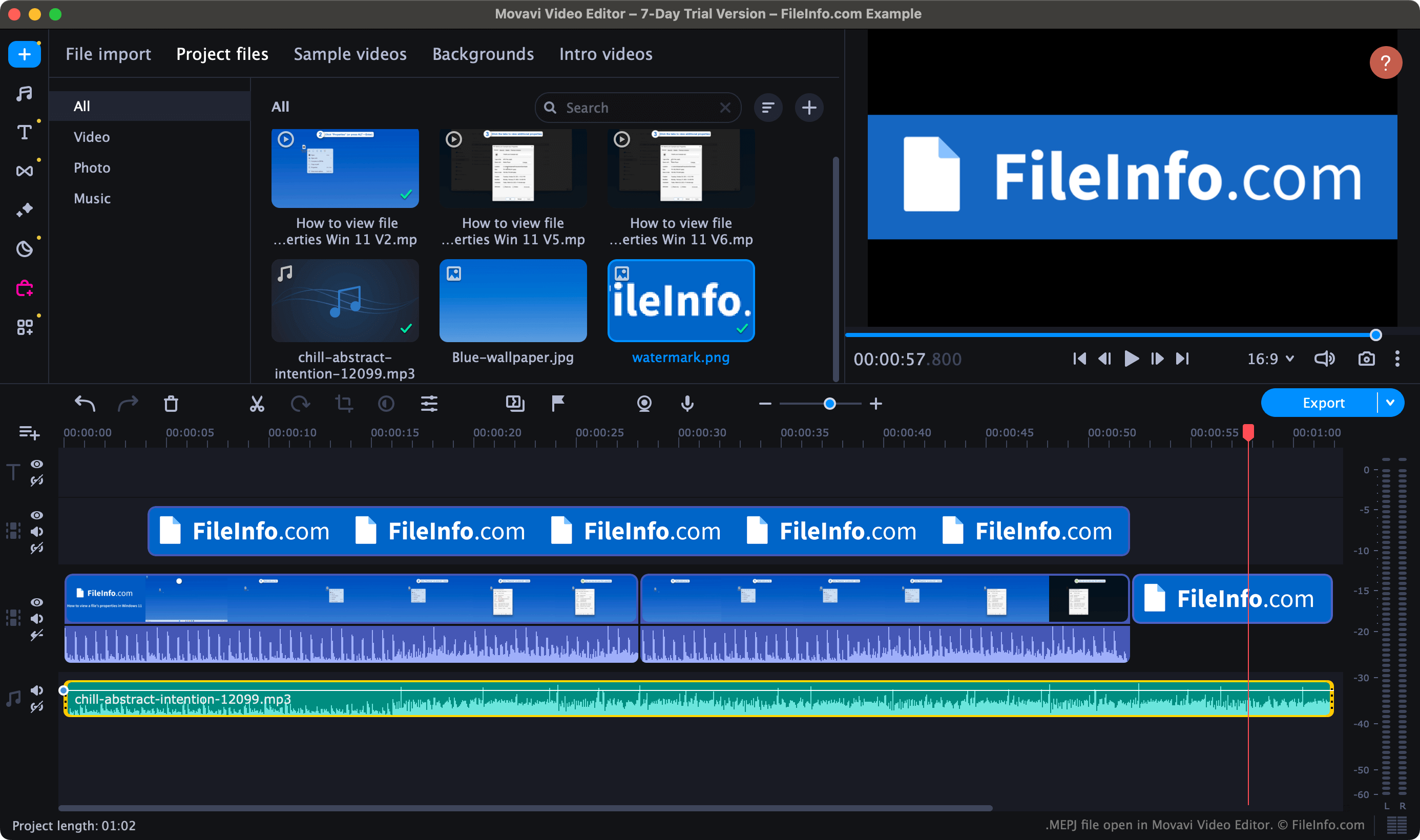
Movavi Video Editor는 사용자가 비디오, 오디오 및 이미지를 가져와 타임라인 기반 편집 인터페이스를 사용해 하나의 비디오로 함께 편집할 수 있도록 해 주는 비디오 편집 프로그램입니다. 또한 사용자는 Video Editor에서 만든 비디오에 전환, 텍스트, 애니메이션 및 다양한 기타 효과를 추가할 수 있습니다.
버전 23.2부터 Video Editor는 사용자의 비디오 편집 프로젝트를 MEPJ 파일로 저장합니다. 프로젝트를 MEPJ 파일로 저장하면 나중에 해당 프로젝트를 열어 편집을 계속할 수 있습니다. 프로젝트 편집을 마친 후에는 여러 일반적인 비디오 형식으로 비디오를 내보낼 수 있습니다.
특히 MEPJ 파일에는 사용자가 프로젝트로 가져온 비디오, 오디오 또는 이미지가 실제로 포함되어 있지 않습니다. 대신 해당 파일의 위치에 대한 참조가 포함되어 있습니다. 따라서 MEPJ 파일로 가져온 에셋을 이동하면 해당 에셋을 프로젝트에서 더 이상 사용할 수 없습니다. (가져온 에셋을 원래 위치로 다시 이동하면 이 문제를 해결할 수 있습니다.)
MEPJ 파일을 여는 방법
Movavi Video Editor(Windows, Mac)로 MEPJ 파일을 열 수 있습니다. Movavi Video Editor는 독립 실행형 애플리케이션으로도, Movavi Video Suite의 일부로도 제공됩니다. 파일을 열려면 Video Editor의 메뉴 모음에서 를 선택하세요. 그런 다음 MEPJ 파일을 찾아 여세요.
MEPJ 파일을 변환하는 방법
Movavi Video Editor를 사용하면 MEPJ 파일에 포함된 프로젝트를 다음을 포함한 다양한 비디오 및 오디오 형식으로 내보낼 수 있습니다.