

.JENKINSFILE 파일 확장자
Jenkins Pipeline 정의
| 개발사 | Jenkins |
| 인기도 |
3.0 | 1 표 |
JENKINSFILE 파일이란 무엇인가요?
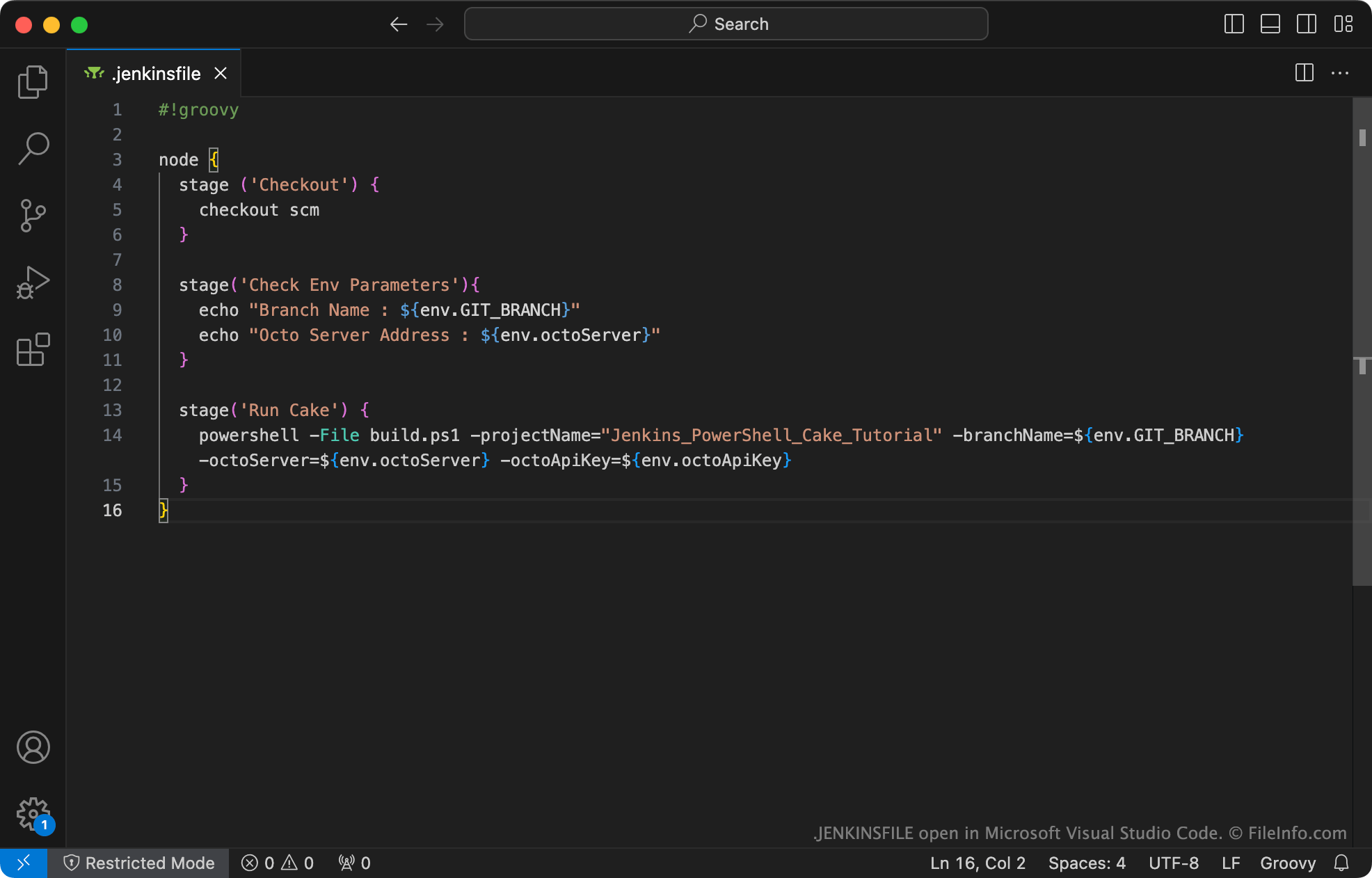
JENKINSFILE은 Jenkins Pipeline을 정의하는 일반 텍스트 파일입니다. 여기에는 Apache Groovy 프로그래밍 언어로 작성된 선언이 포함됩니다. Pipeline 프로젝트를 만드는 개발자는 항상 JENKINSFILE을 만들고 프로젝트의 소스 코드 저장소에 저장해야 합니다.
추가 정보
Jenkins는 개발자가 소프트웨어의 빌드, 테스트 및 제공을 자동화하는 데 사용하는 오픈 소스 자동화 서버입니다. Jenkins Pipeline은 개발자가 Jenkins에 지속적 제공 파이프라인(Jenkins Pipeline이라고 함)을 만들 수 있도록 하는 Jenkins 플러그인 모음입니다. 이를 통해 개발자는 Jenkins를 통해 배포되는 소프트웨어의 업데이트를 빠르게 빌드하고, 테스트하고, 제공할 수 있습니다.
Jenkins Pipeline을 만들 때 개발자는 Pipeline의 단계(예: 빌드, 테스트 및 배포)와 관련 설정을 정의하는 텍스트 파일을 만들어야 합니다. 이 Pipeline 정의를 JENKINSFILE이라고 하며, 파일 이름은 항상 .jenkinsfile입니다.
개발자는 Jenkins, 프로그램의 Blue Ocean 플러그인 또는 모든 소스 코드 편집기를 사용하여 JENKINSFILE을 만들고 편집할 수 있습니다. 대부분의 경우 개발자는 새 Jenkins Pipeline 프로젝트를 설정하는 과정에서 Blue Ocean을 사용하여 JENKINSFILE을 만듭니다.
일반적인 .JENKINSFILE 파일 이름
.jenkinsfile - 개발자가 Jenkins Pipeline의 JENKINSFILE에 지정해야 하는 이름입니다.
JENKINSFILE 파일을 여는 방법
JENKINSFILE에 포함된 Jenkins Pipeline 정의를 확인하고 편집하려면 Microsoft Visual Studio Code 또는 다른 텍스트 편집기로 JENKINSFILE을 열 수 있습니다. 가능하면 Apache Groovy 구문 강조를 지원하는 소스 코드 편집기로 JENKINSFILE을 열어야 합니다.
Jenkins Pipeline에서 JENKINSFILE을 사용하는 방법은 Jenkins 공식 문서를 참조하세요.