.IMAGE 파일 확장자

3개의 파일 유형.image 확장자를 사용합니다.

Apple Disk Image

개발사 Apple
인기도
3.1  |  26 투표
 

IMAGE 파일이란 무엇인가요?

An IMAGE file is a disk image used on classic Mac systems to store an exact copy of the data from a Mac-formatted disk. It preserves the full structure of the original disk, including files, folders, and file system information. IMAGE files were commonly used to distribute software, back up disks, or duplicate media without requiring the original physical disk.

추가 정보

While IMAGE files are mostly found in legacy archives or older software collections now, Mac users, developers, and support teams working with classic Mac OS systems commonly created and used them with older Mac utilities, such as Disk Copy and ShrinkWrap. The files were especially useful for distributing applications and system tools before widespread Internet downloads and modern disk image formats became common.

The files are saved in a binary disk image format that captures the contents of a disk sector by sector. When opened, the system treats the IMAGE file like a physical disk, allowing it to be mounted and accessed through the desktop.

IMAGE 파일을 여는 방법

You can open IMAGE files with Apple Disk Utility. The Roxio Toast utility also supports IMAGE files.

File Viewer Plus(으)로 400개 이상의 파일 형식을 여세요.무료 다운로드

IMAGE 파일을 여는 프로그램

Mac
OS에 포함됨

OpenQwaq Image

개발사 OpenQwaq
인기도
2.6  |  9 투표
 

An IMAGE file is a data file used by OpenQwaq, a 3D online collaboration platform. It contains core application data, libraries, and configuration information required to run an OpenQwaq environment. IMAGE files are used by the software to initialize and manage the virtual workspace.

추가 정보

IMAGE files are typically included as part of an OpenQwaq installation or deployment. They define the environment in which the platform runs, rather than user-created content. System administrators or developers may work with these files when setting up or maintaining an OpenQwaq server or client environment.

OpenQwaq was used by organizations for virtual collaboration and meetings in shared 3D spaces. However, the platform is no longer widely used, and the IMAGE file format is now mostly encountered in legacy systems or archived environments.

IMAGE 파일을 여는 방법

IMAGE files are not intended to be opened directly by most users. Instead, OpenQwaq automatically loads these files when starting the application environment.

IMAGE 파일을 열거나 참조하는 프로그램

Windows
무료
Mac
무료
Linux
무료
카테고리: 데이터
업데이트: 2026-04-30

Squeak Virtual Image

개발사 The Squeak Community
인기도
3.0  |  1 투표
 

An IMAGE file is a virtual image that can be run in a Squeak virtual machine (VM). It contains a saved instance of a developer's Squeak development session. IMAGE files can be used to create Squeak VMs on Windows, Mac, and Linux, as well as in web-based Squeak VMs.

추가 정보

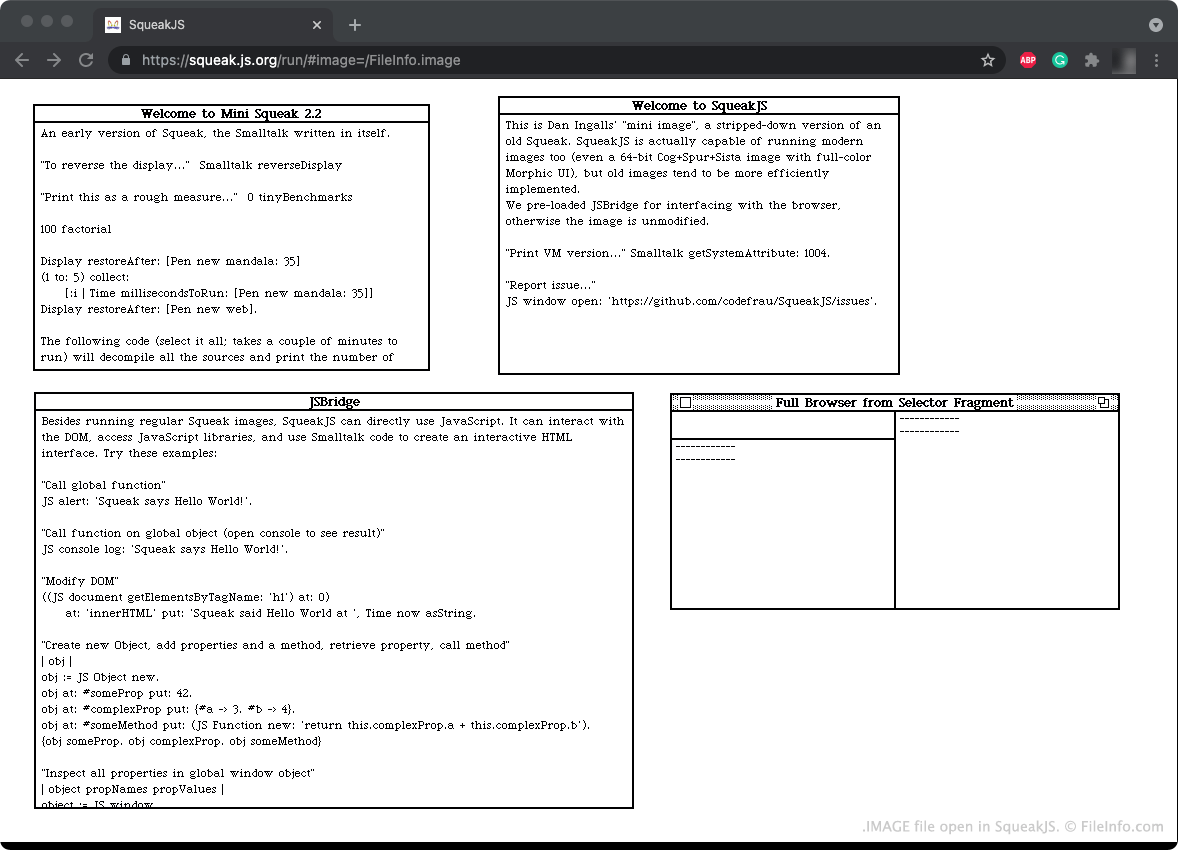
SqueakJS에서 열린 .image 파일의 스크린샷
SqueakJS에서 열린 IMAGE 파일

Squeak is a programming language and development environment that was created by developers at Apple and Disney. The Squeak language is based on the Smalltalk-80 language. Squeak is now open-source, meaning anyone can download the Squeak development environment and create programs using the Squeak programming language.

The Squeak development environment comes packaged as an .EXE file, .DMG file, or other executable, which is used to launch a Squeak VM. In their VM, developers can develop programs using the Squeak programming language. When a developer saves a Squeak development session, the session is saved as an IMAGE file. A developer can load their IMAGE file the next time they start a Squeak VM, to resume their development session.

IMAGE 파일을 여는 방법

You can open an IMAGE file in Squeak (cross-platform) or SqueakJS (Web). For example, to open an IMAGE file in SqueakJS, go to https://squeak.js.org/run/ and drag and drop your IMAGE file onto the page.

IMAGE 파일을 여는 프로그램

Windows
무료
Mac
무료
Linux
무료
Web
무료

검증자 FileInfo.com

FileInfo.com 팀 이 페이지에 나열된 모든 파일 형식과 소프트웨어 프로그램을 독자적으로 조사했습니다. 저희의 목표는 100% 정확성이며, 검증한 파일 유형에 대한 정보만 게시합니다.

이 페이지에 추가하거나 업데이트할 내용을 제안하고 싶으시면 알려 주세요.