

.HVL 파일 확장자
Hively Tracker 모듈
| 개발사 | Peter Gordon |
| 인기도 |
3.0 | 2 표 |
HVL 파일이란 무엇인가요?
HVL 파일은 Amiga 컴퓨터용 AHX 트래커를 기반으로 한 Hively Tracker가 만든 오디오 모듈로, 음악 트래커입니다. 합성 음악을 재생하는 데 사용되는 이진 데이터가 포함되어 있습니다. Hively Tracker에서 열면 HVL 파일은 트랙, 음표 및 기타 곡 데이터의 집합으로 표시됩니다.
추가 정보
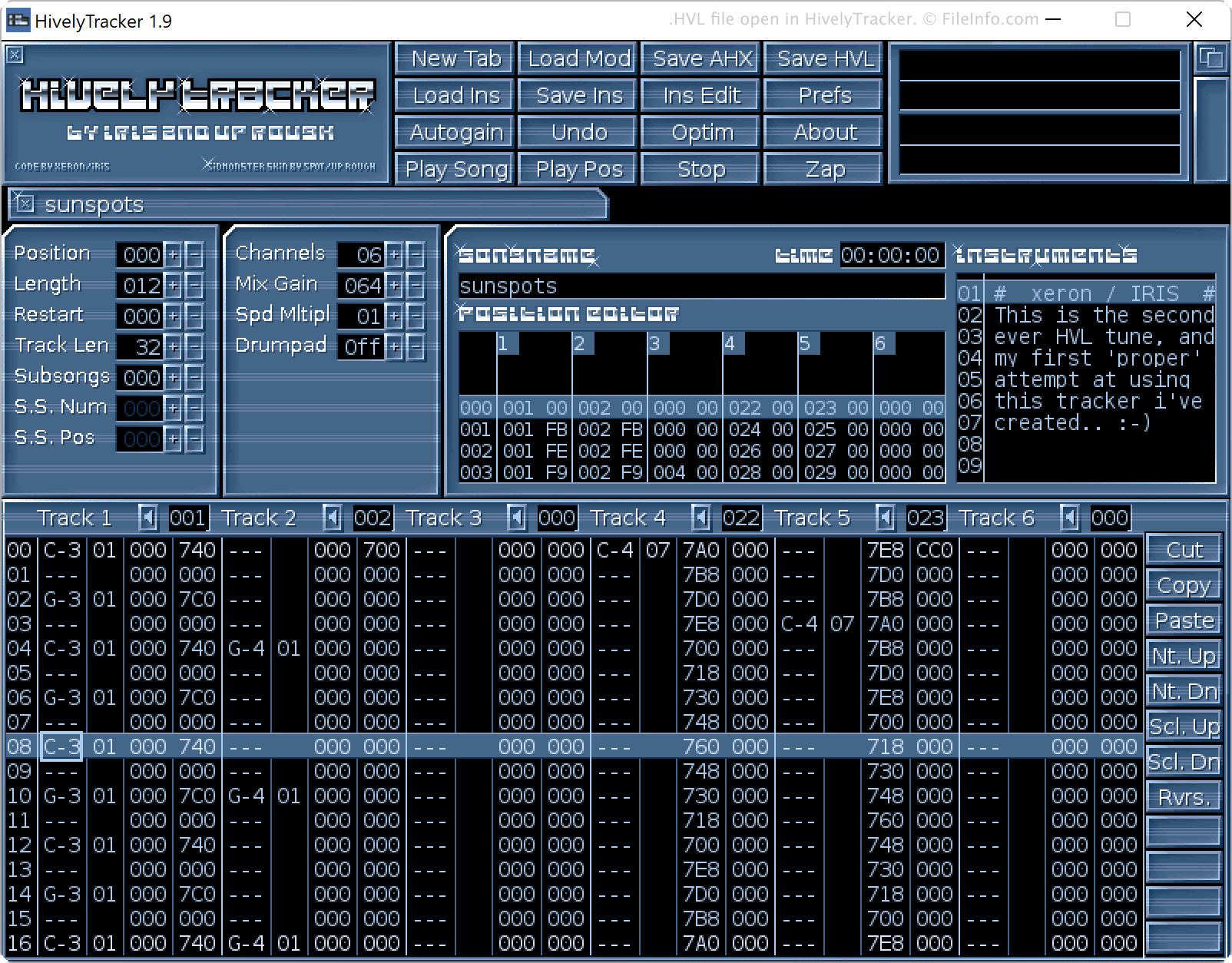
Hively Tracker는 Amiga 컴퓨터에서 사용할 수 있었던 클래식 트래커인 Abyss' Highest eXperience(AHX)에서 영감을 받은 음악 트래커입니다. AHX와 마찬가지로 Hively Tracker는 .AHX 형식으로 저장된 오디오 모듈을 가져오고 내보낼 수 있습니다. 그러나 Hively Tracker는 HVL 형식으로 저장되는 모듈도 만들 수 있으며, 이 형식은 여러 가지 방식으로 AHX 형식을 개선했습니다(다채널 오디오를 포함하고 채널별 스테레오 패닝을 사용할 수 있는 기능 포함).
참고: Hively Tracker는 Windows, macOS, AmigaOS 및 MorphOS에서 사용할 수 있습니다.
HVL 파일을 여는 방법
Hively Tracker로 HVL 파일을 열 수 있습니다. 이렇게 하려면 Hively Tracker를 열고 를 선택합니다. 그런 다음 HVL 파일이 있는 위치로 이동하여 파일을 엽니다. HVL 파일에 포함된 곡을 재생하려면 을 선택합니다.
HVL 파일을 변환하는 방법
Hively Tracker를 사용하여 HVL 파일을 .AHX(Abyss' Highest eXperience Module) 형식으로 변환할 수 있습니다. 이렇게 하려면 Hively Tracker로 HVL 파일을 열고 를 선택합니다.