

.FKR 파일 확장자
무료 키로거 보고서
| 개발사 | IwantSoft |
| 인기도 |
1.5 | 2 표 |
FKR 파일이란 무엇인가요?
FKR 파일은 Windows용 키로거이자 활동 모니터링 애플리케이션인 IwantSoft FKL이 생성하는 보고서입니다. 여기에는 모니터링 기간 동안 사용자가 컴퓨터에서 수행한 작업의 로그가 포함됩니다. 예를 들어 FKR 파일에는 사용자가 연 애플리케이션, 누른 키, 방문한 웹사이트가 나열됩니다.
추가 정보
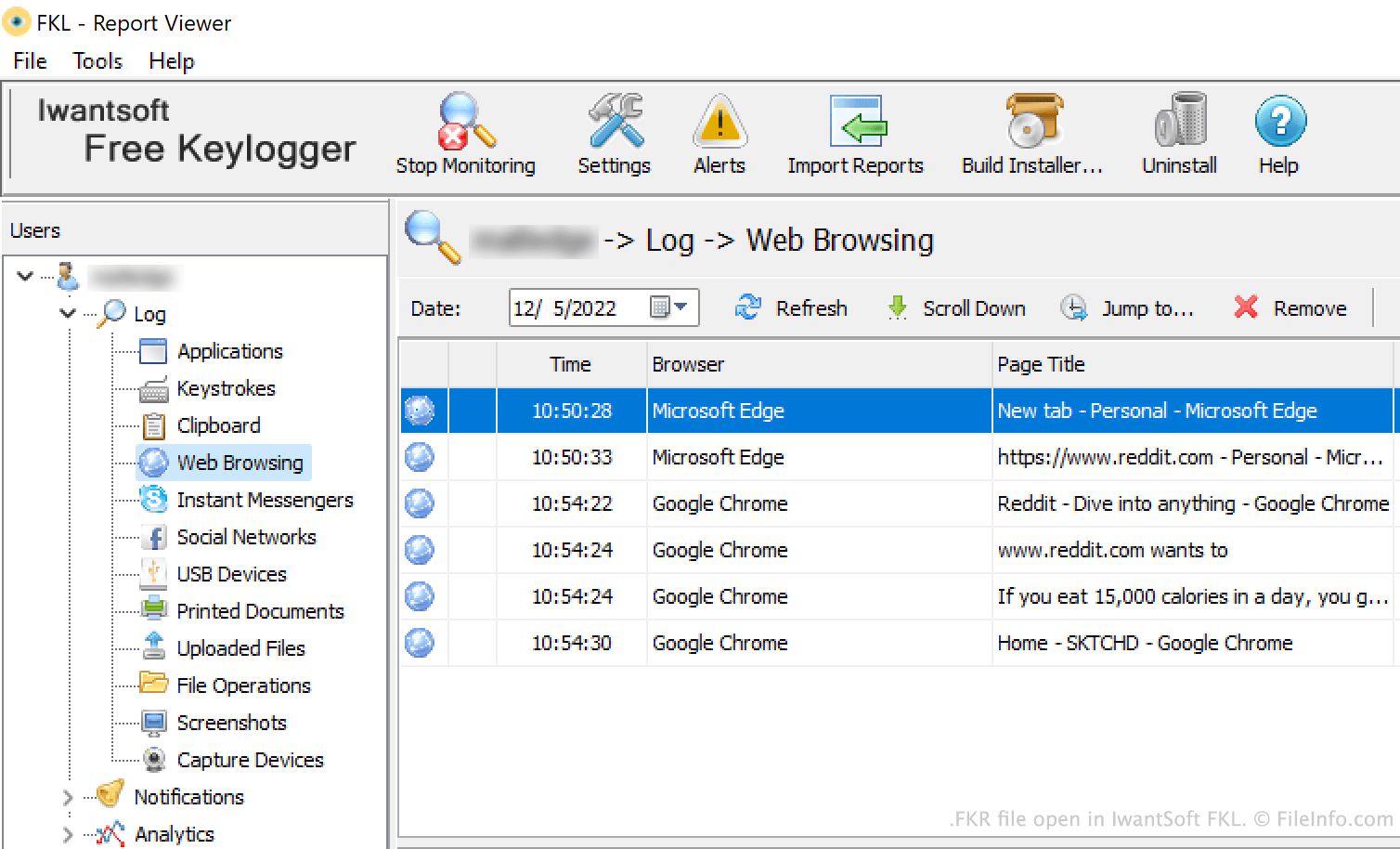
기업은 IwantSoft FKL을 사용하여 직원의 PC 사용을 모니터링합니다. FKL은 정기적으로 사용자의 활동 보고서를 이메일, FTP, 로컬 네트워크 또는 Dropbox를 통해 관리자에게 보냅니다. 이러한 보고서는 FKR 파일로 저장됩니다.
관리자는 FKL의 보고서 뷰어에서 FKR 파일을 열어 파일에 포함된 정보를 확인할 수 있습니다. 보고서의 로그 섹션에는 사용자가 수행한 모든 활동이 범주별로 나뉘어 표시됩니다. 기본적으로 이 정보는 시간순으로 나열됩니다. 보고서의 분석 섹션에는 사용자의 애플리케이션 및 웹사이트 사용량을 보여 주는 막대 그래프가 표시됩니다.
FKR 파일을 여는 방법
IwantSoft FKL(Windows)에서 FKR 파일을 열 수 있습니다. 그러려면 FKL을 열고 버튼을 클릭합니다. 그런 다음 FKR 파일이 있는 위치로 이동하여 파일을 엽니다.
FKR 파일을 여는 프로그램
Windows
IwantSoft FKL — 개발 중단
무료 체험판