

.DOWNLOAD 파일 확장자
부분적으로 다운로드된 파일
| 개발사 | Apple |
| 인기도 |
4.1 | 2686 표 |
DOWNLOAD 파일이란 무엇인가요?
DOWNLOAD 파일은 진행 중이거나 일시 중지된 인터넷 다운로드를 나타내는 자리 표시자 파일입니다. DOWNLOAD 파일은 macOS 및 iOS 운영 체제에 포함된 Apple Safari 웹 브라우저에서 생성됩니다. DOWNLOAD 파일을 두 번 클릭하면 Safari 다운로드를 다시 시작할 수 있습니다.
추가 정보
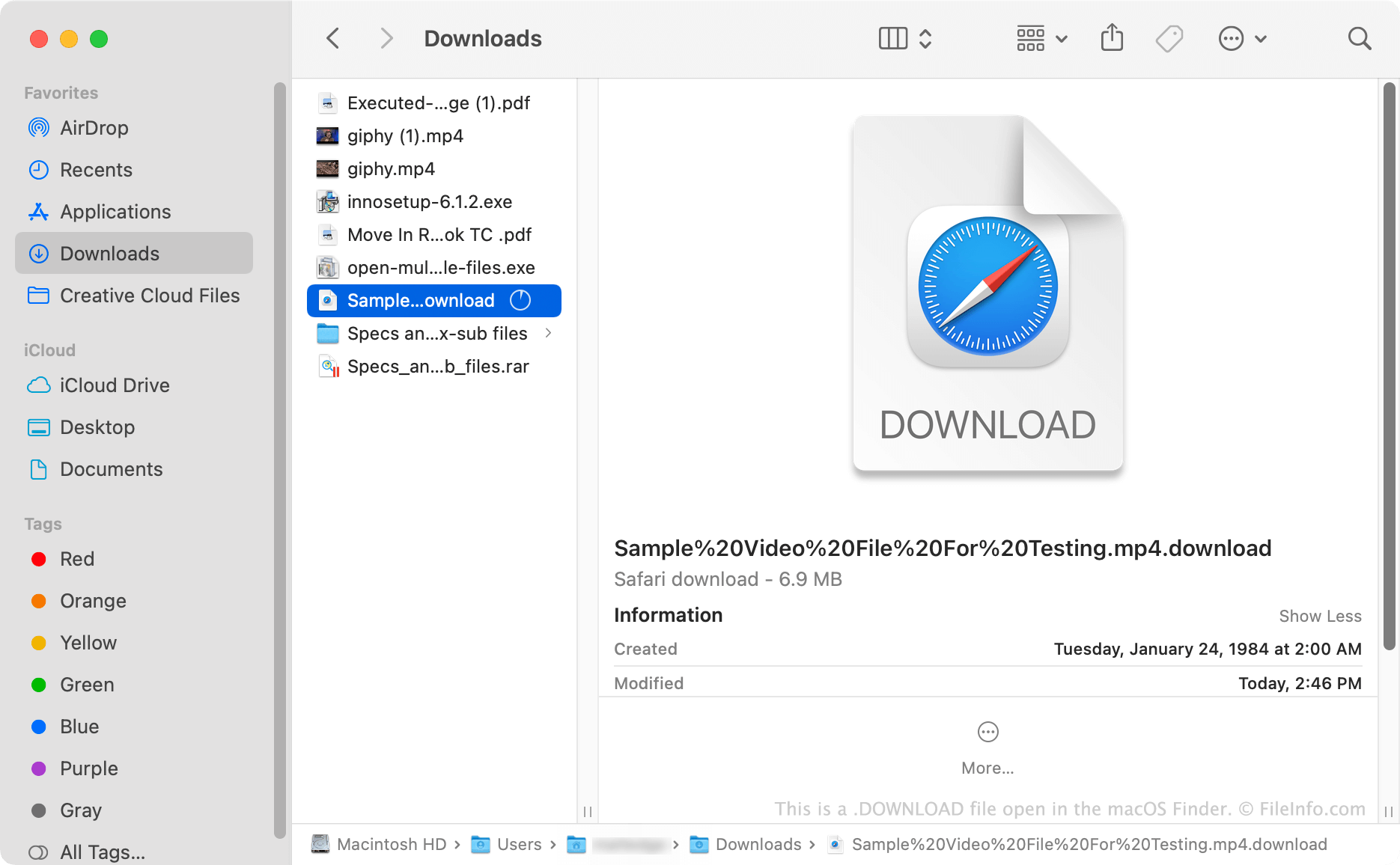
Safari가 파일을 다운로드하는 동안 해당 파일 이름에 .download 확장자를 추가합니다. 예를 들어 example.mp4 파일을 다운로드하면 example.mp4.download 파일이 됩니다. 다운로드가 완료되면 Safari는 .download 확장자를 제거하고 파일을 사용할 수 있게 합니다. 따라서 Safari를 사용해 파일을 다운로드하는 동안에만 DOWNLOAD 파일을 볼 수 있습니다.
다운로드가 중단되면 DOWNLOAD 파일이 Downloads 폴더에 남아 있을 수 있습니다. 다운로드를 다시 시작하거나(파일을 두 번 클릭) 파일을 복구할 수 있습니다(.download 확장자를 삭제한 다음 적절한 프로그램으로 파일 열기). 다운로드를 다시 시작하거나 다운로드한 파일을 복구할 수 없다면 DOWNLOAD 파일을 삭제하고 파일을 다시 다운로드해야 합니다.
일부 P2P 파일 공유 웹사이트도 활성 다운로드를 .download 확장자로 저장합니다. 적절한 파일 확장자는 일반적으로 다운로드가 완료된 후 추가됩니다.
참고: DOWNLOAD 파일은 부분 다운로드에 사용되는 Google Chrome 및 Microsoft Edge의 .CRDOWNLOAD 파일과 유사합니다.
DOWNLOAD 파일을 여는 방법
DOWNLOAD 파일을 사용하면 일시 중지된 Apple Safari 다운로드를 다시 시작할 수 있습니다. 이렇게 하려면 파일을 두 번 클릭합니다.
다운로드를 다시 시작할 수 없더라도 DOWNLOAD 파일에 포함된 부분적으로 다운로드된 파일을 복구할 수 있습니다. 이렇게 하려면 .download 확장자를 삭제한 다음 적절한 프로그램으로 파일을 엽니다.