

.CRDOWNLOAD 파일 확장자
Chrome 부분 다운로드 파일
| 개발사 | |
| 인기도 |
4.2 | 5687 표 |
CRDOWNLOAD 파일이란 무엇인가요?
CRDOWNLOAD 파일은 Google Chrome, Microsoft Edge, Chromium 웹 브라우저가 생성하는 부분적으로 다운로드된 파일로, 브라우저가 파일을 다운로드하는 동안 파일의 내용을 저장합니다. .crdownload 확장자는 임시로 사용되며, 다운로드가 완료되면 웹 브라우저가 이를 제거합니다. 그러나 다운로드가 중단되면 CRDOWNLOAD 파일이 남아 있으며, 다운로드를 완료하려면 웹 브라우저를 통해 다운로드를 재개해야 합니다.
추가 정보
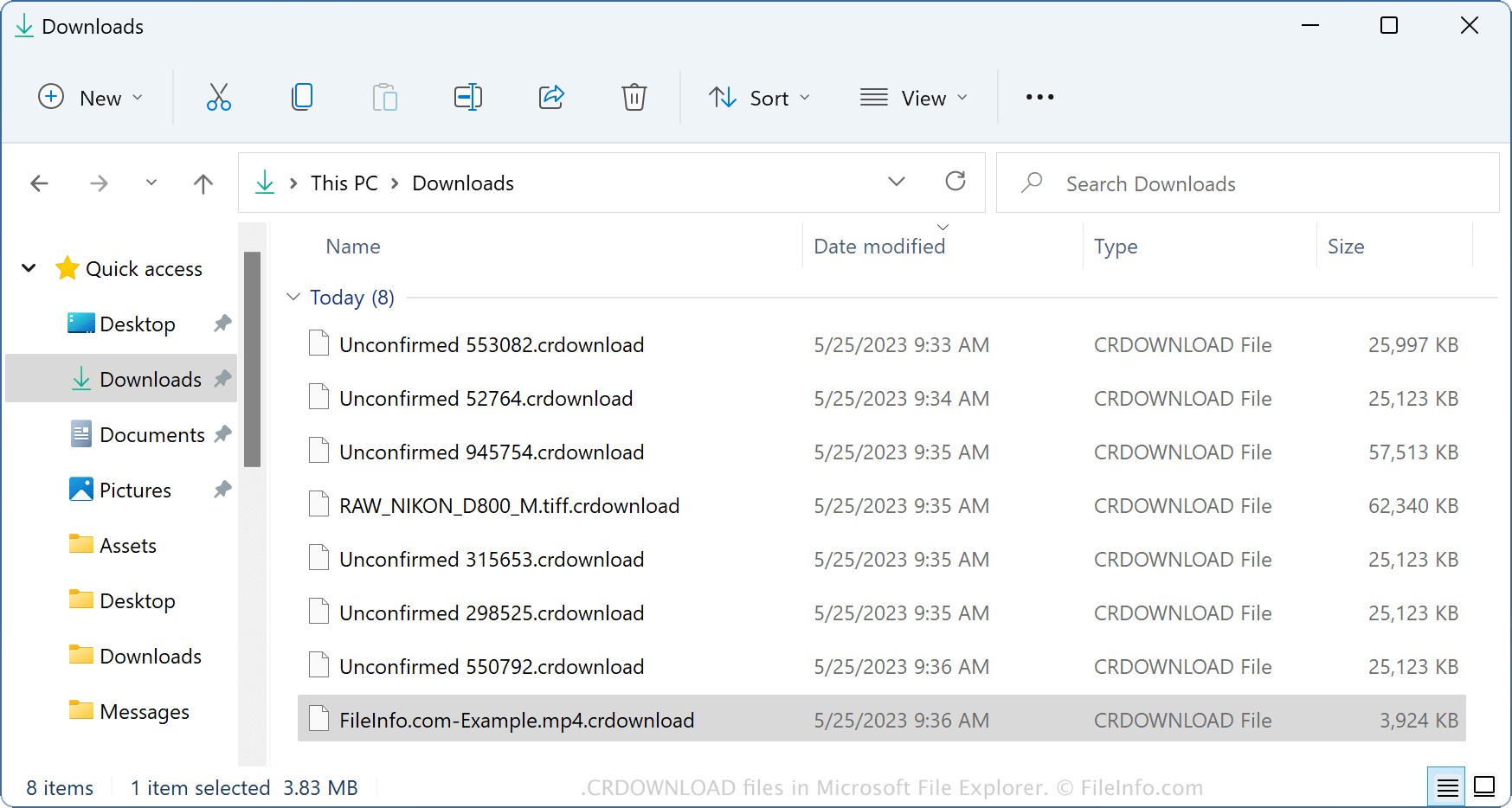
Chrome, Edge 또는 Chromium 웹 브라우저 중 하나로 파일을 다운로드하면 브라우저는 파일이 다운로드되는 동안 컴퓨터의 "Downloads" 폴더에 임시 CRDOWNLOAD 파일을 생성합니다. 일반적으로 웹 브라우저를 통해 파일을 다운로드하는 동안에만 CRDOWNLOAD 파일을 볼 수 있습니다.
그러나 다운로드가 완료되기 전에 중단되면(인터넷 연결이 끊겼거나 다운로드를 일시 중지했기 때문일 수 있음) CRDOWNLOAD 파일이 "Downloads" 폴더에 남아 있습니다. 하지만 브라우저를 닫으면 폴더에서 CRDOWNLOAD 파일이 제거됩니다.
CRDOWNLOAD 파일의 이름
Chrome, Edge 및 Chromium 웹 브라우저는 다음 두 가지 방법 중 하나로 CRDOWNLOAD 파일의 이름을 지정할 수 있습니다.
- Unconfirmed [숫자 집합].crdownload - 예를 들어 myDoc.docx 파일을 다운로드하면 다운로드 중에는 CRDOWNLOAD 파일이 Unconfirmed 47128.crdownload로 표시되지만 다운로드가 완료되면 myDoc.docx로 변경됩니다.
- filename.ext.crdownload - 예를 들어 myMovie.avi 파일을 다운로드하면 브라우저가 다운로드하는 동안 파일 확장자에 .crdownload 확장자를 추가하여 myMovie.avi.crdownload를 만듭니다. 다운로드가 완료되면 브라우저가 .crdownload 확장자를 제거하고 파일을 사용할 수 있게 됩니다.
참고: CRDOWNLOAD 파일은 Mozilla Firefox 웹 브라우저가 부분 다운로드에 사용하는 .PART 파일과 비슷합니다.
CRDOWNLOAD 파일을 여는 방법
CRDOWNLOAD 파일은 열도록 만들어진 파일이 아닙니다. 대신 Google Chrome, Microsoft Edge 및 Chromium 웹 브라우저가 파일을 다운로드하는 동안 파일의 자리 표시자로 이 파일을 생성합니다.
그러나 웹 브라우저가 파일의 일부만 다운로드했더라도 중단된 CRDOWNLOAD 파일을 열 수 있는 경우가 있습니다. 예를 들어 웹 브라우저가 파일을 완전히 다운로드하지 않았더라도 미디어 플레이어로 일부 오디오 및 비디오 파일 형식(예: .MP4 비디오)을 재생할 수 있습니다.
이렇게 하려면 브라우저가 파일 확장자에 추가한 .crdownload 확장자를 삭제하거나, .crdownload 확장자를 파일의 실제 확장자로 변경한 다음(예: MP4 비디오를 다운로드 중이었다면 .mp4), 적절한 프로그램으로 파일을 열어 보세요Mac 사용자인 경우 {QuickTime Player. MP4 비디오의 경우 웹 브라우저가 다운로드한 비율에 해당하는 비디오 일부를 재생할 수 있습니다. 예를 들어 브라우저가 99MB MP4 비디오 중 30MB를 다운로드했다면, 33초 길이의 비디오 중 약 11초를 재생할 수 있습니다.
CRDOWNLOAD 파일의 다운로드를 재개하는 방법
파일을 열 수 없다면 웹 브라우저의 주소 표시줄에 브라우저 이름 뒤에 ://downloads/를 입력하고(예: chrome://downloads/), 완료되지 않은 다운로드로 이동한 다음 를 클릭하여 웹 브라우저에서 다운로드를 재개할 수 있습니다.
다운로드 재개에 도움이 필요하신가요? 동영상 튜토리얼을 시청하세요.
마지막으로 다운로드를 재개할 수 없다면 CRDOWNLOAD 파일을 삭제하고 웹 브라우저를 통해 파일을 다시 다운로드하세요.