

.CZIP 파일 확장자
ZipGenius CryptoZip 파일
| 개발사 | The ZipGenius Team |
| 인기도 |
3.2 | 5 표 |
CZIP 파일이란 무엇인가요?
CZIP 파일은 Windows용 무료 압축 관리자 ZipGenius가 독점적인 CryptoZip(CZIP) 형식으로 암호화한 압축 파일입니다. 하나 이상의 Zip 압축 파일을 CZIP, Blowfish 128비트, Twofish 또는 Rijndael 128비트 방식으로 암호화하여 저장하며, 암호로 보호할 수 있습니다. ZipGenius 사용자는 다른 사람과 데이터를 안전하게 공유하기 위해 압축 파일을 CZIP 파일로 압축합니다.
추가 정보
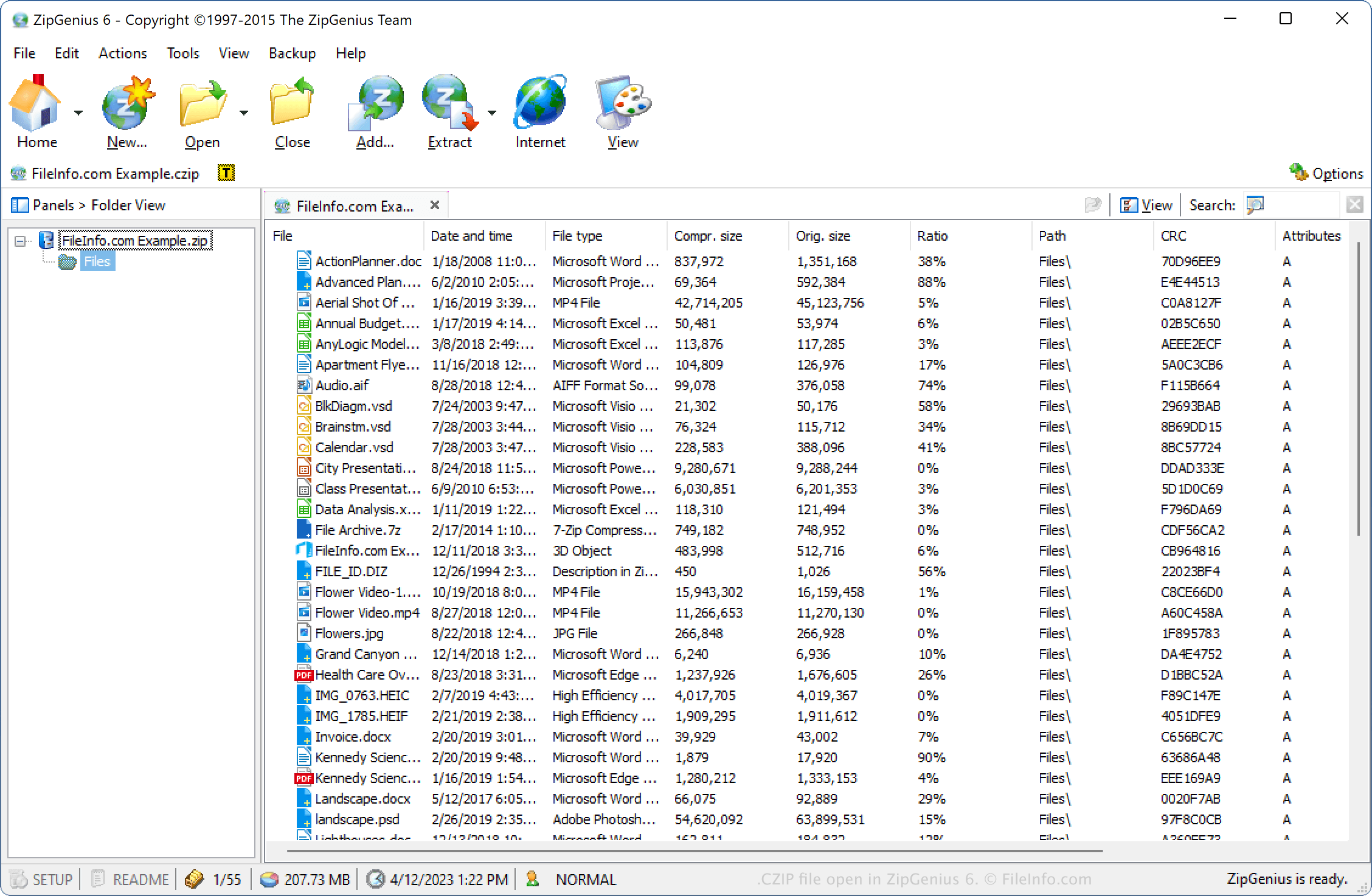
The ZipGenius Team(이전 WinInizio Software)이 ZipGenius를 개발합니다. Zip 유틸리티는 .ZIP, .CBZ, .TAR.GZ, .7Z 및 .LZH를 비롯한 다양한 압축 파일 형식의 압축 및 압축 해제를 지원합니다.
CZIP 형식은 Standard, Self-locking 및 Self-erasing 유형을 비롯한 다양한 압축 파일 압축 옵션을 지원합니다. 또한 올바른 암호 문구가 있어야만 Self-locking 및 Self-erasing 압축 파일의 압축을 해제할 수 있습니다(암호를 세 번 잘못 입력하면 파일을 복구할 수 없게 됩니다). CZIP 압축 파일을 압축할 때 이름이나 이메일 주소를 추가하고 압축 파일 버전을 선택할 수도 있습니다.
ZipGenius로 CZIP 파일을 만드는 방법
CZIP 파일을 만들려면 를 선택합니다. 선택한 암호화 방식에 따라 CZIP 파일을 만들 때 다른 메시지가 표시됩니다. 예를 들어 Twofish 방식을 선택하면 CZIP 압축 파일을 보호하기 위한 암호 문구를 입력한 후 파일을 만들어야 합니다.
CZIP 파일을 여는 방법
Windows에서 ZipGenius로 CZIP 파일을 열 수 있습니다. CZIP 파일을 열려면 을 선택합니다.