

.AFMACRO 파일 확장자
Affinity Photo 매크로 파일
| 개발사 | Serif |
| 인기도 |
2.0 | 1 표 |
AFMACRO 파일이란 무엇인가요?
AFMACRO 파일에는 Serif Affinity Photo에서 만든 매크로가 포함되어 있습니다. Serif Affinity Photo는 래스터 그래픽 디자인 애플리케이션입니다. 이 파일은 사용자가 Affinity Photo에서 수행한 일련의 작업을 저장하며, 여러 패턴과 마스크를 이미지에 적용하는 것처럼 반복적이거나 복잡한 작업을 수행하도록 결합합니다. Affinity Photo 사용자는 일반적으로 AFMACRO 파일을 저장하여 사용자 지정 매크로를 다시 사용하거나 다른 사용자와 공유합니다.
추가 정보
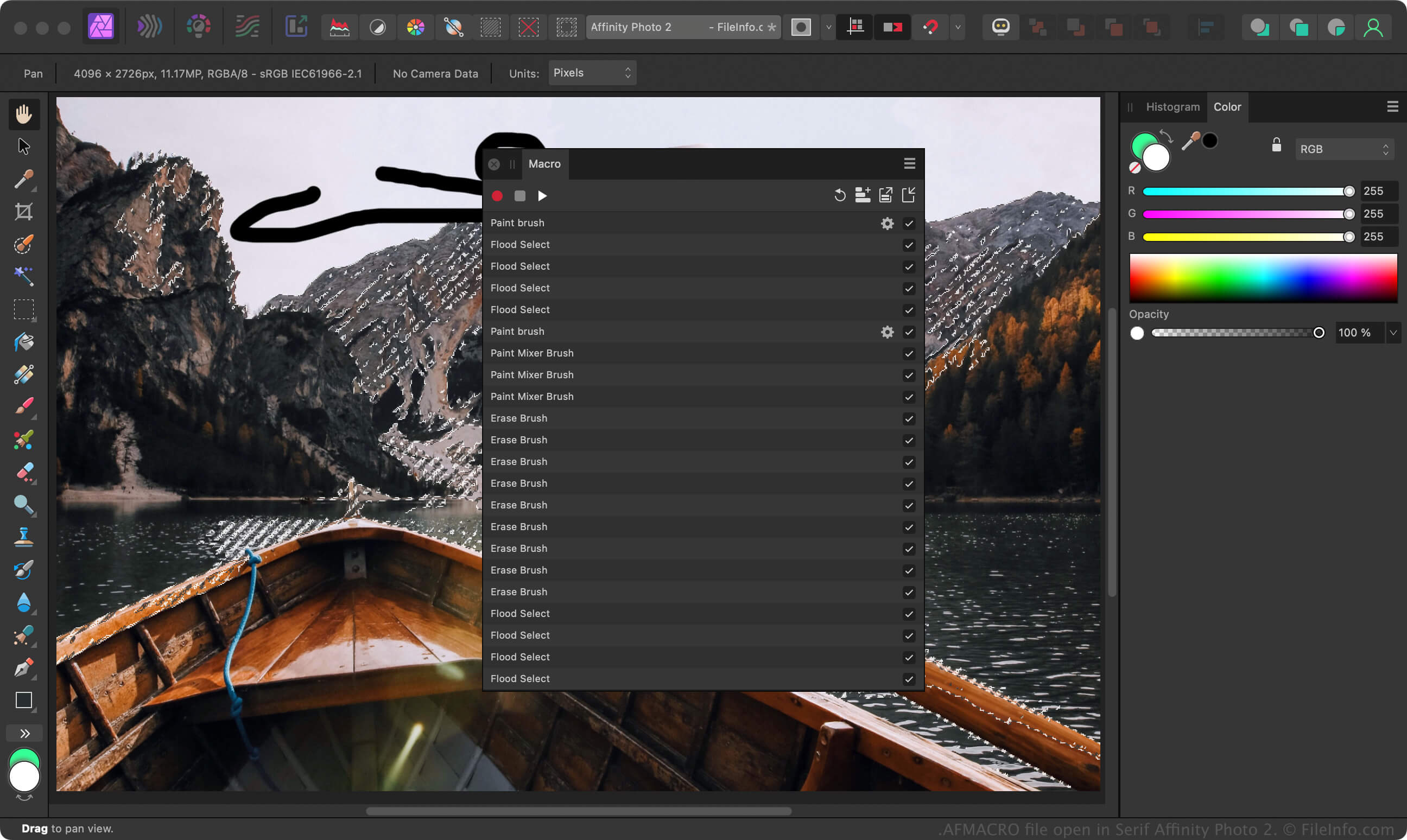
Affinity Photo는 Adobe Photoshop과 비슷하며, 사진작가와 기타 디지털 아티스트가 이미지를 편집할 수 있는 도구를 제공합니다. 이미지에 편집 작업을 적용하는 시간을 줄이려면 반복적인 작업을 기록하여 매크로로 저장한 다음, 해당 매크로를 AFMACRO 파일로 내보낼 수 있습니다.
Affinity Photo에서 AFMACRO 파일을 만들려면 매크로 패널에서 "Record" 기호를 클릭하고 작업을 수행한 다음 "Stop" 기호를 클릭하고 "Export" 아이콘을 선택합니다. 매크로 패널이 표시되지 않는 경우 를 선택합니다.
AFMACRO 파일을 여는 방법
Windows 및 macOS에서는 Serif Affinity Photo로 AFMACRO 파일을 열 수 있습니다. Affinity Photo에서 AFMACRO 파일을 가져오려면 매크로 패널에서 "Import" 아이콘을 클릭합니다. 매크로 패널이 표시되지 않는 경우 를 선택합니다.
AFMACRO 파일을 여는 프로그램
Windows
무료 체험판
Mac
무료 체험판