.STS ファイル拡張子

2個のファイルタイプ.sts拡張子を使用しています。

DuoS DSEMU Saved State File

開発元 DuoS DSEMU
人気度
3.3  |  18 
 

STSファイルとは?

Game file created by DuoS DSEMU, a Nintendo DS emulator for Windows; contains an emulator saved state and can be loaded to resume the emulated game at the exact spot that it was saved; can be created by users and shared with other players.

File Viewer Plusで400種類以上のファイル形式を開けます。無料ダウンロード

STSファイルを開くプログラム

Windows
DuoS DSEMU  —  提供終了
無料
カテゴリ: ゲーム
更新日: 2013-03-08

#TASK Script File

開発元 Central Innovation
人気度
2.3  |  3 
 

An STS file is a script used by Central Innovation #TASK, a utility used to automate repetitive jobs in the SolidWorks CAD package. It contains a script, which includes a list of commands to be executed by #TASK. STS files are saved in plain text and can be opened and edited with any text editor.

詳細情報

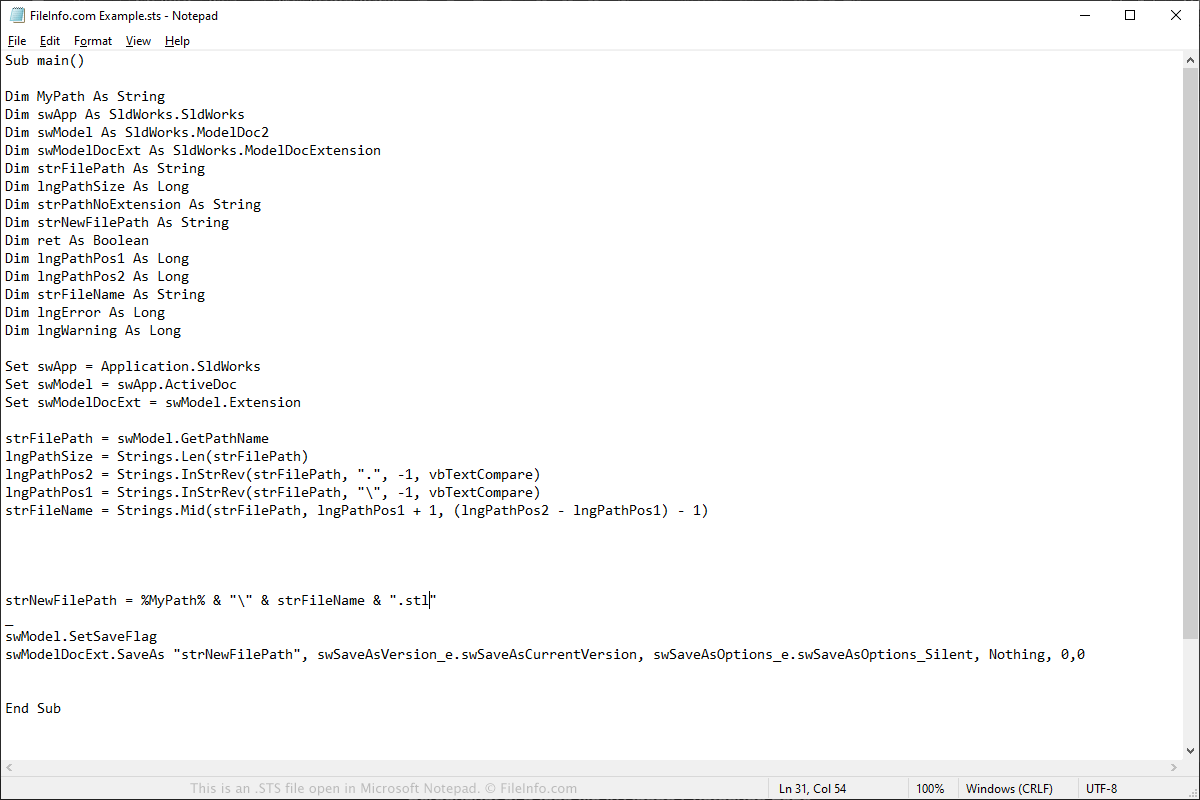
Microsoft Notepadで開いた.stsファイルのスクリーンショット
Microsoft Notepadで開いたSTSファイル

You will most likely only encounter a #TASK Script STS file if you use Dassault Systemes SolidWorks to design and model 3D parts and assemblies. The #TASK tool can be used as a companion to the CAD package for running scripts that will perform repetitive tasks and save the user time.

An example of a task that can be saved as a script is modifying the image quality of several hundred .SLDDRW files created by SolidWorks. Instead of opening and adjusting each drawing, the task can be recorded as a script. Then, the user can import all of the SLDDRW files in #TASK and run the script to adjust the image quality of each drawing. This will take the user several minutes compared to several hours if he was to do it manually.

To open an STS script with #TASK, select the + symbol in the "Tasks" pane, then select the STS file you want to run. You can also click the globe icon to download an STS script from the #TASK online library.

注: #TASK is pronounced "Sharp Task."

STSファイルを開くプログラム

Mac
Linux

検証者 FileInfo.com

FileInfo.comチーム は、このページに掲載されているすべてのファイル形式とソフトウェアについて独自に調査しました。 私たちの目標は100%の正確性であり、検証済みのファイルタイプに関する情報のみを公開しています。

このページへの追加や更新をご提案いただける場合は、お知らせください。