.RDB ファイル拡張子

Retrospect Backup Set

開発元 EMC
人気度
4.0  |  14 
 

RDBファイルとは?

One of several files from a backup set created with Retrospect Backup software; contains exact data backed up from a hard drive and cataloged by the program; can be used to restore data that has been lost or corrupted on the original hard disk; file names are displayed incrementally as AA000000.RDB, AA000001.RDB, AA000002.RDB, etc.

詳細情報

Retrospect was originally developed by Dantz software, but is now owned by EMC Insignia.

File Viewer Plusで400種類以上のファイル形式を開けます。無料ダウンロード

RDBファイルを開くプログラム

Windows
EMC Retrospect
Mac
EMC Retrospect

N64 ROM Database

開発元 不明
人気度
3.7  |  9 
 

An RDB file is a Nintendo 64 (N64) ROM database used by various N64 emulators to manage and organize ROMs. It contains a list of Nintendo 64 game ROMs, often in .N64 and .Z64 file formats, that the user can play with an emulator. RDB files help identify unknown ROMs and save emulator settings for each game, enhancing the gameplay experience.

詳細情報

You will most likely encounter RDB files only if you are a gamer or developer using N64 emulators to play or test Nintendo 64 games on modern devices. You will typically find RDB files within the emulator's installation directory or download them from emulator-related resources to enhance ROM management.

RDBファイルの開き方

You can open RDB files with various Nintendo 64 emulators, including Project64 and Nemu64. For example, you can load an RDB file with Project64 to manage ROM settings for better compatibility and performance.

RDBファイルを開くプログラム

Windows
無料
無料
カテゴリ: データ
更新日: 2026-07-01

Wavelet Video Images File

開発元 不明
人気度
3.5  |  10 
 

Video format known as "wavelet video" used by CCTV security cameras such as the Security VideoCam; can be played backed using the QuickView software included with the security camera hardware.

詳細情報

RDB files are often saved along with .60D files.

RDBファイルを開くプログラム

Windows
QuickView
カテゴリ: ビデオ
更新日: 2008-11-07

Remote Desktop Backup

開発元 Microsoft
人気度
3.0  |  1 
 

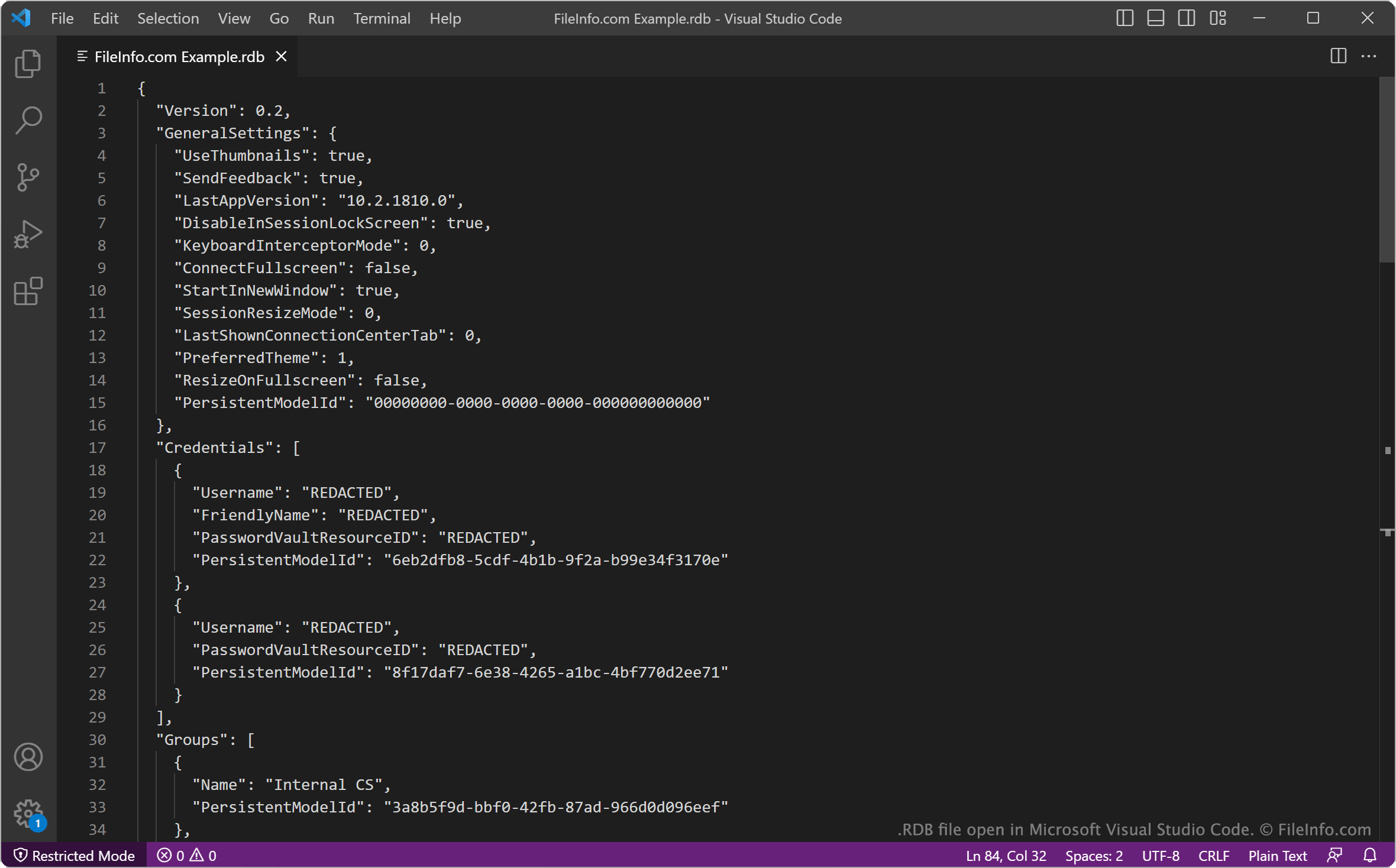
An RDB file is a backup file created by Microsoft Remote Desktop, a remote desktop app for Windows. It contains a JSON-formatted list of a user's remote desktop settings and credentials. Users can import RDB files to restore the remote desktop connections they describe.

詳細情報

Microsoft Visual Studio Codeで開いた.rdbファイルのスクリーンショット
Microsoft Visual Studio Codeで開いたRDBファイル

Microsoft Remote Desktop is an official Windows remote desktop app available in the Microsoft Store. It allows you to connect to remote PCs and virtual machines, to view and use those machines' desktops on your computer.

After configuring your remote desktop connections, you can back up those connections and your other Remote Desktop settings in an RDB file. To create an RDB file:

  1. Click the ... button in Remote Desktop's upper-right corner.
  2. Select Backup.
  3. Click Browse....
  4. Name and save your RDB file.

For example, an IT administrator may want to save users' remote desktop connections in RDB files, to ensure they can quickly restore those connections if something happens to the users' computers.

The first section of each RDB file specifies the version of Remote Desktop that created the file and the user's Remote Desktop settings at the time the backup was created. The remainder of the file specifies login credentials, remote desktop groups, and gateway and connection settings.

RDBファイルの開き方

To use an RDB file to restore Microsoft Remote Desktop connections and settings:

  1. Open Remote Desktop and select the ... button.
  2. Select Restore.
  3. Select Browse....
  4. Navigate to and open your RDB file.

Remote Desktop will then import and apply the settings your RDB file contains.

If needed, you can also open an RDB file in Microsoft Notepad (Windows), Microsoft Visual Studio Code (multiplatform), or any other text editor, to view the settings it contains.

RDBファイルを開くプログラム

検証者 FileInfo.com

FileInfo.comチーム は、このページに掲載されているすべてのファイル形式とソフトウェアについて独自に調査しました。 私たちの目標は100%の正確性であり、検証済みのファイルタイプに関する情報のみを公開しています。

このページへの追加や更新をご提案いただける場合は、お知らせください。