.PRJM ファイル拡張子

projectM Music Visualizer Preset

開発元 projectM
人気度
3.5  |  2 
 

PRJMファイルとは?

A PRJM file is a preset file used by projectM, an open-source music visualization program and plug-in. It contains text-based settings that control how projectM visualizes music. PRJM files are similar to the .MILK files used by the MilkDrop music visualization plug-in.

詳細情報

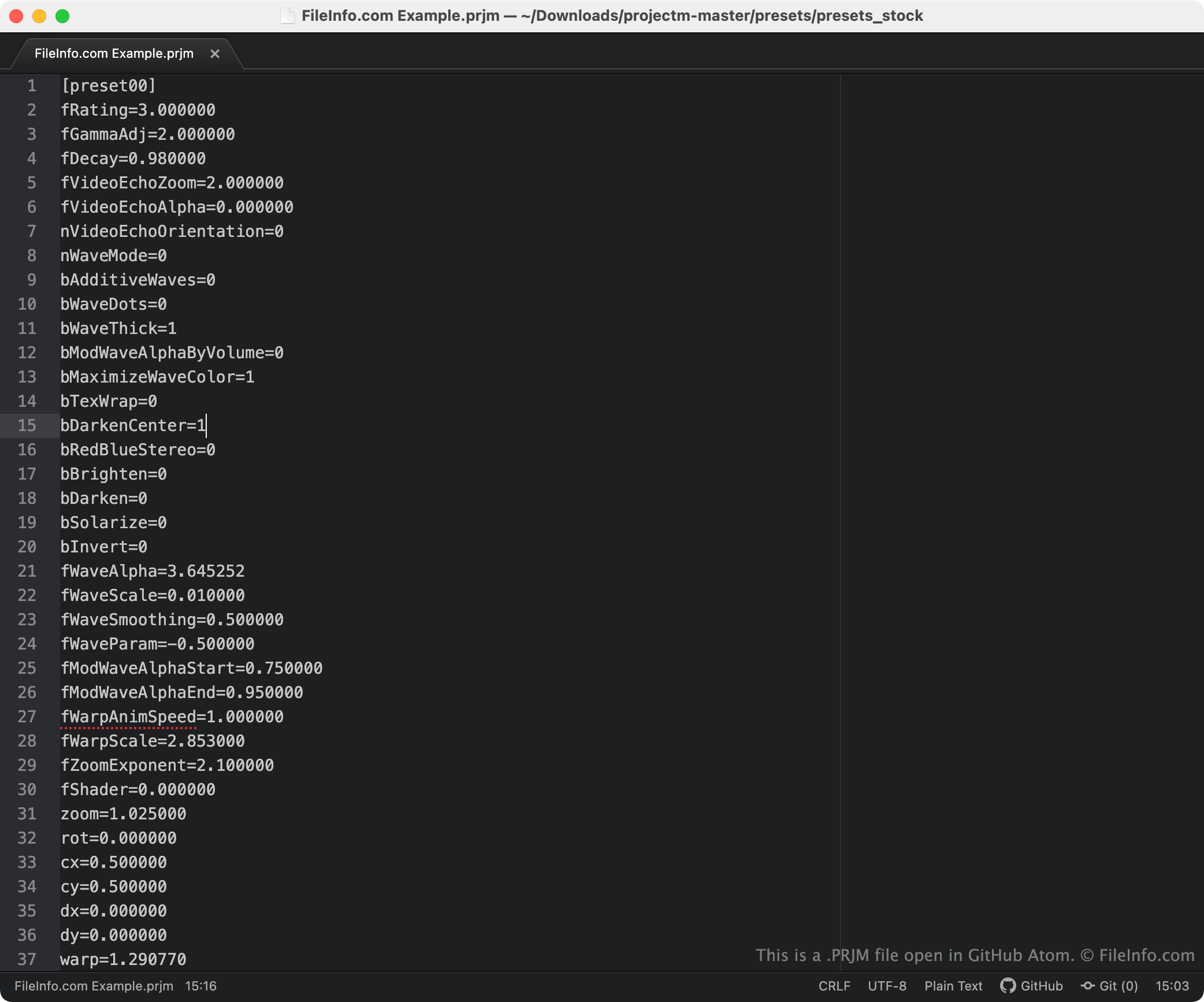
GitHub Atomで開いた.prjmファイルのスクリーンショット
GitHub Atomで開いたPRJMファイル

projectM transforms audio input into psychedelic visuals that can be used as a desktop wallpaper, screensaver, or video. It is available as a standalone program or as a plug-in for other audio programs.

To transform audio input into visualizations, projectM uses a variety of audio- and visual-related settings. These settings are specified in PRJM files. Different PRJM files specify different values for each of projectM's settings, producing unique visuals from the same piece of audio content.

注: projectM can also use MilkDrop's MILK files as presets.

PRJMファイルの開き方

To use a PRJM file with projectM, you must place the file in projectM's presets folder. Then, you can select the PRJM file from the Presets menu that appears in projectM.

You can also use a PRJM file with the Windows version of VideoLAN VLC media player. To do so:

  1. Select Tools → Preferences.
  2. Click the All button in the Show settings section.
  3. Select Audio → Visualizations → projectM.
  4. Click the Browse... button next to the projectM preset path field.
  5. Navigate to and select the folder containing your PRJM file.
  6. Click Save.

If you want to edit the settings a PRJM file contains, you can do so by opening and editing the file in any text editor, such as Microsoft Notepad, Apple TextEdit, or GitHub Atom.

File Viewer Plusで400種類以上のファイル形式を開けます。無料ダウンロード

PRJMファイルを開くプログラム

Mac
無料
Linux
無料
Android
無料
カテゴリ: 設定
更新日: 2023-03-20

検証者 FileInfo.com

FileInfo.comチーム は、このページに掲載されているprojectM Music Visualizer Presetファイル形式とMac, Windows, Linux, and Androidアプリについて独自に調査しました。 私たちの目標は100%の正確性であり、検証済みのファイルタイプに関する情報のみを公開しています。

このページへの追加や更新をご提案いただける場合は、お知らせください。