

.MONOSNIPPET ファイル拡張子
Monodrawスニペット
| 開発元 | Helftone |
| 人気度 |
3.0 | 1 票 |
MONOSNIPPETファイルとは?
MONOSNIPPETファイルは、macOSで利用できるASCIIアートツール、Helftone Monodrawで使用される画像テンプレートです。ASCIIアートツールであるMonodrawには、.MONOPICファイルに追加できる画像要素が含まれています。Monodrawには、デフォルトのMONOSNIPPETファイルがいくつか含まれています。ユーザーは独自のMONOSNIPPETファイルを作成することもできます。
詳細情報
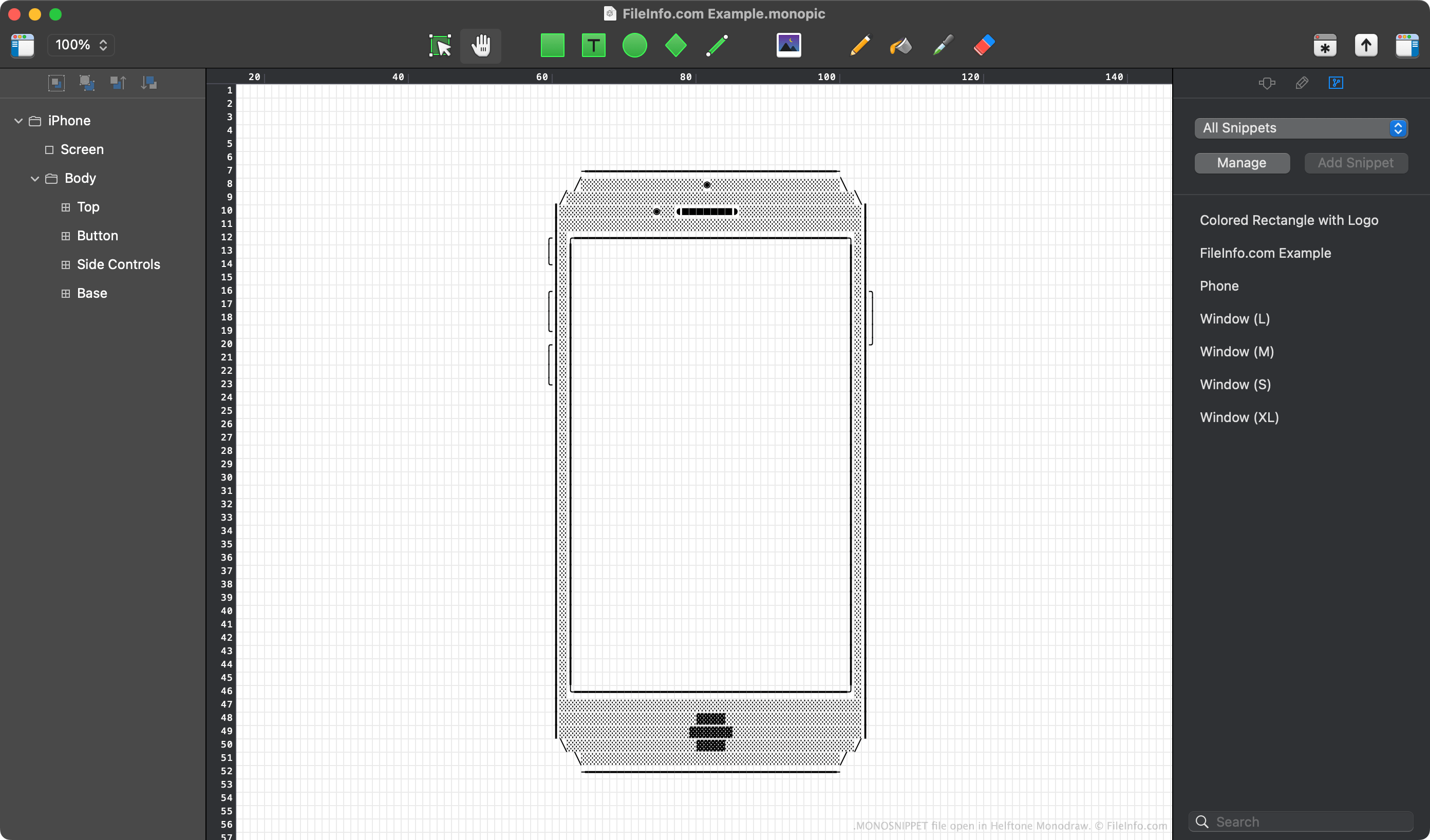
Monodrawは、プレーンテキストの要素から図、マインドマップ、バナー、アートを作成できる描画および図解ツールです。作成した図は、.TXT、.PNG、または.SVGファイルとしてエクスポートできます。
このプログラムには、スニペットとも呼ばれるテンプレートがいくつか含まれており、描画にあらかじめ定義された要素を追加するために使用できます。たとえば、Phoneスニペットを使用すると、スマートフォンの画像を描画に追加できます。各スニペットはMONOSNIPPETファイルとして保存されます。スニペットを使用するには、Monodrawの右側のサイドバーからTemplatesメニューを選択します。
MONOSNIPPETファイルを作成する方法
次の手順で、独自のMonodrawスニペットを作成することもできます。
- 描画の要素を1つ以上選択します。
- Templatesメニューを開きます。
- をクリックします。
作成したスニペットは、MonodrawのUser Snippetsディレクトリに保存されます。このディレクトリにすばやくアクセスするには、Templatesメニューからを選択します。
MONOSNIPPETファイルの開き方
MONOSNIPPETファイルは、Helftone Monodraw(Mac)で開くことができます。開くには、Monodrawを起動し、アプリの右側のサイドバーからTemplatesメニューを選択します。次に、をクリックします。表示されたFinderウインドウにMONOSNIPPETファイルをドラッグすると、スニペットとして使用できます。