.AXM ファイル拡張子

2個のファイルタイプ.axm拡張子を使用しています。

FormIt Sketch

開発元 Autodesk
人気度
4.5  |  4 
 

AXMファイルとは?

An AXM file is an architectural model created using Autodesk FormIt. It contains 3D shapes that comprise a model, and it may also include 2D lines and images. AXM files can be opened in FormIt and imported into Autodesk Revit.

詳細情報

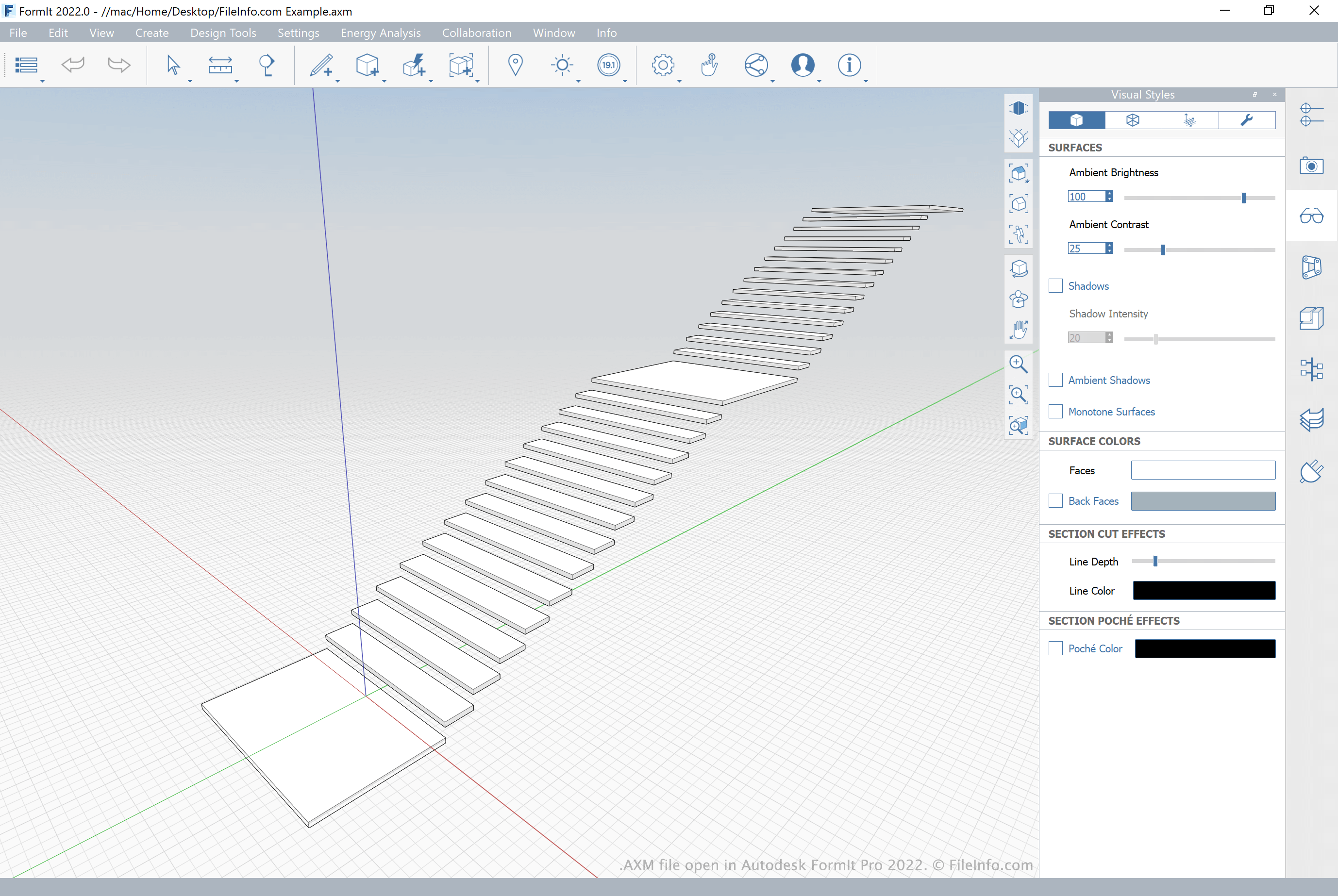
Autodesk FormIt 2022で開いた.axmファイルのスクリーンショット
Autodesk FormIt 2022で開いたAXMファイル

Autodesk FormIt is a 3D modeling application that architects use to prototype building and site designs. To do so, they draw, place, and manipulate 3D shapes that represent a building or building component. Architects may also import 2D images into their models, for use as street maps, textures, or backgrounds, and add 2D lines that represent measurements.

FormIt models, which are referred to in FormIt as sketches, are saved as AXM files. In addition to being able to open and edit AXM files in FormIt, architects can import the files into Autodesk Revit, a building information modeling application that architects, engineers, and contractors use to create a cross-discipline construction model.

AXMファイルの開き方

You can open an AXM file in Autodesk FormIt Pro (Windows) and Autodesk FormIt (web). To open an AXM file in FormIt Pro, select File → Open Sketch → Locally... from the program's menu bar. Then, navigate to and open your AXM file.

File Viewer Plusで400種類以上のファイル形式を開けます。無料ダウンロード

AXMファイルを開くプログラム

Windows
無料体験版
無料体験版
Web
カテゴリ: CAD
更新日: 2021-06-18

AXMEDIS Object

開発元 AXMEDIS
人気度
2.5  |  4 
 

Media file saved in the AXMEDIS format, used for multichannel content distribution; may contain multiple types of media, such as images, video, audio, and metadata in a single package; may also include DRM copy-protection information.

詳細情報

AXM files may be created with AXMEDIS Editor and opened with AXMEDIS Player.

AXMファイルを開くプログラム

Windows
AXMEDIS Editor
AXMEDIS Player
カテゴリ: ビデオ
更新日: 2008-09-22

検証者 FileInfo.com

FileInfo.comチーム は、このページに掲載されているすべてのファイル形式とソフトウェアについて独自に調査しました。 私たちの目標は100%の正確性であり、検証済みのファイルタイプに関する情報のみを公開しています。

このページへの追加や更新をご提案いただける場合は、お知らせください。