.HC Estensione file

Holy C Source Code File

Sviluppatore Terry A. Davis
Popolarità
4.3  |  67 Voti
 

Che cos'è un file HC?

An HC file is a Holy C source code file, which is used with the TempleOS operating system. It contains code that is meant to be compiled within TempleOS. HC files can be opened and edited in any text editor, but can be compiled and run only in TempleOS.

Maggiori informazioni

In the early 2000s, programmer Terry A. Davis began creating an operating system that came to be known as TempleOS. Davis, who was a schizophrenic, claimed that God commanded him to create TempleOS. While the operating system is most useful for creating simple video games, it includes a number of biblical references, including a game named After Egypt. Davis claimed that a number of the OS's specifications were set down by God, and after publishing TempleOS in 2013, Davis announced that "God's temple is finished."

As part of developing TempleOS, Davis also developed the Holy C programming language. Holy C is a variant of the C programming language that is used only by TempleOS. Those who create TempleOS programs write those programs in Holy C, and they save and distribute their work in HC files.

Come aprire un file HC

While you can open and edit a Holy C source code file in any text editor, HC files are meant to be edited, compiled, and run within the TempleOS operating system. TempleOS includes its own source code editor that allows developers to open, edit, and create HC files.

Apri oltre 400 formati di file con File Viewer Plus.Download gratuito

Programmi che aprono o fanno riferimento ai file HC

Windows
Gratuito
Mac
Gratuito
Linux
Gratuito

VeraCrypt Container

Sviluppatore IDRIX
Popolarità
3.5  |  40 Voti
 

An HC file is an encrypted virtual disk created by IDRIX VeraCrypt, a volume creation and encryption program. It contains one or more encrypted files that can be opened only after mounting the HC file in VeraCrypt. To mount an HC file, you must know the password used to create it.

Maggiori informazioni

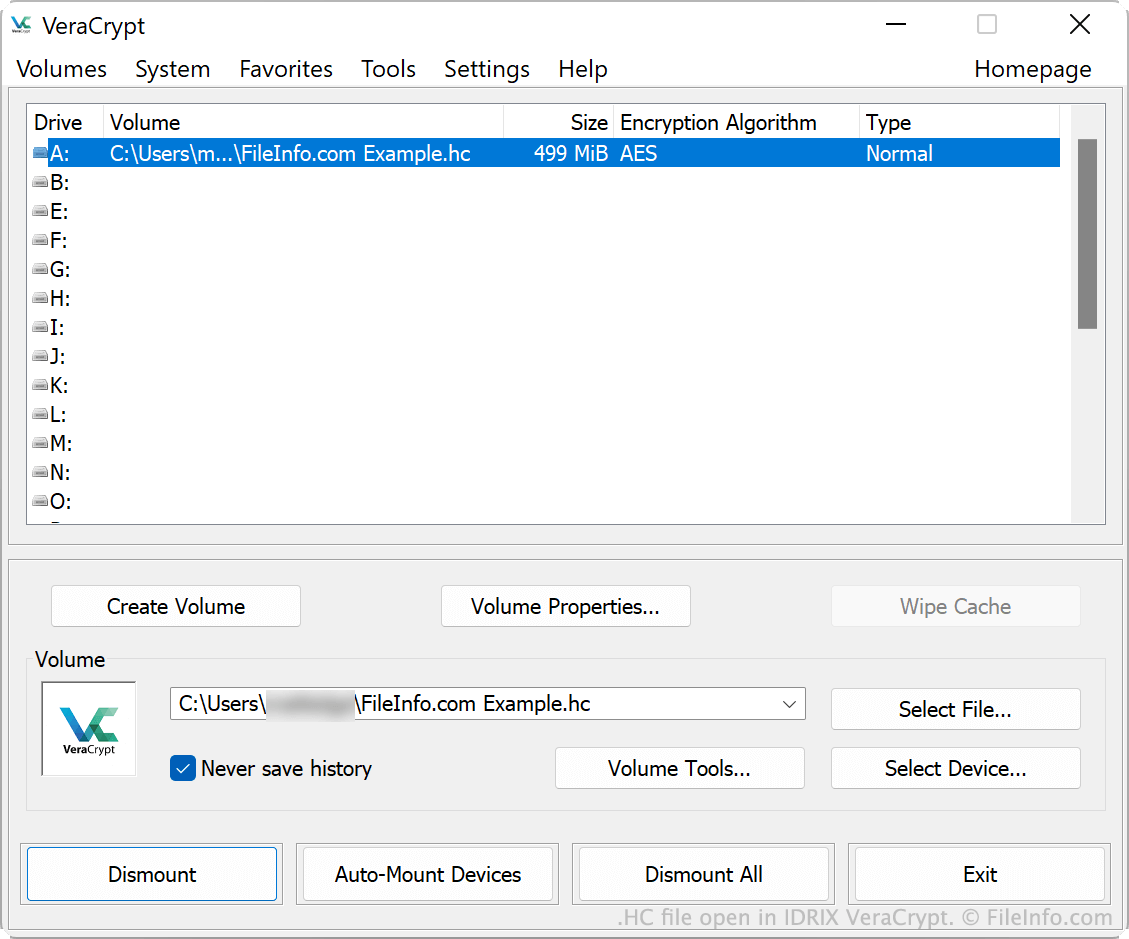
Screenshot di un file .hc in IDRIX VeraCrypt
File HC aperto in IDRIX VeraCrypt

VeraCrypt is a free, open-source program that allows you to create and encrypt storage volumes. You can use VeraCrypt to encrypt existing physical volumes, such as hard drives or USB flash drives, or create and encrypt new virtual volumes. Virtual volumes created using VeraCrypt are saved as HC files. (Users manually add the .hc extension to their volume's filename while creating it.)

When you create an HC file, you specify the volume's size (in KB, MB, or GB) and the password used to protect it. You can also adjust other options, such as the encryption and hash algorithms used to encrypt the volume. To create a new HC file, open VeraCrypt, select Create Volume, and use the Volume Creation Wizard to create an encrypted file container.

NOTA: VeraCrypt is the successor to TrueCrypt, a previous encryption tool for desktop PCs.

Come aprire un file HC

You can open an HC file with IDRIX VeraCrypt (multiplatform). To do so:

  1. Open VeraCrypt and select a drive.
  2. In the Volume section, select Select File....
  3. Navigate to and open your HC file.
  4. Click Mount.
  5. Enter the password used to encrypt your HC file and then click OK.

VeraCrypt will then mount your HC file in the drive you selected. To access the files your HC file contains, open the drive on which you mounted it.

Programmi che aprono i file HC

Windows
Gratuito
Mac
Gratuito
Linux
Gratuito

Verificato da FileInfo.com

Il team di FileInfo.com ha analizzato in modo indipendente tutti i formati di file e i programmi software elencati in questa pagina. Il nostro obiettivo è il 100% di accuratezza e pubblichiamo solo informazioni sui tipi di file che abbiamo verificato.

Se desideri suggerire aggiunte o aggiornamenti a questa pagina, faccelo sapere.