

.PS1 Extension de fichier
Fichier de cmdlet Windows PowerShell
| Développeur | Microsoft |
| Popularité |
4,0 | 57 Votes |
Qu'est-ce qu'un fichier PS1 ?
Un fichier PS1 est un script, ou « cmdlet », utilisé par Windows PowerShell, un programme d’interpréteur de commandes Windows basé sur le framework .NET de Microsoft. Il contient une série de commandes écrites dans le langage de script PowerShell. Les fichiers PS1 sont similaires aux fichiers .BAT et .CMD, mais ils sont exécutés dans Windows PowerShell plutôt que dans les programmes Windows CMD.EXE et COMMAND.COM.
Plus d'informations
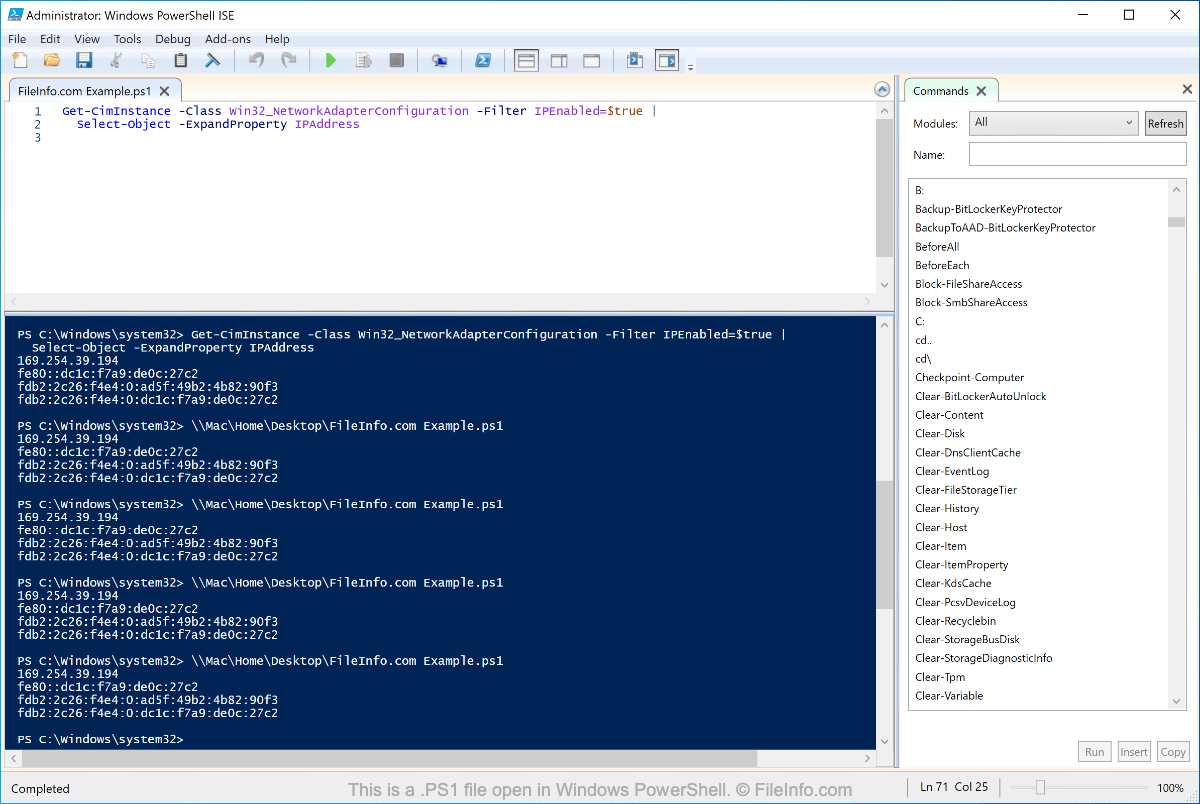
Les cmdlets peuvent être utilisées pour automatiser des tâches Windows. Par exemple, une cmdlet peut renommer un groupe de fichiers afin qu’ils utilisent une nouvelle extension de fichier. Une autre cmdlet peut examiner le registre Windows et envoyer les résultats dans un fichier. Les cmdlets prennent également en charge les pipelines, les alias ainsi que les paramètres nommés et positionnels pour les commandes.
Comment ouvrir un fichier PS1
Comme un fichier PS1 est un fichier en texte brut, vous pouvez l’ouvrir et l’afficher avec n’importe quel éditeur de texte, notamment :
Sous Windows, vous pouvez ouvrir et exécuter des scripts PS1 dans Windows PowerShell. Cependant, vous devez être prudent lorsque vous exécutez des scripts PS1, car ils peuvent contenir des commandes qui accèdent à des composants critiques du système d’exploitation Windows et les modifient. N’exécutez pas un script PS1 sauf si vous pouvez vérifier sa légitimité et sa source.