

.MTL Extension de fichier
Fichier de bibliothèque de modèles de matériaux OBJ
| Développeur | N/D |
| Popularité |
3,5 | 60 Votes |
Qu'est-ce qu'un fichier MTL ?
Un fichier MTL est un fichier de paramètres de matériau utilisé par des applications de modification d’objets 3D, comme Adobe Photoshop et Autodesk Maya. Il est enregistré avec un fichier .OBJ et décrit comment un programme doit appliquer des textures à cet objet. Les fichiers MTL contiennent les noms des fichiers d’images bitmap à appliquer à un objet, ainsi que les coordonnées 3D auxquelles les appliquer.
Plus d'informations
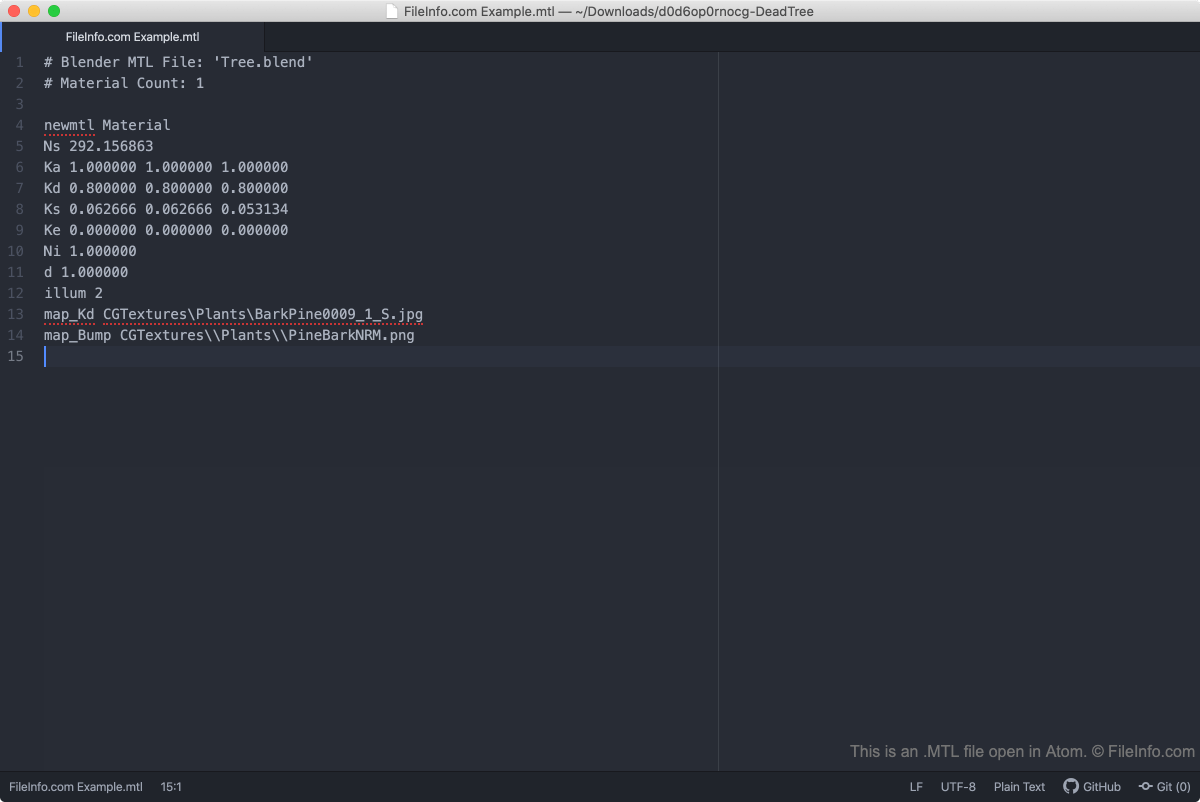
Un fichier OBJ peut faire référence à plusieurs fichiers MTL, et les fichiers MTL peuvent faire référence à plusieurs textures. Ainsi, les utilisateurs peuvent facilement appliquer plusieurs textures au même objet.
Bien que les fichiers MTL soient principalement utilisés et générés par des applications de modification d’objets 3D, ils sont enregistrés au format texte brut, ce qui permet aux utilisateurs de les ouvrir et de les modifier dans presque tous les éditeurs de texte.
Comment ouvrir un fichier MTL
Comme les fichiers MTL sont enregistrés au format texte brut, vous pouvez ouvrir un fichier MTL dans n’importe quel éditeur de texte, notamment :
REMARQUE : Comme il s’agit de fichiers texte, vous ne pouvez pas ouvrir les fichiers MTL dans des applications de modification d’objets 3D comme Adobe Photoshop et Autodesk Maya (même si ces applications créent des fichiers MTL). Ces applications utilisent les paramètres des fichiers MTL et les appliquent lorsque vous ouvrez un fichier OBJ correspondant.