

.MCSG Extension de fichier
Modèle 3D MagicaCSG
| Développeur | Ephtracy |
| Popularité |
4,3 | 7 Votes |
Qu'est-ce qu'un fichier MCSG ?
Un fichier MCSG est un modèle 3D créé avec MagicaCSG, un éditeur gratuit de champs de distance signée et un moteur de rendu par tracé de chemins. Il s’agit d’un fichier JSON qui contient des informations en texte brut sur les formes qui composent un modèle. Les fichiers MCSG peuvent être ouverts dans MagicaCSG ou dans n’importe quel éditeur de texte.
Plus d'informations
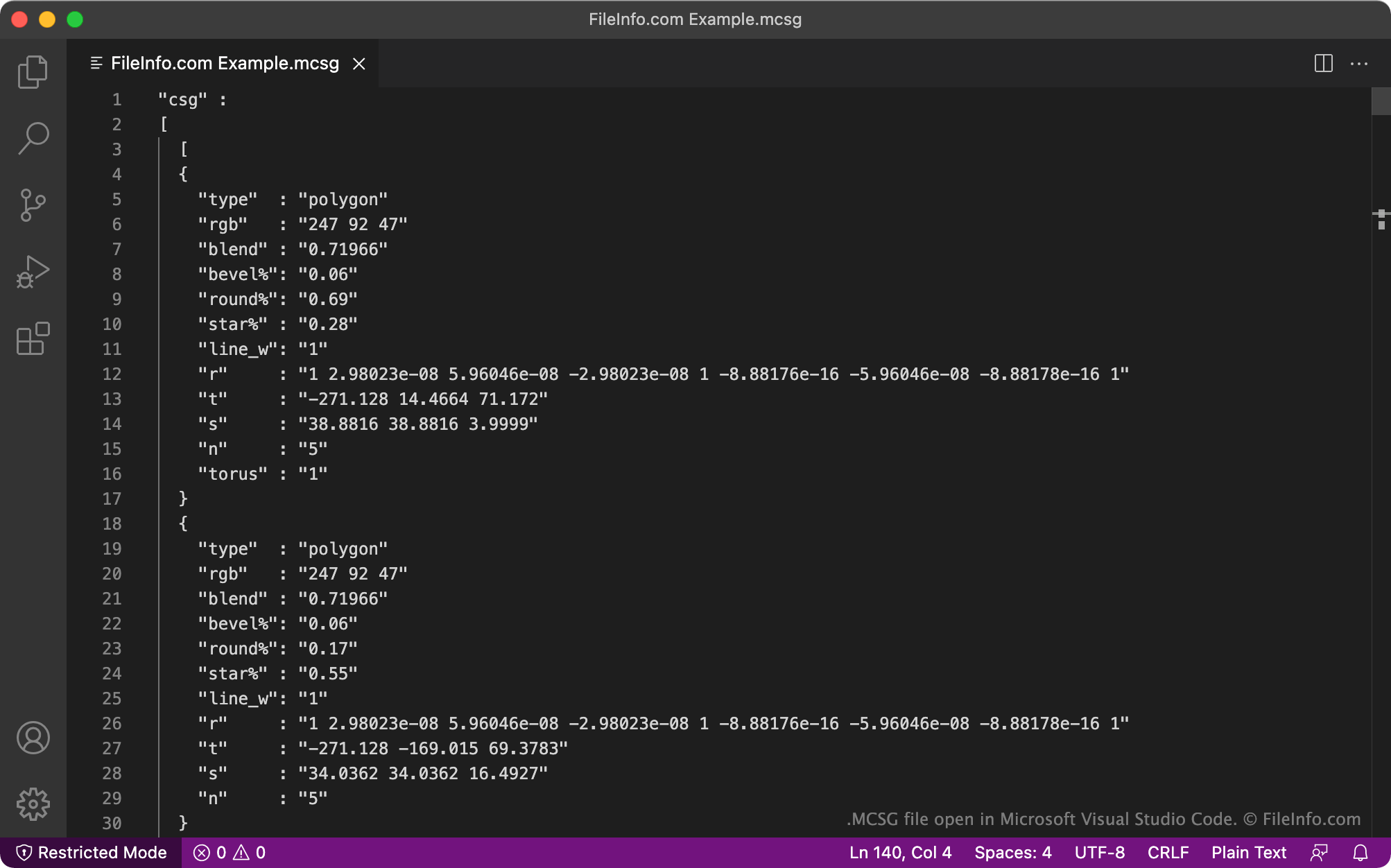
MagicaCSG est un dérivé de MagicaVoxel, un éditeur gratuit d’art voxel et un moteur de rendu interactif par tracé de chemins. MagicaCSG permet aux artistes de créer, modifier et effectuer le rendu d’images 3D à l’aide de champs de distance signée et du tracé de chemins.
Les images créées dans MagicaCSG sont enregistrées sous forme de fichiers MCSG. Bien que ces fichiers apparaissent comme des images 3D dans MagicaCSG, il s’agit en réalité de fichiers texte brut formatés en JSON. Les fichiers MCSG en texte brut contiennent les informations qui définissent leur apparence lorsqu’ils sont chargés dans MagicaCSG.
Comment ouvrir un fichier MCSG
Vous pouvez ouvrir un fichier MCSG dans MagicaCSG (Windows). Pour ce faire, cliquez sur le bouton Open qui apparaît dans le coin supérieur droit du programme, puis accédez à votre fichier MCSG et ouvrez-le.
Vous pouvez également ouvrir un fichier MCSG dans n’importe quel éditeur de code source ou de texte, comme Microsoft Visual Studio Code (multiplateforme) ou GitHub Atom (multiplateforme). Cela vous permettra d’afficher le texte JSON contenu dans votre fichier MCSG.