

.KLC Extension de fichier
Fichier source de Keyboard Layout Creator
| Développeur | Microsoft |
| Popularité |
2,3 | 8 Votes |
Qu'est-ce qu'un fichier KLC ?
Un fichier KLC contient une configuration de clavier créée par Microsoft Keyboard Layout Creator (MSKLC), un programme utilisé pour créer ou modifier des dispositions de clavier. Il stocke la disposition d’un clavier et les fonctions associées aux touches. Les fichiers KLC peuvent inclure les couleurs des touches attribuables, des touches mortes et des touches non attribuables.
Plus d'informations
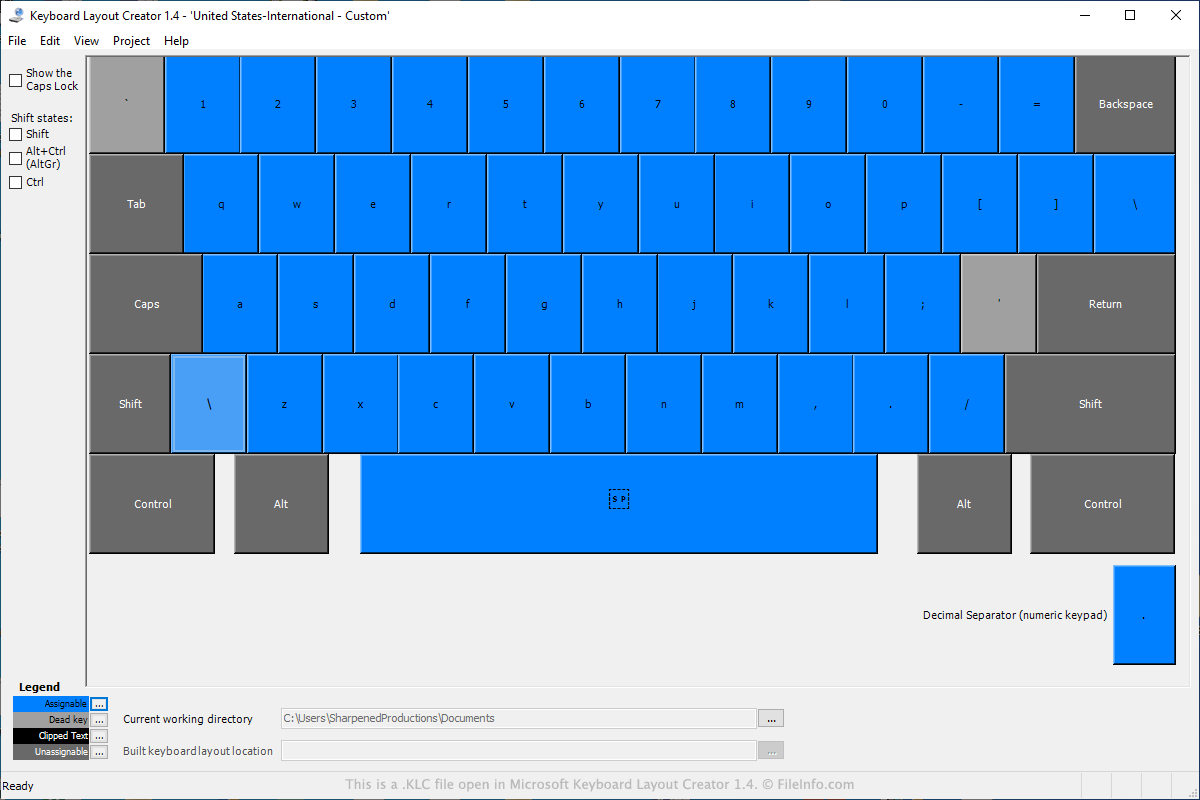
Pour ouvrir le fichier KLC dans Keyboard Layout Creator, procédez comme suit :
- Sélectionnez .
- Accédez à l’emplacement du fichier KLC et sélectionnez-le.
- Cliquez sur .
Pour créer le fichier KLC dans Keyboard Layout Creator, procédez comme suit :
- Configurez le clavier en sélectionnant les touches et en leur attribuant des fonctions.
- Cliquez sur ou .
- Choisissez l’emplacement d’enregistrement, donnez un nom au fichier, puis cliquez sur .
MSKLC est utilisé pour créer de nouvelles dispositions de clavier, modifier des dispositions de clavier et empaqueter des dispositions de clavier pour d’autres utilisateurs de Windows. Le programme est conçu pour être utilisé dans Windows 2000, Windows XP et Windows Server 2003.
Cependant, MSKLC peut également être utilisé dans Windows 10 avec le .NET Framework 2.0 ou le .NET Framework 3.5 installé. L’option .NET Framework 3.5 nécessite que vous activiez « .NET Framework 3.5 (includes .NET 2.0 and 3.0) » dans les fonctionnalités de Windows.