

.PLR Dateiendung
Terraria-Spielerprofil
| Entwickler | Re-Logic |
| Beliebtheit |
4,1 | 59 Stimmen |
Was ist eine PLR-Datei?
Eine PLR-Datei ist ein Spielerprofil, das von Re-Logic Terraria erstellt wird, einem 2D-Action-, Erkundungs- und Sandbox-Bauspiel. Sie enthält die Daten zum Namen und Aussehen einer Spielfigur, zu ihren maximalen HP und MP, ihrem Inventar, dem Spieltyp und der Spielzeit. Terraria verwendet PLR-Dateien, um Spielerprofile auf dem Bildschirm anzuzeigen.
Weitere Informationen
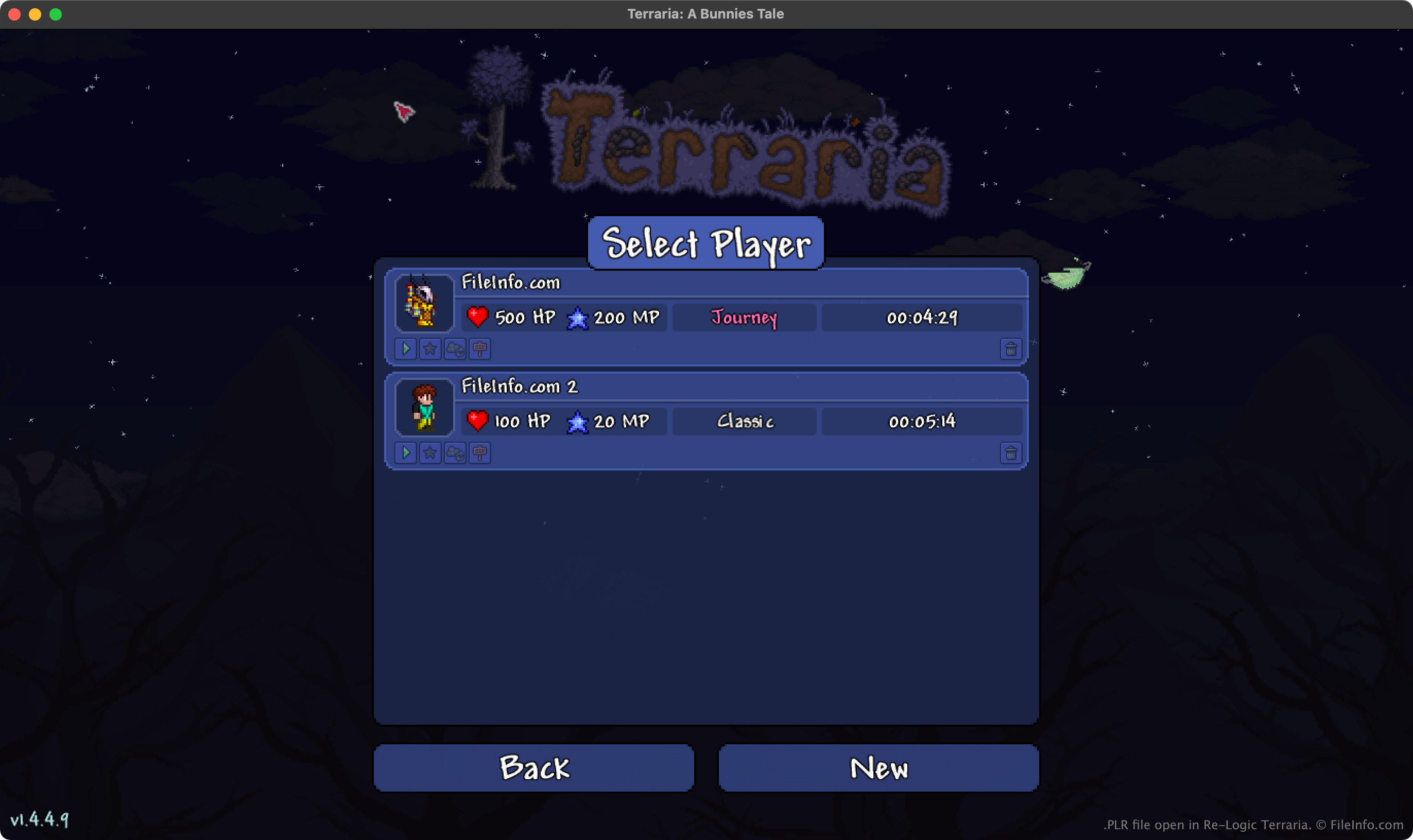
In Terraria erkunden Spieler eine offene Welt, errichten Gebäude und andere Strukturen und kämpfen gegen verschiedene Kreaturen. Bevor Spieler mit dem Spiel beginnen, müssen sie ein Spielerprofil erstellen. Beim Erstellen dieses Profils legen sie die folgenden Informationen zu ihrer Spielfigur fest:
- Name
- Geschlecht und Aussehen
- Spieltyp (Journey, Classic, Mediumcore oder Hardcore)
Terraria speichert das Profil anschließend als PLR-Datei. Während der Spieler im Spiel vorankommt, zeichnet Terraria außerdem die maximalen HP und MP, das aktuelle Inventar, aktuelle Verstärkungen und weitere Daten in der PLR-Datei des Spielers auf.
Wo Terraria PLR-Dateien speichert
Die Desktop-Versionen von Terraria speichern PLR-Dateien in den folgenden Verzeichnissen:
- Windows: ~/Users/YourUserName/Documents/My Games/Terraria/Players
- Mac: ~/Users/YourUserName/Library/Application Support/Terraria/Players
- Linux: ~/.local/share/Terraria/Players
HINWEIS: Terraria speichert außerdem Sicherungskopien jedes Spielerprofils. Diese .BAK-Dateien verwenden die Erweiterung .plr.bak und werden im selben Verzeichnis wie PLR-Dateien gespeichert.
So öffnen Sie eine PLR-Datei
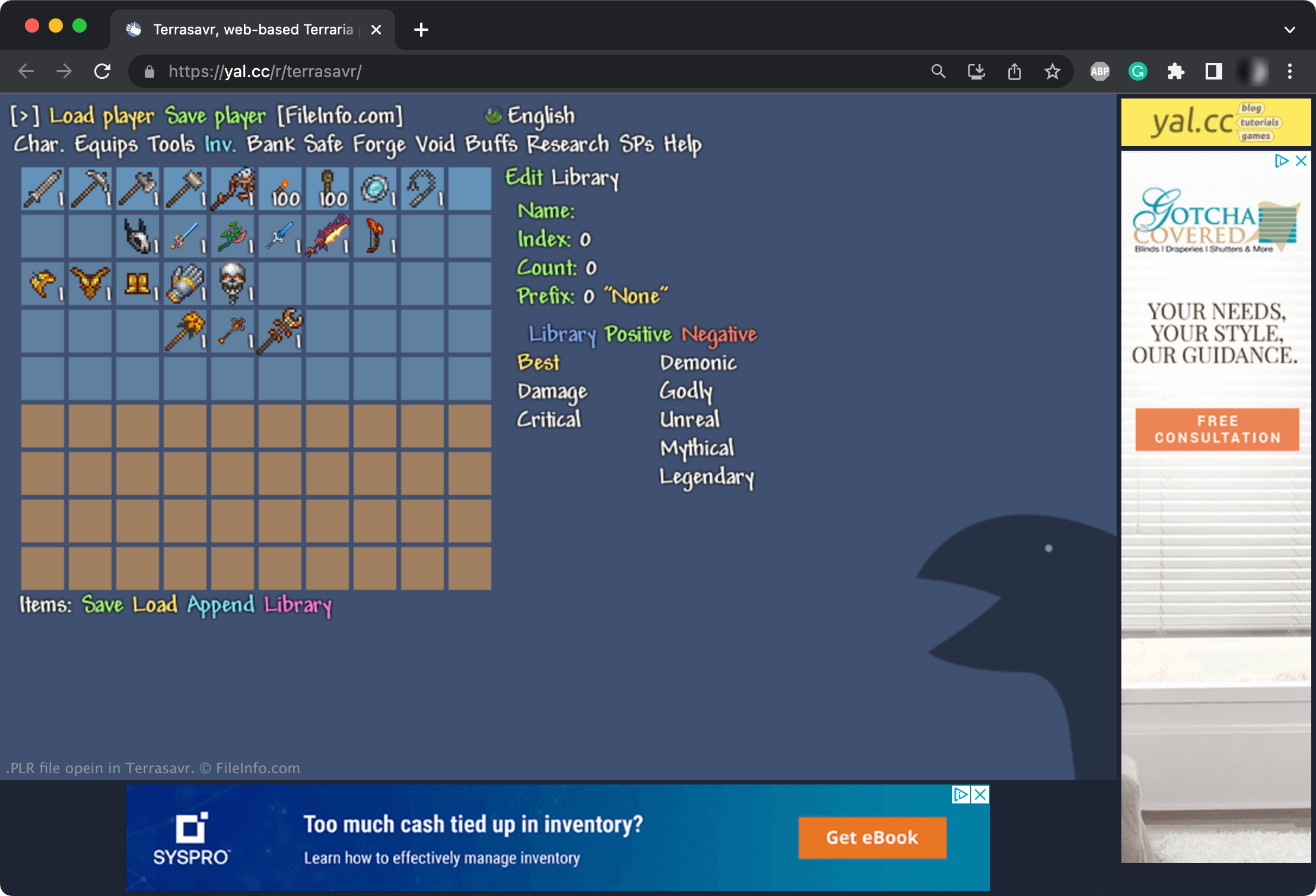
Sie können PLR-Dateien mit Re-Logic Terraria öffnen. Um eine PLR-Datei mit Terraria zu öffnen, legen Sie sie in das Verzeichnis ~/Terraria/Players (dessen vollständiger Pfad oben aufgeführt ist). Anschließend wird das in Ihrer PLR-Datei enthaltene Profil auf dem Bildschirm von Terraria angezeigt.
Sie können PLR-Dateien auch mit Terrasavr bearbeiten, einem Online-Editor für Terraria-Figuren und -Inventare. Beispielsweise können Sie Terrasavr verwenden, um dem Inventar Ihrer Spielfigur Gegenstände hinzuzufügen, den Spielmodus zu ändern, dem Ihre Spielfigur zugeordnet ist, oder die Attribute Ihrer Spielfigur zu bearbeiten.