.PROFILE Přípona souboru
Citrix Application Profile
| Vývojář | Citrix |
| Popularita |
3.8 | 17 Hlasů |
Co je soubor PROFILE?
Configuration file used by Citrix XenApp, a software package used for delivering virtualized software to client systems; stores the data needed for launching a streamed application to the user.
Další informace
PROFILE files can be edited using the Citrix Streaming Profiler program included with XenApp software.
Programy, které otevírají nebo odkazují na soubory PROFILE
Bash Shell Profile
| Vývojář | The GNU Project |
| Popularita |
3.5 | 23 Hlasů |
Další informace
When opening Apple Terminal in Mac OS X, the program automatically searches for a PROFILE file and executes it line by line as a shell script. To manually run a PROFILE file, use the command source ~/.profile.
PROFILE files are hidden files that do not have a filename prefix. They are always named .profile and are located in the user's home directory.
POZNÁMKA: Apple Terminal is a Bash shell program.
Programy, které otevírají nebo odkazují na soubory PROFILE
Godot Engine Feature Profile File
| Vývojář | Godot |
| Popularita |
4.3 | 4 Hlasů |
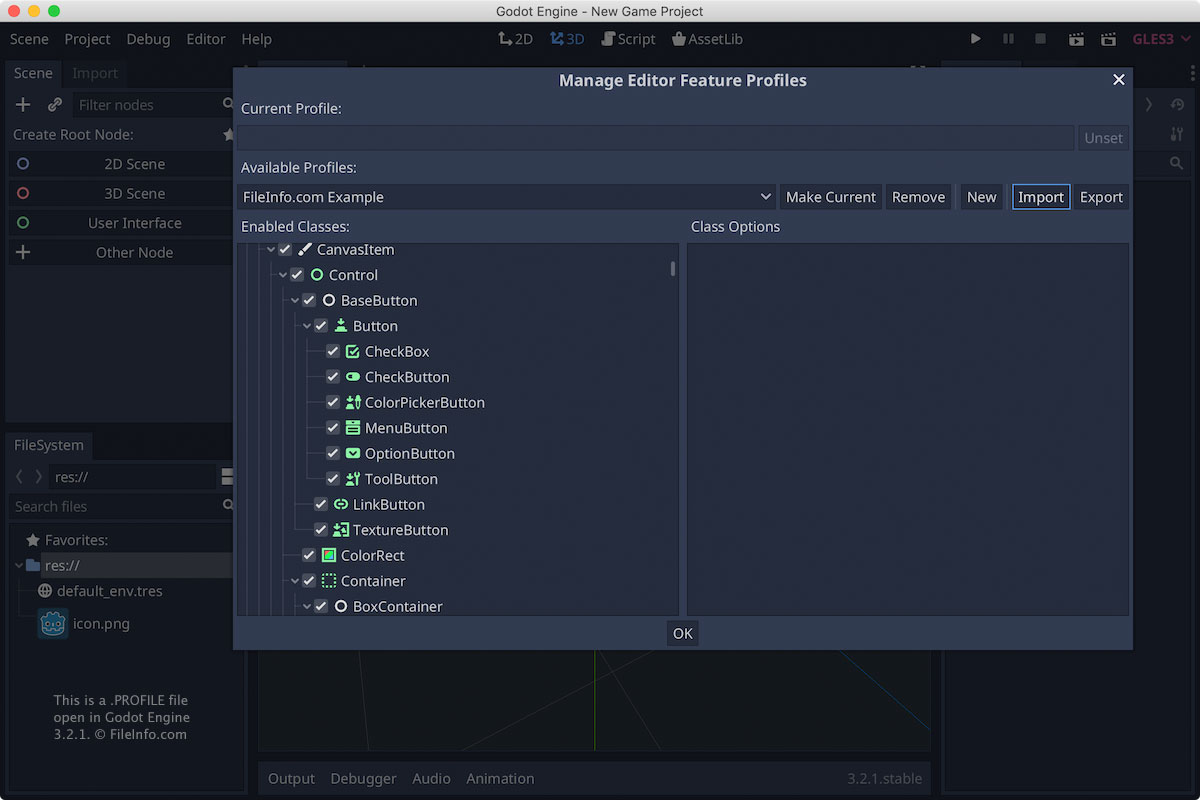
A PROFILE file is a settings file created by Godot Engine, an open-source game engine. It stores a list of features that configure how the Editor appears in Godot Engine, such as enabled panels, menus, buttons, and 2D or 3D engine requirements. PROFILE files are saved in a JSON-like text format.
Další informace
Godot Engine is an open-source game engine used to create 2D and 3D games for various platforms, such as Windows, macOS, Linux, Android, iOS, and the web. Godot users can export Editor feature profiles to save the settings of the Editor for the various types of projects they work on. Users can create a PROFILE with Godot Engine by selecting Editor → Manage Editor Features..., then clicking Export. They can then import the PROFILE to configure the Editor with their favorite presets.
POZNÁMKA: PROFILE files were introduced with the release of Godot Engine 3.2.1.
Jak otevřít soubor PROFILE
You can open a Godot PROFILE file with Godot Engine in Windows, macOS, or Linux. To open the PROFILE with Godot Engine, select Editor → Manage Editor Features..., then click Import.
Since PROFILE files are saved in plain text format, you can also open them with a text editor, such as Microsoft Notepad in Windows or Apple TextEdit in macOS.
Programy, které otevírají soubory PROFILE
Pandemic Studios Game Player Profile
| Vývojář | Pandemic Studios |
| Popularita |
3.2 | 5 Hlasů |
Player profile saved by one of the Pandemic Studios third-person shooter games; contains player information, such as the profile name, player preferences, and progress in campaign missions; saved to the \GameData\SaveGames\ directory of a game installation.
Další informace
PROFILE files apply to Pandemic Studios games such as Star Wars: Battlefront 2, Mercenaries 2, and The Sabateur.